Why Gmail CRM Integration Automates Your Sales Process (And Saves Hours Daily)

Connect your CRM directly to Gmail to automatically log every email conversation, eliminating manual data entry that wastes up to 20% of your sales team’s productive hours. When a prospect replies to your outreach email, your CRM instantly creates a contact record, tracks engagement, and triggers your next follow-up sequence without you lifting a finger.
Stop switching between browser tabs to update deal stages or search for customer history. CRM integration brings your complete contact database, deal pipeline, and communication history directly into your Gmail sidebar, letting you personalize every message with context while staying in your inbox. Your entire team sees the same synchronized conversation thread, preventing duplicate outreach and embarrassing communication gaps.
Set up automated workflows that move prospects through your pipeline based on email behavior. When someone clicks your pricing link, your CRM automatically assigns them to a sales rep and schedules a follow-up task. When a client hasn’t responded in five days, the system sends a templated reminder and notifies you only if action is needed. This integration transforms Gmail from a simple messaging tool into your central command center for customer relationships, reducing response times and increasing conversion rates without expanding your headcount.
What Gmail CRM Integration Actually Means for Your Business
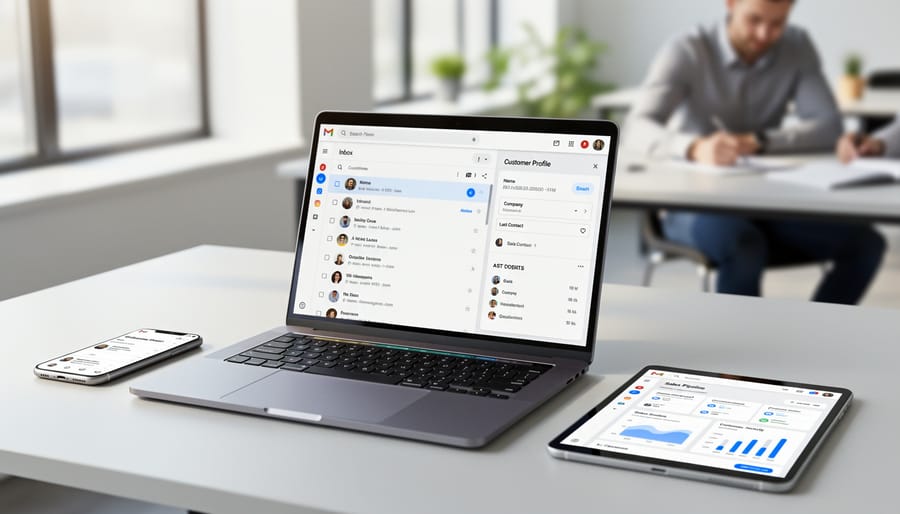
The Connection Between Email and Customer Data
When you integrate your CRM with Gmail, every email conversation automatically syncs with the corresponding customer record in your system. This eliminates the need to manually log emails or switch between platforms to understand your customer’s history.
The integration captures incoming and outgoing messages, attaching them to the relevant contact or deal records. When a sales rep opens a contact profile, they immediately see the complete email thread alongside other interactions like calls, meetings, and notes. This unified view ensures your team always has context before reaching out.
Beyond simple email logging, modern CRM and marketing automation platforms track engagement metrics like open rates and click-throughs. You’ll know exactly which prospects are reading your proposals and which need follow-up.
This centralized data creates powerful opportunities for automation. For instance, when a customer replies to a quote, the CRM can automatically update the deal stage and trigger the next workflow step. Your team spends less time on administrative tasks and more time building relationships, while maintaining complete visibility into every customer touchpoint.
Where Marketing Automation Fits In
Gmail CRM integration transforms how you execute marketing automation strategies by connecting your email communications directly with your automation workflows. When your CRM and Gmail work together, every email interaction becomes a trigger for automated responses, follow-ups, and nurturing sequences.
This integration enables you to automatically segment contacts based on their email engagement, sending targeted campaigns to prospects who open specific messages or click particular links. You can set up drip campaigns that deploy from your Gmail account while your CRM tracks each interaction, ensuring consistent communication without manual effort.
Lead nurturing becomes seamless as the system automatically moves prospects through your sales funnel based on their email behavior. For instance, when a lead downloads your resource, the integration triggers a welcome sequence, schedules follow-up tasks, and notifies your sales team at the right moment.
The real power lies in personalization at scale. Your automated emails maintain the personal touch of Gmail while leveraging CRM data to customize content for each recipient, dramatically improving response rates and conversion outcomes.
The Real Benefits You’ll See Immediately
Automatic Contact and Conversation Syncing
When you integrate your CRM with Gmail, the system automatically captures and syncs every email exchange without requiring manual updates. Each time you send or receive an email, the conversation thread automatically appears in the relevant contact’s CRM record, creating a complete communication history.
The integration recognizes email addresses and matches them to existing contacts in your database. If someone new emails you, the system can automatically create a contact record with their information. All email attachments, including proposals, contracts, and documents, sync directly to the appropriate CRM records, ensuring your team always has access to important files.
Conversation threads maintain their full context, so anyone on your team can review past discussions and pick up where a colleague left off. This eliminates the need to forward emails internally or search through multiple inboxes for customer correspondence. The system works bidirectionally, meaning emails sent from your CRM interface also appear in Gmail, keeping both platforms perfectly synchronized. This seamless data flow saves hours of manual entry while reducing errors and missed communications.
Email Tracking That Actually Helps Close Deals
Knowing when prospects engage with your emails transforms how you prioritize your day. With email tracking enabled through CRM-Gmail integration, you receive instant notifications the moment someone opens your message, clicks a link, or downloads an attachment. This real-time intelligence eliminates the guesswork from your follow-up strategy.
Instead of sending generic follow-up emails on arbitrary schedules, you can reach out precisely when prospects demonstrate interest. If a potential customer opens your proposal three times in one afternoon, that’s your cue to pick up the phone. When someone clicks through to your pricing page, your CRM captures that signal and can automatically trigger a follow-up sequence or alert your sales team.
The best part? All this tracking data flows directly into your contact records without manual entry. You build a complete picture of each prospect’s engagement history, helping you understand what content resonates and which opportunities deserve immediate attention. This automated tracking keeps your team focused on high-value conversations rather than administrative tasks.

Templates and Sequences That Run on Autopilot
Pre-built email templates eliminate the need to compose the same messages repeatedly. When integrated with your CRM and Gmail, these templates automatically pull contact information, company details, and previous interaction history into your emails. This ensures consistent messaging while maintaining personalization at scale.
Automated sequences take this efficiency further by sending a series of timed emails based on specific triggers. When a lead downloads a resource or reaches a certain stage in your pipeline, the system automatically initiates the appropriate follow-up sequence. You can set delays between emails, customize the messaging based on recipient actions, and let the entire process run without manual intervention.
These automated workflows handle common scenarios like welcome series for new contacts, follow-up sequences after meetings, and re-engagement campaigns for inactive leads. The system tracks opens, clicks, and responses, updating your CRM records automatically and notifying you only when prospects engage or require personal attention. This frees your team to focus on high-value conversations rather than routine correspondence.
One Complete Customer History in Gmail
Gmail CRM integration eliminates the constant tab-switching that disrupts your workflow. When a customer emails you, their complete interaction history appears right in your inbox sidebar. You’ll see previous purchases, support tickets, deal values, and pipeline stages without opening your CRM platform. This immediate access means faster response times and more personalized communication. Sales teams can reference past conversations and current deal status while crafting replies, ensuring every message aligns with where the customer stands in your sales process. The integration automatically syncs data both ways, so updates made in Gmail reflect instantly in your CRM, maintaining one accurate customer record across all platforms.
Popular CRM Systems That Integrate With Gmail
HubSpot: Built-In Marketing Automation
HubSpot’s CRM integration with Gmail stands out for its comprehensive automation capabilities built directly into the platform. The integration automatically logs emails, tracks opens and clicks, and syncs contact information bidirectionally without manual data entry. You can create sophisticated automation workflows that trigger follow-up emails based on prospect behavior, assign tasks to team members when contacts reach specific milestones, and schedule personalized email sequences that deploy at optimal times. HubSpot also provides email templates, meeting scheduling links, and real-time notifications within Gmail. This solution works particularly well for growing businesses that need scalable automation without overwhelming complexity. The free tier offers basic features, while paid plans unlock advanced workflow automation, lead scoring, and detailed analytics that help you refine your communication strategy over time.
Salesforce: Enterprise-Level Integration
Salesforce remains the gold standard for enterprise-level Gmail integration, particularly for organizations managing complex sales processes and large customer databases. The platform’s native Gmail integration syncs emails, calendar events, and contacts bidirectionally, automatically logging all client communications directly into customer records. Einstein AI elevates this functionality by providing predictive lead scoring, automated activity capture, and intelligent email recommendations based on historical data patterns. The system identifies which emails warrant logging and suggests optimal follow-up times, reducing manual data entry by up to 70%. While Salesforce requires a steeper learning curve and higher investment than lighter alternatives, it delivers unmatched customization options and scalability. Large teams benefit from advanced workflow automation, territory management, and comprehensive reporting capabilities. The integration works seamlessly through Salesforce Inbox or Einstein Activity Capture, both accessible via Chrome extension. Best suited for organizations with 50-plus employees, established sales processes, and dedicated CRM administrators who can maximize the platform’s extensive feature set.
Pipedrive: Streamlined for Sales Teams
Pipedrive stands out as a sales-focused CRM built specifically around visual pipeline management. Its Gmail integration automatically syncs email conversations directly to deal cards, giving your sales team instant context when following up with prospects. Every email becomes part of your customer’s journey, eliminating the need to jump between platforms to track communication history.
The platform excels at sales automation by triggering follow-up tasks based on email interactions. When a prospect opens your proposal or clicks a link, Pipedrive can automatically create reminders or move deals through your pipeline stages. This hands-off approach ensures no opportunity falls through the cracks while your team focuses on closing deals rather than administrative tasks.
Email templates and tracking features streamline repetitive outreach, letting sales reps personalize messages at scale without starting from scratch. You’ll see exactly when prospects engage with your emails, helping you time follow-ups perfectly. For growing sales teams managing multiple deals simultaneously, Pipedrive’s Gmail integration transforms scattered conversations into organized, actionable intelligence that drives revenue forward.
Zoho CRM: Budget-Friendly Automation
Zoho CRM delivers robust Gmail integration without breaking the bank, making it an attractive option for small businesses with limited budgets. The platform automatically syncs your Gmail conversations directly into contact records, eliminating manual data entry and ensuring your team has complete visibility into customer interactions.
The automation capabilities stand out for their value proposition. You can set up workflows that trigger email sequences based on specific actions, such as sending follow-up messages when contacts open emails or reach certain pipeline stages. Zoho’s AI assistant, Zia, helps prioritize emails and suggests optimal send times to improve response rates.
For businesses managing high email volumes, Zoho’s bulk email feature integrates seamlessly with Gmail, allowing you to send personalized campaigns while tracking opens, clicks, and responses within the CRM. The system also captures email attachments and links them to relevant deals or contacts automatically.
Setup takes minutes through Google Workspace Marketplace, and the free tier supports up to three users, making it ideal for startups testing CRM automation before committing to paid plans.
How to Set Up Gmail CRM Integration (Without the Headaches)
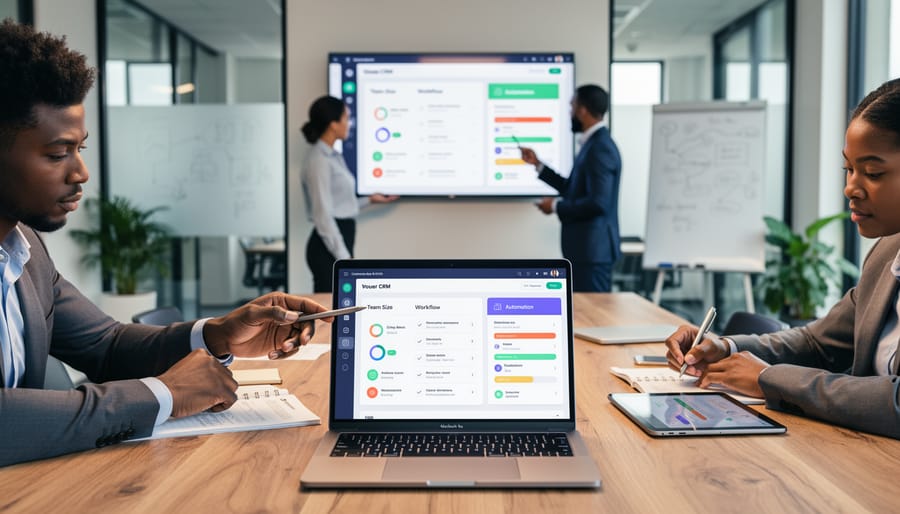
Choosing the Right CRM for Your Needs
Selecting the right CRM depends on four critical factors that directly impact your automation success. First, consider your business size. Teams under 10 typically need basic contact management and email tracking, while larger organizations require advanced segmentation and multi-user collaboration features. Second, establish your budget early. Entry-level CRMs start around $12-15 per user monthly, while enterprise solutions can exceed $100.
Next, identify must-have features. If automated follow-ups and pipeline management drive your sales process, prioritize CRMs with robust workflow builders. Finally, audit your existing marketing tools. Your CRM should integrate seamlessly with your current email marketing platform, calendar system, and communication channels to avoid data silos.
Test free trials extensively before committing. Focus on how intuitively the platform handles Gmail integration and whether it genuinely reduces manual data entry. The right choice streamlines client communication without adding complexity to your daily workflow.
The Basic Setup Process
Integrating your CRM with Gmail follows a straightforward process across most platforms. The first step involves authorizing the connection between your CRM and Gmail account. This typically requires logging into both systems and granting permission for data exchange through secure OAuth authentication.
Next, you’ll configure permission settings to determine what information flows between platforms. This includes deciding whether contacts, emails, calendar events, and attachments should sync automatically. Most integrations allow you to customize these preferences based on your team’s needs.
Sync preferences represent a critical decision point. You can choose between one-way or two-way synchronization, set sync frequency intervals, and specify which email folders or labels to include. These choices directly impact how automation workflows function within your system.
Initial configuration involves mapping fields between Gmail and your CRM to ensure contact information, email threads, and metadata appear correctly in both platforms. You’ll also set up rules for automatic contact creation, email logging preferences, and notification settings. Most platforms provide setup wizards that guide you through these steps, making the process accessible even without technical expertise.
Testing the integration with a small group before full deployment ensures everything works smoothly and prevents data inconsistencies.
Testing Your Integration Before Going Live
Before launching your CRM-Gmail integration, run a comprehensive test to avoid disruptions to your workflow. Start by creating test contacts and sending sample emails to verify that data syncs correctly between both platforms. Check that contact details, email threads, and timestamps appear accurately in your CRM.
Test each automated workflow individually. Send test emails that should trigger specific automation sequences and confirm they execute as intended. Verify that follow-up emails send at the correct intervals and that tasks assign to the right team members.
Review data mapping to ensure custom fields transfer properly. Check that tags, deal stages, and contact properties update automatically based on email interactions. Look for duplicate entries or missing information that could indicate synchronization issues.
Invite a small group of team members to test the integration in real-world scenarios for several days. Gather their feedback on usability and functionality. Monitor error logs and address any technical issues before rolling out to your entire organization. This controlled testing phase protects your existing client relationships while ensuring smooth automation performance.
Marketing Automation Workflows You Can Launch Today
Lead Nurturing Email Sequences
Lead nurturing email sequences automatically guide prospects through your sales funnel without manual intervention. When you integrate your CRM with Gmail, you can trigger personalized email sequences based on specific customer actions, such as downloading a resource, abandoning a cart, or reaching a particular engagement score. These automated workflows ensure no lead falls through the cracks while maintaining consistent communication.
Set up time-based sequences that deliver relevant content at optimal intervals. For example, send a welcome email immediately after signup, followed by educational content three days later, and a product demonstration invite after one week. Your CRM tracks each interaction, automatically adjusting the sequence based on opens, clicks, and responses. This approach supports proven email marketing strategies while saving hours of manual follow-up time.
The key advantage is personalization at scale. Your CRM data populates Gmail templates with recipient-specific information, making each automated email feel individually crafted while you focus on closing deals.
Re-engagement Campaigns for Cold Contacts
Cold contacts don’t have to stay cold forever. With CRM-Gmail integration, you can automatically identify leads who’ve gone silent and trigger re-engagement sequences based on their interaction history. The system tracks when contacts stop opening emails, clicking links, or responding to messages, then automatically launches targeted campaigns to recapture their attention.
Set up automated workflows that send personalized re-engagement emails after specific periods of inactivity—perhaps 30, 60, or 90 days without engagement. These sequences can include special offers, valuable content, or simple check-ins asking if they’re still interested. The integration pulls engagement data directly from Gmail, ensuring your triggers are based on actual email behavior rather than guesswork.
You can also segment cold contacts by their previous engagement level, sending different messages to those who were once highly engaged versus those who never responded. This data-driven approach helps you prioritize which relationships are worth reviving and which contacts should be removed from your active lists.
Task and Reminder Automation
Automated task creation eliminates manual data entry and ensures nothing falls through the cracks. When a prospect opens your proposal email three times in one day, your CRM should automatically create a follow-up task for your sales team. Most integration platforms allow you to set trigger-based rules: if a client hasn’t responded within 48 hours, generate a reminder task with priority levels based on deal value.
Configure your system to update deal stages automatically when specific email actions occur. For example, when a prospect clicks a pricing link in your email, move them from “Initial Contact” to “Qualified Lead” status. This real-time tracking keeps your pipeline accurate without manual updates.
Set up recurring reminder sequences for different scenarios. Create a seven-day follow-up series for new leads, or establish milestone-based reminders for ongoing projects. The key is matching automation timing to your actual sales cycle. Start with simple rules and refine based on response rates and conversion data to optimize your workflow efficiency.
Common Mistakes That Kill Your Integration Results
Over-Automating Your Communication
While automation saves time and increases efficiency, over-relying on it can damage client relationships. Automated emails that feel generic or impersonal may alienate prospects who expect genuine engagement. The key is finding the right balance.
Reserve automation for routine tasks like follow-up reminders, appointment confirmations, and data entry. These free up time for meaningful interactions that require personal attention. However, important client conversations, negotiation discussions, and relationship-building communications should remain personal.
Monitor your automated workflows regularly to ensure they align with your brand voice and customer expectations. Set clear rules about which messages trigger automation and which require manual review. Personalize automated templates with merge fields that include specific details about each recipient’s needs, previous interactions, or industry.
Remember that automation should enhance your communication strategy, not replace the human element entirely. Your clients want to feel valued, not processed. Use the time saved through automation to engage more deeply with high-priority prospects and maintain authentic relationships that drive long-term business growth.
Ignoring Data Quality and Cleanup
Poor data quality undermines even the most sophisticated CRM-Gmail integration. Duplicate contacts create confusion when automation workflows send multiple emails to the same person, damaging your professional reputation and annoying potential clients. Outdated information leads to bounced emails, missed opportunities, and wasted resources on contacts who’ve moved on.
Before activating automated processes, invest time in data cleanup. Remove duplicate entries by running deduplication tools within your CRM. Verify email addresses are current and properly formatted. Archive or delete inactive contacts who haven’t engaged in over a year. Establish clear data entry standards for your team, including required fields and naming conventions for consistent contact information.
Once your integration is live, maintain data quality through regular audits. Schedule monthly reviews to identify and merge duplicates that slip through. Set up validation rules that prevent incomplete contact records from entering your system. Enable automatic data enrichment features that update contact information from reliable sources.
Clean data ensures your automated client communications reach the right people with relevant messages, maximizing the return on your CRM-Gmail integration investment while maintaining professional standards in every interaction.
Integrating your CRM with Gmail transforms how you manage client relationships and automate your marketing efforts. The combination delivers measurable results: teams report saving 5-10 hours weekly on data entry, respond to leads 60% faster, and maintain consistent communication that converts prospects into loyal customers. These aren’t incremental improvements—they’re fundamental shifts in how efficiently your business operates.
The key to success lies in starting small and scaling strategically. Don’t attempt to automate everything at once. Begin with one simple integration, such as automatic contact syncing or email tracking. Master that workflow, measure the time savings, and then add another automation layer. This approach prevents overwhelm and allows your team to adapt gradually while building confidence in the system.
Your clients expect timely, personalized communication. Manual processes make that nearly impossible as your business grows. CRM integration ensures no lead falls through the cracks, every interaction is documented, and your team has the context needed to provide exceptional service. The technology exists, it’s accessible, and the competitive advantage is significant. Take the first step today—choose one integration that addresses your biggest pain point and implement it this week.
Leave a Reply