Your Social Media Posts Could Be Breaking the Law (Here’s How to Fix It)

Understand that web compliance standards are the legal and technical requirements governing how businesses communicate online—from accessibility rules under WCAG 2.1 to advertising regulations enforced by the FTC, FCC, and platform-specific policies. These standards exist to protect consumers from deceptive practices, ensure equal access for users with disabilities, and maintain fair competition in digital markets. For business owners, non-compliance carries real consequences: Facebook and Instagram can suspend accounts for policy violations, the FTC issues fines starting at $50,120 per violation for misleading claims, and accessibility lawsuits under the ADA have increased 320% since 2018.
Recognize that compliance issues often surface unexpectedly when posts getting flagged by automated content moderation systems, customer complaints trigger regulatory reviews, or competitors report violations to enforcement agencies. The challenge for marketing professionals is that standards vary across platforms, update frequently, and often conflict with growth strategies focused on persuasive language and compelling visuals.
Implement a compliance framework that addresses three core areas: truthful advertising practices that substantiate all claims with verifiable evidence, accessible content design that accommodates users with visual or hearing impairments, and transparent data collection that clearly discloses how customer information is used. This proactive approach protects your business from legal exposure while building consumer trust—a competitive advantage as buyers increasingly favor brands demonstrating ethical practices and social responsibility.
Why Social Media Accessibility Compliance Matters for Your Business

The Legal Landscape: ADA and WCAG Requirements
Understanding web compliance means grasping two key legal frameworks that protect people with disabilities online. The Americans with Disabilities Act (ADA), while originally written before the internet era, now applies to websites and social media platforms, particularly for businesses that serve the public. Courts have consistently ruled that digital properties fall under ADA Title III, which requires equal access to goods and services.
The Web Content Accessibility Guidelines (WCAG) provide the technical roadmap for meeting these legal obligations. Currently at version 2.1, WCAG establishes three compliance levels: A (minimum), AA (mid-range), and AAA (highest). Most businesses should target WCAG 2.1 Level AA compliance, which courts often reference as the reasonable standard for accessibility.
These standards work alongside other regulations like FTC compliance requirements, creating a comprehensive legal framework for your digital presence.
What does this mean practically? WCAG AA compliance requires features like text alternatives for images, keyboard navigation capability, sufficient color contrast, and clear content structure. For social media specifically, this includes adding alt text to images, providing captions for videos, and ensuring your content works with screen readers.
The legal risks are real. ADA website lawsuits have increased significantly, with businesses facing settlements ranging from $5,000 to over $100,000. More importantly, non-compliance excludes potential customers and damages your brand reputation. The good news? Achieving compliance is straightforward when you understand the requirements and implement systematic processes.
The Business Cost of Ignoring Accessibility
Ignoring web accessibility isn’t just an ethical oversight—it carries significant financial consequences. In recent years, businesses have faced thousands of lawsuits under the Americans with Disabilities Act (ADA) for inaccessible websites and social media content. Domino’s Pizza lost a Supreme Court case that cost millions in legal fees and settlements, while Beyoncé’s company settled an accessibility lawsuit for an undisclosed sum.
Beyond legal risks, non-compliance directly impacts your bottom line. Approximately 26% of U.S. adults live with some form of disability, representing over $490 billion in disposable income. When your social media posts lack captions, alt text, or proper formatting, you’re excluding this substantial market segment from engaging with your brand.
These accessibility issues often compound with other common marketing roadblocks that limit reach and engagement. Companies like Target and Netflix have invested millions in remediation after facing accessibility complaints. The cost of retrofitting inaccessible content far exceeds building it right from the start. For small to medium-sized businesses, a single lawsuit can mean devastating financial consequences, damaged reputation, and lost customer trust that takes years to rebuild.
Core Web Compliance Standards for Social Media
Text and Image Accessibility Requirements
Making your digital content accessible starts with understanding two fundamental requirements: how users interact with images and text. These standards aren’t arbitrary—they’re designed to ensure everyone, including people with visual impairments, can access your content.
For images, every photo, graphic, or icon on your website and social media needs alternative text (alt text). This brief description allows screen readers to convey the image’s meaning to visually impaired users. Keep alt text concise and descriptive—”team meeting in conference room” rather than “image123.jpg.” Decorative images that don’t convey information should have empty alt attributes to avoid cluttering the user experience.
Text contrast ratios measure the difference between text color and background color. The Web Content Accessibility Guidelines (WCAG) require a minimum contrast ratio of 4.5:1 for normal text and 3:1 for large text. This ensures readability for users with low vision or color blindness. Free online contrast checkers can verify your color combinations meet these standards in seconds.
Font requirements focus on readability. Text should be resizable up to 200 percent without loss of functionality, and avoid using images of text when actual text will work. Minimum font sizes vary by platform, but 16 pixels is generally considered the baseline for body text on websites.
The good news? Many of these requirements can be automated through your content management system or social media scheduling tools, making compliance straightforward once you understand the basics.
Video and Audio Content Standards
Video and audio content requires specific accessibility features to meet compliance standards, particularly under WCAG guidelines and the Americans with Disabilities Act (ADA). These requirements aren’t just legal checkboxes—they make your content accessible to millions of potential customers with hearing or vision impairments.
Closed captions are mandatory for all pre-recorded video content and strongly recommended for live videos. Unlike subtitles, captions include both dialogue and important sound effects like music or background noises. Most social media platforms now offer automated captioning tools, though you should always review and edit them for accuracy. Errors in automated captions can change your message entirely and create liability issues.
Transcripts serve as text alternatives for both video and audio content, including podcasts. They should include all spoken words and relevant non-speech sounds. Transcripts also boost your SEO performance since search engines can index the text content.
Audio descriptions provide narration of important visual elements for vision-impaired users. While not required for all content, they’re necessary when visual information is essential to understanding your message. Many businesses start by implementing audio descriptions for key marketing videos and tutorials.
Autoplay restrictions have become standard across compliance frameworks. Videos must not play automatically with sound, as this creates accessibility barriers and poor user experience. Users should always control when and how they engage with your multimedia content.
Implementing these standards through automated processes—like using platform-native captioning tools and scheduling regular transcript reviews—makes compliance manageable without overwhelming your team’s resources.
Platform-Specific Compliance Considerations
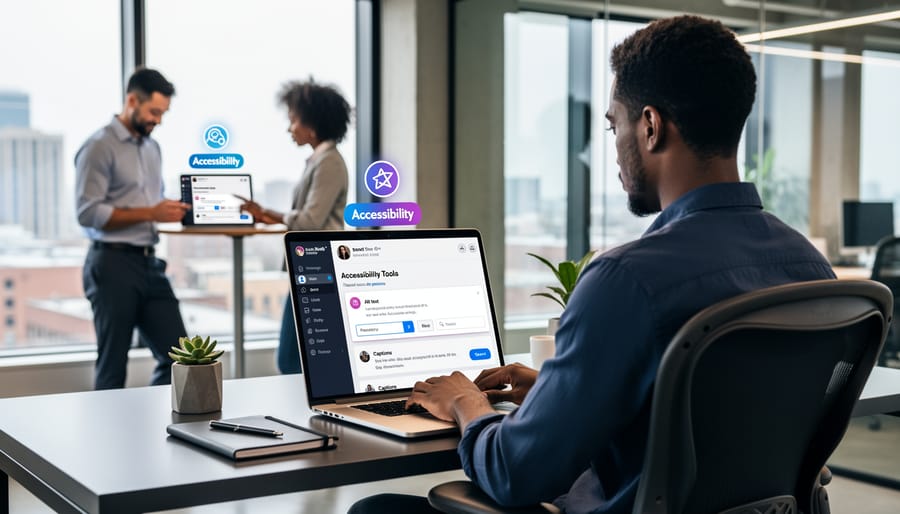
Each social platform has developed its own approach to accessibility and compliance, creating a patchwork of requirements that businesses must navigate. Understanding these platform-specific standards helps you maintain consistent compliance across your social media presence.
Facebook and Instagram, both owned by Meta, share similar accessibility frameworks but serve different content formats. Facebook prioritizes alt text for images, which you can add manually when uploading photos or edit later through the photo options menu. The platform also supports automatic alt text generation, though manually written descriptions typically provide better context. For video content, Facebook encourages closed captions, and their automated captioning tool can transcribe videos, though accuracy varies. Instagram follows comparable guidelines, with alt text capability for feed posts and Stories. However, Instagram’s emphasis on visual content means accessibility becomes even more critical. Both platforms recommend descriptive captions that provide context for screen reader users, avoiding emoji-heavy text that can confuse assistive technology.
LinkedIn maintains professional standards that extend to accessibility features. The platform supports alt text for images and documents, and video captions are strongly encouraged. LinkedIn’s document-sharing feature requires consideration of accessible file formats, particularly for PDFs, which should include proper tagging and structure. The platform also emphasizes readability in text posts, encouraging clear formatting and avoiding excessive special characters.
Twitter, now known as X, allows alt text descriptions up to 1,000 characters per image, which must be enabled in accessibility settings before use. The platform’s character limit encourages concise communication, but this shouldn’t compromise clarity for users with disabilities. Camel case hashtags improve screen reader comprehension, so use #SocialMediaMarketing instead of #socialmediamarketing.
TikTok presents unique challenges due to its video-first format. The platform automatically generates captions for videos, but creators should review and edit these for accuracy. Adding text overlays directly to videos helps, but ensure sufficient color contrast and readable font sizes. TikTok’s accessibility features continue evolving, making it essential to check current capabilities regularly.
The key across all platforms is consistency in your accessibility efforts, treating compliance as an integral part of your content creation process rather than an afterthought.
Practical Steps to Achieve Social Media Accessibility Compliance
Audit Your Current Social Media Content
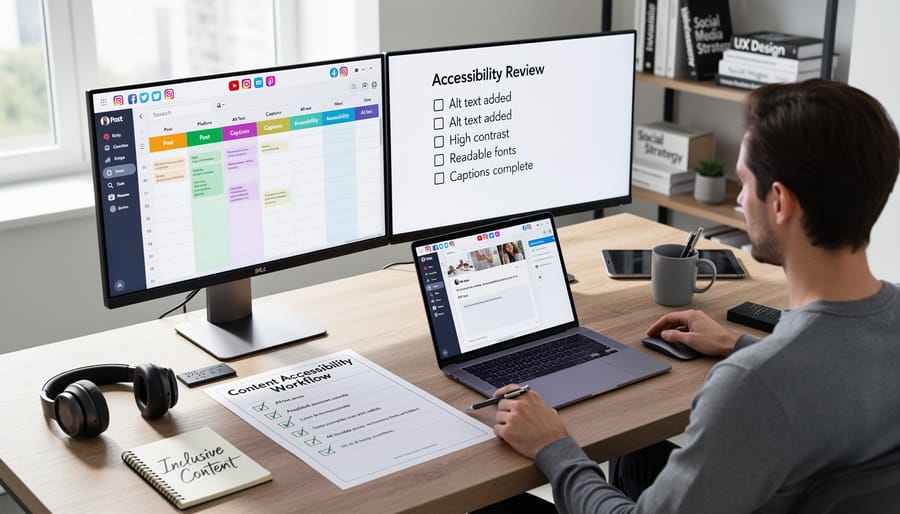
Start by conducting a comprehensive review of your existing social media content across all platforms. Begin with a manual spot-check of your most recent 20-30 posts to identify obvious issues like missing alt text, unclear contrast ratios, or problematic captions. Document any patterns you notice, such as consistently inaccessible image formats or missing captions on videos.
Next, leverage automated tools to scale your audit efficiently. Use free browser extensions like WAVE or axe DevTools to evaluate your social media profiles and linked content for technical compliance issues. These tools quickly identify problems like insufficient color contrast, missing ARIA labels, and keyboard navigation barriers that manual reviews might miss.
Create a simple spreadsheet to track your findings, categorizing issues by severity and platform. Note which posts contain video without captions, images without alt text, or links that don’t clearly indicate their destination. This inventory becomes your compliance roadmap.
For ongoing monitoring, set up automated tools that can scan your content as you publish. Many social media management platforms now include accessibility checkers that flag potential compliance issues before content goes live, saving you from costly corrections later.
Implement Automated Compliance Checks
Manual compliance reviews are time-consuming and prone to human error. Automated tools streamline this process, scanning your website regularly for accessibility issues like missing alt text, poor color contrast, or improper heading structures. These tools provide detailed reports highlighting problems and suggested fixes, allowing your team to address issues proactively rather than reactively.
Start by integrating automated accessibility checkers into your development workflow. Many platforms offer browser extensions and CI/CD integrations that flag compliance issues before content goes live. Schedule weekly or monthly automated scans to catch new problems as your site evolves.
Combine automated checks with your existing content moderation practices to create a comprehensive quality control system. While automation handles technical aspects like ARIA labels and keyboard navigation, designate one team member to review flagged items and verify fixes.
Remember that automation supplements, not replaces, human judgment. Use these tools to handle repetitive tasks efficiently while your team focuses on strategic improvements and edge cases requiring creative solutions.
Train Your Team on Accessibility Best Practices
Building an accessibility-aware team prevents compliance issues before they arise. Start by establishing clear guidelines that cover alt text for images, caption requirements for videos, and color contrast standards for graphics. Implement a simple checklist system that your content creators can reference before publishing any social media post or marketing material.
Invest in practical training sessions that focus on real-world scenarios your team encounters daily. Free resources like the Web Accessibility Initiative tutorials and Google’s accessibility courses provide excellent starting points. Schedule quarterly refresher sessions to keep accessibility top of mind as platforms and standards evolve.
Create an automated review process within your workflow where content passes through accessibility checkpoints. This systematic approach ensures compliance becomes second nature rather than an afterthought. Document common mistakes and solutions in a shared knowledge base, allowing team members to learn from past issues and continuously improve their content creation practices.
Common Compliance Mistakes and How to Avoid Them
Even well-intentioned businesses frequently stumble over the same accessibility barriers when managing their social media presence. Understanding these common pitfalls helps you avoid compliance issues before they become problems.
One of the most widespread mistakes is posting images without alternative text. Many businesses either skip alt text entirely or use generic descriptions like “image” or “photo.” The fix is straightforward: describe what the image shows in clear, specific language. For product photos, include relevant details like color, style, or key features. For infographics, summarize the main data points.
Unclear or vague calls-to-action create confusion for all users, particularly those using assistive technology. Phrases like “click here” or “learn more” lack context. Instead, use descriptive CTAs such as “download the pricing guide” or “schedule your free consultation.” This simple change improves both accessibility and conversion rates.
Hashtag accessibility is frequently overlooked. Writing hashtags in all lowercase, like #smallbusinessowner, makes them difficult for screen readers to interpret correctly. Use CamelCase formatting instead: #SmallBusinessOwner. This allows assistive technology to distinguish between words and read them properly.
Video content without captions excludes users who are deaf or hard of hearing, as well as those watching in sound-sensitive environments. Always include accurate captions, not just auto-generated ones that often contain errors. Provide transcripts for longer video content to maximize accessibility.
Color contrast issues present another common problem. Text overlaid on images or backgrounds with insufficient contrast becomes unreadable for users with visual impairments. Use contrast-checking tools to ensure your text meets WCAG standards, maintaining a ratio of at least 4.5:1 for normal text.
Finally, many businesses use PDFs or documents that aren’t properly formatted for accessibility. When sharing downloadable content, ensure files are tagged correctly and include alternative formats when possible. These preventable mistakes can be eliminated through automated compliance checks and consistent implementation across your social media channels.
Maintaining Ongoing Compliance
Accessibility compliance isn’t a one-time checklist item. As compliance standards evolve and platforms introduce new features, your approach must adapt accordingly.
Start by scheduling quarterly accessibility audits of your social media presence. Review your recent posts to ensure alt text is consistently applied, captions are accurate, and color contrasts meet WCAG standards. Document your findings and track improvements over time to demonstrate due diligence.
Build accessibility checks directly into your content creation workflow. Before any post goes live, verify that images include descriptive alt text, videos have captions or transcripts, and text remains readable. Many scheduling tools now offer built-in accessibility reminders, making this process seamless and automated.
Stay informed about platform updates that affect accessibility. Social networks regularly roll out new accessibility features like automatic captioning, improved screen reader support, and enhanced alt text tools. Subscribe to platform announcements and test new features as they become available.
Designate a team member to monitor accessibility guidelines from organizations like the World Wide Web Consortium. When updates occur, assess how they impact your current practices and adjust accordingly.
Consider implementing automated accessibility testing tools that scan your content before publication. These solutions flag potential issues and suggest corrections, reducing manual oversight while maintaining high standards.
Finally, collect feedback from your audience about accessibility barriers they encounter. This real-world input helps identify gaps that automated tools might miss and demonstrates your commitment to inclusive communication.
Web compliance standards aren’t a checkbox exercise you complete once and forget. The digital landscape constantly evolves, with accessibility guidelines being updated and new platforms emerging regularly. Your business needs to view compliance as an ongoing commitment rather than a destination.
The good news? Maintaining compliance doesn’t require dedicating endless hours or hiring specialized staff. Automated processes can handle the heavy lifting, from generating alt text for images to ensuring proper heading structures across your content. These systems work continuously in the background, checking your digital assets against current standards and flagging potential issues before they become problems.
Beyond avoiding legal risks, consistent compliance strengthens your marketing effectiveness. Accessible content performs better in search rankings, reaches wider audiences, and demonstrates your commitment to inclusive practices. Customers notice when businesses prioritize accessibility, and this attention to detail builds trust and credibility.
Start by implementing automated compliance tools into your existing workflow. Set regular review schedules to assess your digital properties, and maintain clear documentation of your accessibility efforts. This proactive approach protects your business while creating better experiences for all users, making compliance a competitive advantage rather than a burden.
Leave a Reply