Why Your App’s Star Rating Isn’t Driving Downloads (And What Actually Does)

Implement automated review request workflows that trigger 3-7 days after a user’s first meaningful interaction with your app, when satisfaction peaks and feedback quality is highest. This timing captures genuine user sentiment while the experience remains fresh, generating 3-5x more reviews than random requests.
Monitor your review response rate as a key performance metric—apps that respond to 75% or more of reviews see 12% higher ratings over time. Set up notification systems that alert your team within hours of negative reviews, enabling rapid resolution before damage spreads.
Segment your review requests based on user behavior data. Target users who’ve completed core actions, achieved milestones, or demonstrated consistent engagement patterns. These active users provide detailed, credible reviews that influence download decisions and improve app store rankings.
Create a closed feedback loop by analyzing review themes monthly and communicating specific product improvements back to users who raised concerns. This systematic approach transforms critics into advocates while building a reputation for responsive development that attracts quality users and reduces churn by up to 25%.
The Real Impact of Mobile App Reviews on Growth
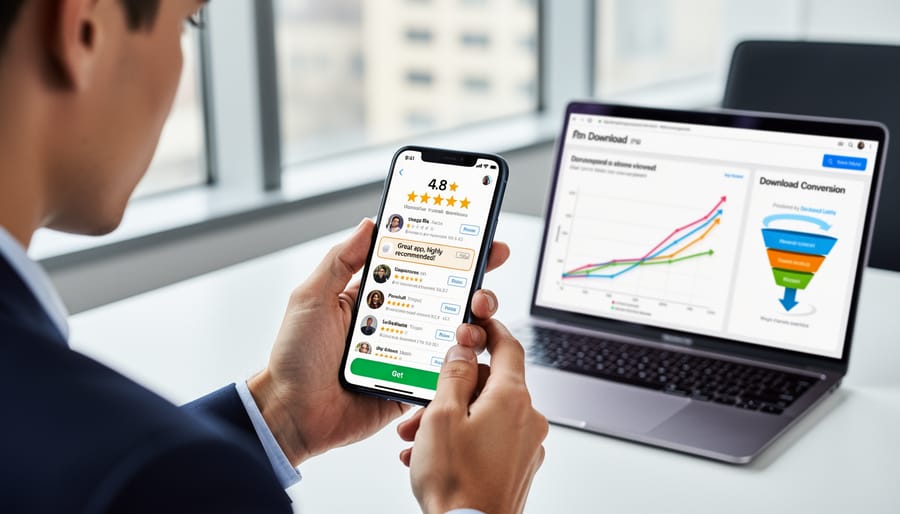
How Reviews Influence App Store Algorithms
Reviews directly impact app store algorithm rankings through three key factors: velocity, sentiment, and engagement. App stores prioritize apps that consistently receive fresh reviews, signaling active user bases and ongoing relevance. A sudden surge in reviews can boost visibility, while stagnant review activity may cause rankings to decline.
Sentiment analysis plays an equally important role. Both the Apple App Store and Google Play Store use automated systems to evaluate review content, not just star ratings. Positive keywords and constructive feedback signal quality to algorithms, while negative sentiment patterns can suppress rankings even with decent overall ratings.
Review engagement—measured by responses to user reviews and helpful votes—further influences placement. Apps whose developers actively respond to feedback demonstrate commitment to user experience, which algorithms reward with better positioning in search results and increased likelihood of featured placements.
The practical takeaway: maintaining steady review flow matters more than occasional spikes. Implement automated review request systems that prompt satisfied users at optimal moments, such as after completing key actions or reaching milestones. This consistent approach keeps your app algorithmically relevant while providing the ongoing feedback necessary for continuous improvement.
The Conversion Factor: From Impression to Install
When potential users discover your app, they enter a critical evaluation phase where reviews directly influence conversion rates. Research shows that 79% of users read at least one review before downloading an app, making this the decisive moment in your acquisition funnel.
Users typically scan for three key elements during their decision-making process. First, they assess the overall star rating as a quick quality indicator. Second, they read recent reviews to understand current app performance, not historical issues. Third, they look for reviews addressing specific use cases that match their needs.
The most persuasive reviews include concrete details about user experience, specific features that solved problems, and authentic language rather than generic praise. Potential users also pay attention to developer responses, which signal active maintenance and customer support.
Volume matters too. Apps with fewer than 50 reviews struggle to build trust, while those exceeding 100 reviews gain credibility. However, recency trumps volume—an app with 500 outdated reviews performs worse than one with 75 recent, relevant reviews. This understanding should shape your review generation strategy and response automation systems.
Building a Review Generation System That Works

Timing Your Review Requests Strategically
The timing of your review request can mean the difference between a glowing five-star rating and an ignored prompt. Never ask users immediately after download—they haven’t experienced your app’s value yet. Instead, trigger review requests after users complete meaningful actions that demonstrate satisfaction.
Target engagement milestones like completing their third transaction, finishing a level, or using a key feature successfully. These moments signal positive experiences when users are most likely to share favorable feedback.
Implement automated systems that track user behavior and trigger requests based on specific criteria. For example, prompt users who have opened your app at least five times over two weeks, indicating genuine interest and regular use.
Avoid requesting reviews during moments of frustration, such as after errors, failed transactions, or when users are trying to complete time-sensitive tasks. Similarly, limit request frequency to once every few months per user to prevent annoyance.
Consider A/B testing different timing scenarios to identify what works best for your specific app and audience. Track conversion rates for each approach and refine your strategy based on actual data rather than assumptions.
Automating Review Prompts Without Annoying Users
Timing determines whether users perceive your review request as helpful or intrusive. The most effective approach triggers prompts after users complete a meaningful action or achieve a positive milestone within your app. Set up your automated system to track user behavior indicators like successful task completion, reaching a new level, or consistent usage over several sessions.
Configure your automation to wait at least three to five app sessions before requesting a review. This ensures users have sufficient experience to provide meaningful feedback. Implement a frequency cap that prevents repeated prompts to the same user—once every 90 to 120 days is standard practice.
Your automated system should include conditional logic that checks whether users have already left a review, preventing redundant requests. Build in sentiment detection where possible, triggering review prompts only after positive interactions while directing frustrated users to customer support channels instead.
Consider implementing a two-step process: first ask users if they’re enjoying the app, then guide satisfied users to review platforms while offering dissatisfied users direct support options. This filters negative reviews away from public platforms and demonstrates your commitment to customer satisfaction.
Set clear parameters in your automation platform to exclude users who recently contacted support or experienced technical issues. These simple rules protect user experience while maximizing the likelihood of receiving authentic, positive reviews from genuinely satisfied customers.
Making It Easy: Reducing Friction in the Review Process
The path to more reviews starts with eliminating unnecessary steps. Every additional click or field reduces completion rates significantly. Start by triggering review prompts at optimal moments—after a successful transaction, completed milestone, or positive interaction within your app. Timing matters more than frequency.
Implement one-click review options that direct users straight to their device’s native review interface. Pre-populate rating stars when possible, allowing users to submit feedback with minimal effort. For in-app prompts, keep the message concise and avoid guilt-inducing language that creates negative associations.
Consider offering multiple review channels. While app store reviews remain essential, some users prefer providing feedback through email or in-app forms. Automate follow-up sequences that gently remind users who dismissed initial prompts, but limit these to one or two additional touches to avoid annoyance.
Remove mandatory text requirements for basic ratings. Users willing to leave a five-star rating shouldn’t face the same friction as those providing detailed feedback. Create a tiered approach where quick ratings require one tap, while detailed reviews remain optional for engaged users.
Test your review request flow regularly on different devices and operating systems. What works smoothly on iOS may create friction on Android. Monitor drop-off points in your review funnel and continuously refine the process based on real user behavior data.
Managing and Responding to Reviews Effectively

The Response Strategy That Converts Detractors
Negative reviews present a unique opportunity to showcase your commitment to users and potentially transform unhappy customers into brand advocates. The key lies in responding promptly, professionally, and with genuine intent to resolve issues.
Start by responding within 24-48 hours. Quick responses demonstrate that you actively monitor feedback and value user input. Acknowledge the specific problem mentioned and apologize sincerely, even if the issue stems from user error. Avoid defensive language or making excuses.
Provide a clear action plan. If it’s a known bug, explain when the fix will roll out. If the user misunderstood a feature, offer to guide them through it. Always move technical troubleshooting to private channels by asking users to contact support directly with their device details.
Set up automated alerts for reviews containing specific keywords like “crash,” “bug,” or “disappointed” so your team can prioritize responses to critical issues. This ensures no detractor falls through the cracks.
The most powerful responses end with a follow-up request. After resolving the issue, politely ask if they’d consider updating their review. Research shows that 45% of users who receive personalized responses modify their original rating. This approach not only improves your overall rating but also signals to prospective users that you stand behind your product and genuinely care about user experience.
Leveraging Positive Reviews for Maximum Impact
Positive reviews are valuable marketing assets that deserve strategic amplification across your channels. Feature compelling testimonials prominently on your app store listing, website, and landing pages to build trust with potential users. Automate the process of identifying your best reviews by setting up filters for 4-5 star ratings with detailed comments, then create a streamlined workflow to share these across social media platforms.
Transform standout reviews into visual content for Instagram stories, LinkedIn posts, and email campaigns. Set up automated email sequences that showcase specific testimonials relevant to where users are in their customer journey. For example, onboarding emails can feature reviews highlighting ease of use, while re-engagement campaigns can emphasize long-term value.
Create a dedicated testimonials section in your app and on your website, updating it regularly with fresh reviews. Respond to positive reviewers by thanking them and requesting permission to feature their feedback in marketing materials. This communication strengthens relationships while building your library of authorized testimonials for paid advertising, case studies, and sales collateral.
Setting Up Automated Monitoring Systems
Automated monitoring systems eliminate the manual burden of constantly checking review platforms while ensuring you never miss critical feedback. Start by selecting a review monitoring tool that aggregates feedback from multiple app stores into a single dashboard. Popular options include AppFollow, ReviewTrackers, and App Annie, which track reviews across iOS and Android platforms simultaneously.
Configure sentiment analysis features to automatically categorize reviews as positive, neutral, or negative. This allows you to quickly identify trends without reading every comment individually. Set up custom alerts triggered by specific keywords related to crashes, bugs, or security issues that demand immediate attention.
Establish notification rules based on star ratings—for example, receive instant alerts for all one-star reviews while getting daily summaries of four and five-star feedback. This prioritization ensures your team addresses urgent problems first while still acknowledging positive experiences.
Integration capabilities are essential. Connect your monitoring system with your customer support platform and project management tools to automatically create tickets for technical issues mentioned in reviews. This streamlined workflow reduces response times and demonstrates your commitment to resolving user concerns promptly.
Schedule weekly reports analyzing review volume, average ratings, and common themes to track performance over time and inform product development decisions.
Turning Review Insights Into App Improvements

Identifying Patterns in User Feedback
Successful pattern identification starts with categorizing feedback into actionable themes. Set up automated systems to tag reviews by topic—common categories include user interface complaints, feature requests, performance issues, and customer service experiences. Most review management platforms offer sentiment analysis tools that automatically sort feedback into positive, negative, and neutral buckets, saving hours of manual work.
Focus on frequency and impact when analyzing patterns. A feature mentioned in 50 reviews deserves more attention than one mentioned in five. However, don’t ignore low-frequency issues if they significantly affect user experience or cause uninstalls. Create a simple spreadsheet tracking recurring themes, their frequency, and associated star ratings to visualize which problems correlate most strongly with negative reviews.
Prioritize development efforts by combining pattern data with business objectives. Quick wins—issues that appear frequently but require minimal resources to fix—should top your list. Share these insights directly with your development team through regular communication channels, ensuring everyone understands which user concerns drive the product roadmap. This data-driven approach transforms scattered feedback into a clear action plan that addresses real user needs while maximizing your return on development investment.
Closing the Feedback Loop
Responding to user feedback demonstrates your commitment to continuous improvement and directly impacts user satisfaction. When you implement changes based on reviews, communicate these updates directly to the users who suggested them. Push notifications or in-app messages acknowledging specific improvements show customers their voices matter.
Include detailed release notes with each update that reference user-requested features or bug fixes. This transparency builds trust and encourages users to revisit their original ratings. Implement an automated system that prompts users who left negative reviews to re-evaluate your app after addressing their concerns—timing this request 2-3 weeks after a relevant update maximizes conversion.
Create a feedback acknowledgment workflow that sends personalized responses within 24-48 hours, informing users when their suggestion enters development. This proactive communication transforms critics into advocates. Track which improvements generate the most positive re-ratings to prioritize future development efforts. By systematically closing the feedback loop, you create a virtuous cycle where users feel heard, engagement increases, and your app store ratings naturally improve over time.
Common Review Strategy Mistakes That Kill Growth
Even with the best intentions, many businesses sabotage their review strategy through common mistakes that stifle growth rather than accelerate it. Understanding these pitfalls helps you avoid wasting time and damaging your app’s reputation.
The most frequent error is incentivizing reviews improperly. Offering rewards, discounts, or premium features in exchange for reviews violates app store guidelines and undermines authenticity. Major platforms like Apple and Google actively penalize apps caught engaging in review manipulation, potentially resulting in removal from their stores. Instead, create automated prompts that appear after positive user experiences, such as completing a meaningful action or reaching a milestone within your app.
Ignoring negative feedback represents another critical mistake. When users take time to leave criticism and receive no response, they feel dismissed and often share their frustration on social media or alternative platforms. Negative reviews actually present opportunities to demonstrate customer service excellence and turn detractors into advocates. Implement a systematic approach to respond within 24-48 hours, acknowledge the concern, and provide a solution or explanation.
Over-prompting users destroys the user experience and generates resentment. Bombarding users with review requests immediately after download or repeatedly during each session creates friction that drives uninstalls. Research indicates the optimal timing is after users have engaged with your app at least three times and experienced clear value. Implement smart logic that prevents showing review prompts to users who’ve already left feedback or dismissed the request multiple times.
Finally, treating review management as a one-time campaign rather than an ongoing process limits long-term growth. Successful apps integrate review generation into their automated communication strategy, creating consistent touchpoints that naturally encourage feedback without feeling pushy or transactional.
Mobile app reviews aren’t a metric you check once and forget—they’re an ongoing conversation with your users that directly influences your app’s trajectory. Every review provides insight into user experience, highlights areas for improvement, and serves as social proof for potential users evaluating your app. By treating reviews as a continuous dialogue rather than static feedback, you position your app for sustained success in competitive marketplaces.
The connection between a strategic review approach and overall app growth is undeniable. Apps that actively generate, respond to, and leverage reviews see higher conversion rates, improved retention, and stronger user loyalty. These benefits compound over time, creating momentum that separates thriving apps from those that stagnate.
Start implementing these strategies today. Set up automated review prompts, establish response protocols for your team, and create systems to monitor review trends consistently. The sooner you commit to treating reviews as an integral part of your growth strategy, the faster you’ll see measurable results in downloads, engagement, and revenue.
Leave a Reply