Why Your Mobile App Isn’t Getting Downloads (And How ASO Fixes It)

Your app’s success in crowded app stores depends on mastering App Store Optimization (ASO)—the practice of improving your app’s visibility in Apple’s App Store and Google Play Store to drive more organic downloads. With over 5 million apps competing for attention, strategic ASO is no longer optional for growth-focused businesses.
ASO works by optimizing specific elements that app store algorithms use to rank and display apps to searchers. When executed correctly, it delivers sustainable, cost-effective user acquisition without the ongoing expense of paid advertising. The core components include keyword optimization in your app title and description, compelling visual assets like screenshots and preview videos, strategic category selection, and continuous improvement based on conversion data.
The impact is measurable and significant. Apps that implement comprehensive ASO strategies typically see 30-50% increases in organic downloads within the first three months. More importantly, these downloads come from users actively searching for solutions your app provides, resulting in higher engagement rates and better long-term retention compared to paid acquisition channels.
This guide breaks down the essential ASO elements into actionable steps you can implement immediately. You’ll learn how to research high-value keywords your target users actually search for, optimize your app store listing to convert browsers into downloaders, and establish automated monitoring processes that keep your app competitive as market conditions change. Whether you’re launching your first app or scaling an established product, these strategies will help you capture more qualified users without increasing your marketing budget.
What App Store Optimization Actually Means for Your Business
App Store Optimization is essentially SEO for mobile apps. Just as search engine optimization helps websites rank higher on Google, ASO improves your app’s visibility in the Apple App Store and Google Play Store. When potential users search for solutions your app provides, ASO ensures they actually find you among millions of competing apps.
The business impact is straightforward. Better visibility leads to more organic downloads, which translates directly to revenue growth without increasing your advertising spend. Think of it this way: every improvement in your app’s ranking can multiply your download rate by positioning you ahead of competitors in search results and category listings.
ASO works through a combination of strategic elements. Your app title, description, and keywords determine whether your app appears in relevant searches. Visual assets like screenshots and preview videos influence whether users download once they find you. User ratings and reviews signal quality to both potential customers and app store algorithms.
The numbers matter here. Apps ranking in the top three search results capture approximately 70% of all downloads for that search term. Drop to position ten, and your visibility plummets along with your download potential. This makes ASO critical for sustainable growth, particularly for businesses operating with limited marketing budgets.
Beyond initial downloads, ASO supports long-term success by improving user retention. When users find your app through accurate, targeted keywords, they arrive with clear expectations about what your app delivers. This alignment between user intent and app functionality reduces early abandonment and increases lifetime value.
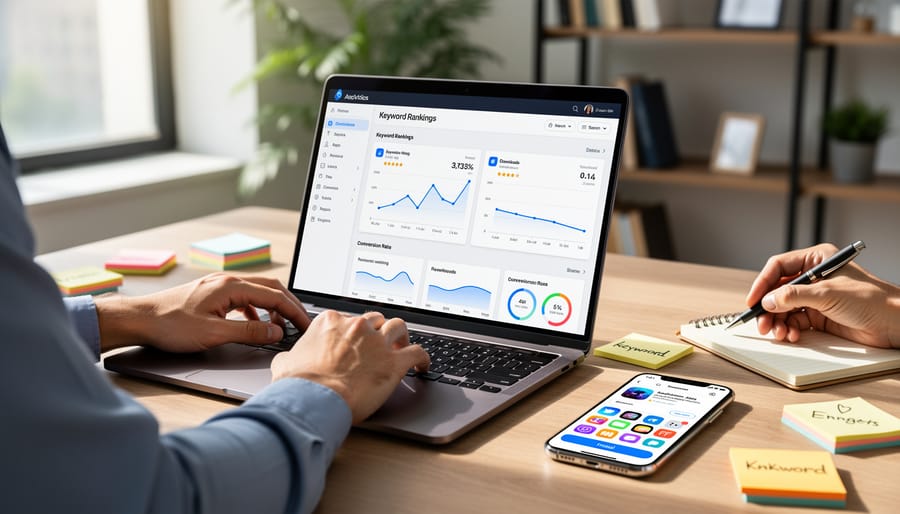
The best part? ASO provides measurable, trackable results. You can monitor keyword rankings, conversion rates, and download velocity, allowing you to refine your approach based on real performance data rather than guesswork.
The Core Elements That Drive App Store Rankings

App Title and Subtitle Strategy
Your app title is prime real estate—it’s the first thing potential users see and carries significant weight in search rankings. Apple’s App Store allows 30 characters for your title, while Google Play permits up to 50 characters. Use this space strategically by placing your most important keyword at the beginning, followed by your brand name or a clear value proposition.
The key is balancing discoverability with user appeal. A keyword-stuffed title like “Photo Editor Filter Camera Effects App” might rank well initially, but it won’t convert browsers into downloaders. Instead, aim for something like “Pixify: AI Photo Editor” that combines a memorable brand name with a clear keyword.
For your subtitle (available on iOS with 30 characters), expand on your app’s core benefit or include secondary keywords. This provides additional context without cluttering your main title. Test different combinations to see which drives better conversion rates—automation tools can help track performance across various title iterations without manual monitoring.
Avoid using generic terms that don’t differentiate your app, and never mislead users with keywords that don’t accurately represent your app’s functionality. Clarity builds trust, and trust drives downloads. Review your title quarterly to ensure it remains aligned with current search trends and user expectations.
Keywords That Actually Convert
Not all keywords are created equal. The difference between choosing the right ones and simply guessing can determine whether your app reaches thousands of users or gets lost in the digital shuffle.
Start by identifying keywords that balance search volume with realistic competition. High-volume keywords might seem attractive, but if you’re competing against established apps with millions of downloads, you’ll struggle to rank. Instead, look for medium-volume keywords where you have a fighting chance. Tools like App Store Connect and Google Play Console provide search popularity data that shows what users actually type when looking for apps like yours.
Focus on intent-driven keywords. Someone searching “best budget tracker” is more likely to download than someone searching just “finance.” These longer, specific phrases typically convert better because they match exactly what users need.
Strategic placement matters as much as the keywords themselves. Your app title carries the most weight for rankings, so include your primary keyword there. The subtitle or short description should feature your second-most important keyword. Throughout your full description, naturally incorporate 3-5 relevant keywords without forcing them into every sentence.
Review competitor keywords to identify gaps in the market. If top-ranking apps in your category all target the same terms, there might be valuable secondary keywords they’re missing that could give you an advantage.
Set up a regular review schedule to track keyword performance. Search trends change, and what works today might need adjustment in three months. Monitor your rankings weekly and be prepared to optimize based on real performance data rather than assumptions.
Visual Assets That Stop the Scroll
Your app’s visual assets are the first impression potential users get—and often the deciding factor in whether they download or keep scrolling. The app icon needs to stand out in crowded search results while clearly communicating your app’s purpose. Keep it simple, recognizable, and consistent with your brand identity.
Screenshots serve as your visual sales pitch. Rather than simply showing your app’s interface, tell a story with your screenshot sequence. Highlight key features, demonstrate value propositions, and include brief captions that reinforce benefits. Place your most compelling screenshots first, as many users won’t scroll through all of them.
Preview videos offer a powerful conversion boost when done right. Keep them under 30 seconds, front-load the most important features, and ensure they’re understandable without sound. Show the app in action rather than relying on text-heavy explanations.
Testing is critical for optimization. Run A/B tests on different icon designs, screenshot sequences, and video approaches to identify what resonates with your target audience. Even small improvements in conversion rates can significantly impact your download numbers over time. Track performance metrics regularly and iterate based on real user behavior rather than assumptions.
Descriptions That Sell
Your app description is prime real estate for conversions. The first few lines appear in search results, making them crucial for click-through rates. Start with a clear value proposition that immediately tells users what problem your app solves and why it matters to them.
Incorporate your primary and secondary keywords naturally within the first paragraph, but prioritize readability over keyword density. Users can spot keyword stuffing instantly, and it damages credibility. Focus on benefits rather than just listing features. Instead of saying “includes calendar integration,” explain how it “keeps your schedule synchronized across all devices automatically.”
Structure your description using short paragraphs and bullet points for easy scanning. Highlight specific outcomes users can expect, such as time saved or productivity gains. Include social proof like user counts or awards when relevant, but avoid unsubstantiated claims about being “the best” without backing them up.
Update your description regularly based on user feedback and new features. Many successful apps use A/B testing tools to refine their descriptions over time, optimizing for both keyword performance and conversion rates. Remember that different app stores have varying character limits, so prioritize your most compelling content early.
Building a Review and Rating Strategy That Works
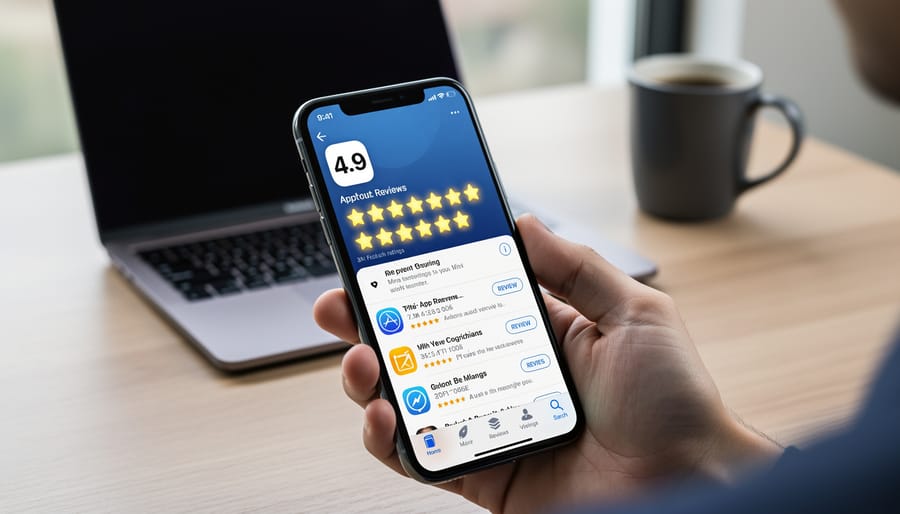
Reviews and ratings directly impact your app’s credibility and conversion rates. Apps with higher ratings rank better in search results and convert more browsers into downloads. Here’s how to build a sustainable review generation strategy that delivers results.
Start with strategic timing for review prompts. Never ask users to rate your app immediately after download. Instead, trigger review requests after positive interactions—when a user completes a meaningful action, achieves a milestone, or demonstrates engagement with core features. Connecting reviews to an effective onboarding strategy ensures users understand your app’s value before you ask for feedback.
Implement automated follow-up sequences that feel personal. Set up triggers based on user behavior rather than arbitrary time intervals. For example, request reviews from users who’ve logged in five times, completed three transactions, or spent a certain amount of time in-app. This behavioral approach ensures you’re asking satisfied users who have genuine experience with your product.
Make the review process frictionless. Use native in-app review APIs that allow users to submit ratings without leaving your app. The fewer steps required, the higher your completion rate.
When negative reviews appear, respond quickly and professionally. Address specific concerns, offer solutions, and invite users to contact your support team directly. This demonstrates to potential customers that you value feedback and actively work to resolve issues. Keep responses concise, acknowledge the problem, and explain what you’re doing to fix it.
Create a feedback loop by monitoring review patterns. If multiple users mention the same issue, prioritize fixing it in your next update. Then respond to those reviewers informing them about the improvement. This shows existing users you listen while building trust with prospective downloaders reading your reviews.
Remember, authentic reviews from real users outperform any quantity of generic five-star ratings. Focus on delivering genuine value, and your review strategy will naturally support your broader ASO efforts.
Tracking Performance Without Getting Lost in Data
App Store Optimization doesn’t end once you’ve refined your listing—measuring performance is where you separate successful strategies from wasted effort. The key is monitoring the right metrics without drowning in data you don’t need.
Start with four essential metrics that directly impact your app’s success. Download numbers give you the big picture of overall performance. Conversion rate shows how effectively your listing turns visitors into users, typically ranging from 15-40% for well-optimized apps. Keyword rankings reveal whether your optimization efforts are improving visibility for target searches. Finally, retention rates indicate whether you’re attracting the right users—after all, downloads mean nothing if people uninstall within days. Your ability to retain users determines long-term growth.
Manual tracking across these metrics consumes valuable time that could be spent on strategy. Automated tracking tools like App Annie, Sensor Tower, or AppTweak eliminate the tedious work of daily monitoring. These platforms aggregate data from both app stores, track competitor performance, and alert you to significant ranking changes. Most tools offer customizable dashboards that display only the metrics that matter to your business, cutting through the noise.
Set up weekly automated reports that deliver key performance indicators directly to your inbox. This approach keeps your team informed without requiring constant platform logins. Share simplified versions of these reports with stakeholders to maintain transparency and demonstrate ASO’s impact on business objectives.
When should you make adjustments? Avoid knee-jerk reactions to daily fluctuations—app store algorithms need time to process changes. Wait at least two weeks after implementing updates before evaluating results. However, act quickly if you notice sustained downward trends in keyword rankings or sharp drops in conversion rates.
Test one element at a time. If you change your icon, screenshots, and description simultaneously, you won’t know which adjustment drove results. A/B testing features, available through both Apple and Google’s consoles, remove guesswork by showing precisely which version performs better.
Remember: tracking performance isn’t about collecting every possible data point. Focus on metrics that align with your growth objectives, automate the monitoring process, and use insights to make informed, measured improvements to your ASO strategy.
A Simple ASO Implementation Process You Can Start Today
Week 1: Audit and Keyword Research
Start your ASO journey with a comprehensive audit of your current app store presence. Review your existing app title, subtitle, description, and visual assets to identify what’s working and what needs improvement. This baseline assessment gives you clear metrics to measure your progress against.
Next, conduct thorough keyword research to understand how potential users search for apps like yours. Use ASO tools to analyze search volumes, competition levels, and ranking difficulty for relevant terms. Focus on keywords that balance strong search demand with realistic ranking opportunities. Look at competitor apps in your category to identify which keywords drive their visibility and downloads.
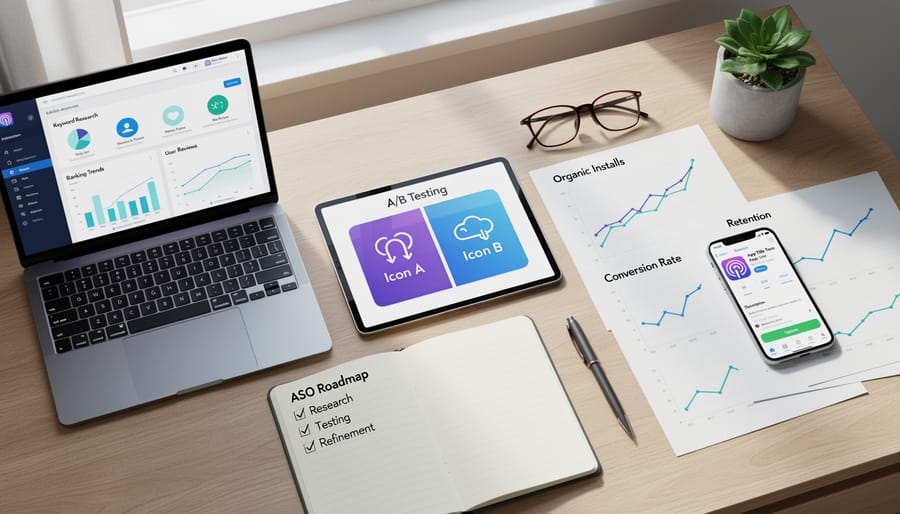
Document your findings in a simple spreadsheet that includes target keywords, their search volumes, and current rankings. This becomes your roadmap for optimization. Pay special attention to long-tail keywords—specific phrases with lower competition that can deliver qualified users more quickly than broad, highly competitive terms.
Set up automated tracking for your priority keywords so you can monitor ranking changes without manual checking. This streamlined approach saves time while keeping you informed about performance shifts that require attention.
Week 2-3: Optimize Your Listing
With your research complete, it’s time to implement strategic changes to your app listing. Start with your app title—incorporate your primary keyword naturally while maintaining brand recognition. Keep it concise, ideally under 30 characters, to ensure full visibility across devices.
Next, update your visual assets. Replace your app icon if testing revealed better alternatives, and refresh your screenshots to highlight key features that resonate with your target audience. Arrange screenshots in order of importance, placing your strongest value proposition first. Create compelling preview videos that demonstrate your app’s core functionality within the first few seconds.
Refine your app description by front-loading the first 2-3 sentences with your unique value proposition and primary keywords. Use clear, benefit-focused language that speaks directly to user pain points. Break content into scannable sections with natural keyword placement throughout.
Set up automated tracking to monitor ranking changes and download fluctuations as you implement each modification. Make changes incrementally rather than all at once—this approach helps you identify which optimizations drive the best results and allows for data-driven refinements moving forward.
Ongoing: Test, Monitor, and Refine
ASO isn’t a one-time project—it requires continuous monitoring and refinement to maintain your competitive edge. Set up automated tracking tools to monitor your app’s keyword rankings, conversion rates, and download metrics daily. Most ASO platforms offer automated alerts when significant changes occur, allowing you to respond quickly to ranking drops or competitor movements.
Establish a regular optimization schedule based on your app’s performance data. Review your metrics weekly to identify trends, but limit major changes to monthly intervals—app stores need time to process updates and reflect their impact. Track how adjustments to your title, screenshots, or description affect conversion rates before making additional changes.
Create a testing calendar that staggers experiments across different ASO elements. Never test multiple variables simultaneously, as this makes it impossible to determine what’s working. Document every change and its results to build a knowledge base for future decisions.
Monitor user reviews continuously and respond within 24 hours—engagement signals quality to app store algorithms. Pay attention to recurring feedback that might inform your next update or even improve user onboarding.
Schedule quarterly comprehensive audits to reassess your keyword strategy and analyze competitor positioning. This ensures your ASO approach evolves with market conditions and maintains its effectiveness over time.
Common ASO Mistakes That Waste Time and Money
Even experienced marketers fall into ASO traps that drain resources and deliver poor results. Understanding these common mistakes helps you avoid costly setbacks and focus your efforts where they matter most.
Keyword stuffing remains one of the most damaging practices. Cramming your app title and description with excessive keywords makes your listing appear spammy and hurts conversion rates. App stores have sophisticated algorithms that penalize this behavior, potentially lowering your rankings instead of improving them. Focus on natural language that speaks to users while strategically incorporating your most valuable keywords.
Ignoring localization is another missed opportunity. Many developers simply translate their app store listings without considering cultural nuances, local search behaviors, or region-specific keywords. This approach leaves significant markets underserved. Proper localization means researching keywords for each target region and adapting your messaging to resonate with local audiences.
Neglecting A/B testing costs you valuable insights. Making assumptions about which screenshots, descriptions, or app icons perform best is guesswork. Systematic testing reveals what actually converts browsers into downloaders. The data you collect through controlled experiments should drive your optimization decisions, not gut feelings or personal preferences.
Making changes too frequently without data support creates instability. Some marketers tweak their listings weekly, hoping for quick wins. This prevents you from gathering meaningful performance data and makes it impossible to identify which changes actually work. Implement a structured testing schedule, give each variation time to generate statistically significant results, and document your findings.
Overlooking the connection between ASO and user experience is particularly problematic. Strong store optimization attracts downloads, but poor onboarding leads to app abandonment. Your ASO strategy should align with what your app actually delivers to maintain positive reviews and retention rates.
These mistakes share a common thread: they prioritize shortcuts over strategy. Effective ASO requires patience, data-driven decision-making, and commitment to continuous improvement based on real performance metrics.
App store optimization isn’t a one-time project you complete and forget about. It’s an ongoing growth strategy that evolves with your app, your audience, and the competitive landscape. The app stores constantly update their algorithms, user search behaviors shift, and new competitors enter the market. Your ASO approach needs to adapt accordingly.
The good news? You don’t need to overhaul everything at once. Start with one element that will make the biggest impact for your app. Perhaps that’s rewriting your app description to better highlight user benefits, or testing new screenshots that showcase your most valuable features. Small, focused improvements compound over time.
This is where automation becomes your strategic advantage. Modern ASO tools can handle the routine monitoring tasks—tracking keyword rankings, analyzing competitor movements, and measuring conversion metrics—freeing you to focus on strategic decisions that require human insight. You don’t need to manually check your rankings daily or compile spreadsheets of competitor data. Let automated processes handle the repetitive work while you concentrate on interpreting the insights and making informed decisions.
The apps that win in today’s crowded marketplace aren’t necessarily those with the biggest budgets. They’re the ones that consistently refine their store presence based on real data, respond to user feedback, and stay committed to incremental improvement. Start today with one optimization, measure the results, and build from there. Your future downloads depend on the work you put in now.
Leave a Reply