Why Your Mobile App Reviews Could Be Costing You Customers (And How to Fix It)

Prioritize collecting reviews within the first 72 hours after a user completes a key action in your app—this window captures peak satisfaction and drives 3x higher response rates than delayed requests. Set up automated in-app prompts triggered by positive user behaviors like completing a purchase, achieving a milestone, or engaging with premium features, ensuring you’re asking satisfied users at the exact moment they’re most likely to leave positive feedback.
Implement a systematic response protocol for every review, whether positive or negative, within 24 hours of posting. This demonstrates active ownership and significantly influences potential users evaluating your app. For negative reviews, acknowledge the issue specifically, provide a timeline for resolution, and move the conversation to direct support channels with a clear next step. This approach transforms critics into advocates while showing prospects you take customer experience seriously.
Integrate review metrics into your app growth strategy by tracking review velocity, sentiment trends, and their correlation with download rates and user retention. Apps maintaining a 4.5+ star rating with consistent review flow see 30-50% higher conversion rates from store page visits. Use this data to identify feature gaps, optimize your product roadmap, and create targeted campaigns addressing common user feedback themes.
Automate review monitoring across all platforms using centralized tools that aggregate feedback and trigger immediate team notifications for reviews requiring urgent attention, ensuring no customer concern goes unaddressed while maintaining operational efficiency.
What Mobile App Reviews Actually Tell You About Your Business
Mobile app reviews are more than ratings—they’re a direct line to understanding what your customers actually think about your business. Each review represents unsolicited feedback that reveals genuine user experiences, making them invaluable for strategic decision-making.
Think of reviews as free market research delivered straight to your dashboard. Users tell you exactly where your app excels and where it falls short. They highlight broken features, request specific functionality, and explain why they chose your app over competitors. This information typically costs thousands in traditional market research, yet it arrives organically through your app store presence.
The real value lies in identifying patterns. A single complaint about login issues might be an isolated incident, but twenty similar comments signal a critical problem affecting customer satisfaction and directly impacting your user retention strategies. These patterns reveal your most pressing pain points and highest-impact improvement opportunities.
Reviews also expose competitive advantages you might not recognize internally. When users mention switching from a competitor or praise specific features, you’ve identified differentiators worth emphasizing in your marketing. Conversely, comparisons to competitor features show where you’re falling behind.
However, manually reading every review becomes impractical as volume grows. Automated tracking systems can categorize reviews by theme, sentiment, and urgency. These tools flag emerging issues before they escalate, group similar feedback for prioritization, and generate regular reports showing trending topics. This systematic approach ensures no valuable insight gets buried in notification overload.
The key is treating reviews as structured data rather than random comments. Set up automated alerts for specific keywords related to critical functions. Create categories for common themes like performance, features, design, and customer service. Track sentiment changes over time to measure how updates impact user perception.
When you systematically analyze review data, you transform casual user comments into actionable business intelligence that guides product development, marketing messaging, and customer communication strategies.
The Real Impact of Ratings on App Store Visibility
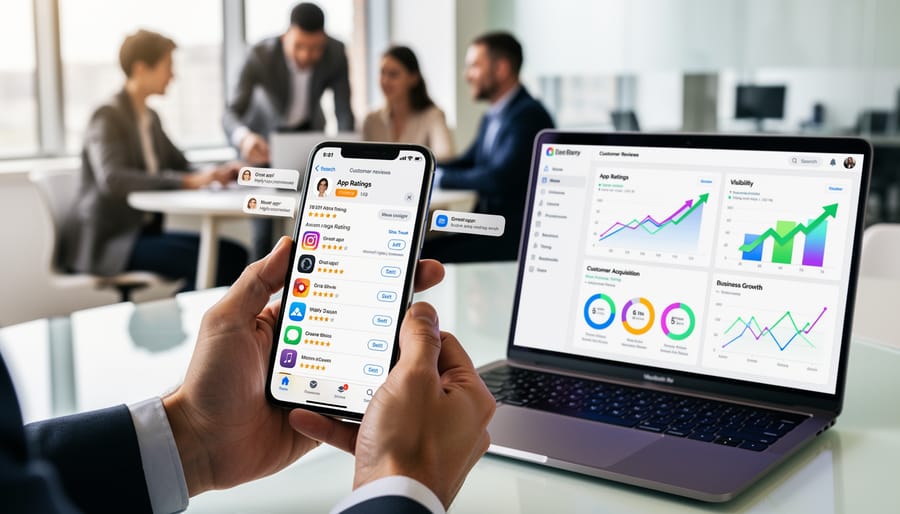
Your app’s visibility in the App Store and Google Play isn’t just about keywords and screenshots. The algorithms powering both platforms heavily weight user ratings and review activity when determining which apps to surface in search results and recommendations.
Apps with ratings above 4.0 stars receive significantly more prominent placement in search results compared to those below this threshold. Data shows that apps rated 4.5 stars or higher can see conversion rates up to 88% better than apps with 3.5-star ratings. This difference directly impacts your bottom line, as higher visibility translates to more organic downloads without additional advertising spend.
Beyond the app star ratings themselves, review velocity matters considerably. Apps receiving consistent, regular reviews signal active user engagement to store algorithms. An app earning 10-15 reviews weekly will typically rank higher than a similar app receiving sporadic feedback, even if both maintain identical average ratings.
This relationship between reviews and organic discovery creates a compounding effect. Better rankings lead to more downloads, which generate additional reviews, further improving your position. However, the inverse is equally true. Apps experiencing declining review rates often see corresponding drops in search visibility, even when ratings remain stable.
The connection between reviews and app store optimization extends beyond algorithms. Higher-rated apps receive featured placement opportunities more frequently, appear in curated collections, and benefit from increased trust signals that drive conversion.
For business owners, this means implementing systems to consistently generate authentic reviews isn’t optional. It’s fundamental infrastructure for sustainable app growth. The apps winning their categories typically aren’t those with the biggest marketing budgets, but those maintaining steady review momentum alongside strong ratings.
Building a Review Generation System That Works
Timing Your Review Requests
Requesting reviews at the right moment significantly impacts your response rate and review quality. The key is identifying when users experience genuine value from your app, not simply after installation or based on arbitrary timeframes.
Focus on meaningful engagement milestones rather than superficial metrics. For example, trigger a review request after a user completes their third successful transaction, achieves a goal within your app, or returns for five consecutive days. These actions indicate real satisfaction and familiarity with your product. Users who have experienced tangible benefits are far more likely to provide positive feedback.
Avoid interrupting critical workflows or asking during frustrating moments. Never request reviews immediately after an error message, failed payment, or when users are actively trying to complete a task. Instead, wait for natural pause points, such as after successfully completing an action or during a celebratory moment within the app.
Implement automated triggers based on user behavior patterns. Set up systems that track positive user experiences and automatically prompt review requests when specific conditions are met. This removes manual monitoring while ensuring consistency in your approach.
Limit request frequency to prevent review fatigue. Space requests at least 90 days apart for individual users, and respect their decision if they decline. Multiple aggressive prompts damage user experience and often result in negative reviews or app deletions. One well-timed request is infinitely more valuable than several poorly placed ones.
Crafting Non-Intrusive Review Prompts
The way you ask for reviews directly impacts whether users respond positively or feel annoyed. Your prompt should acknowledge the user’s time while making the request feel natural rather than interruptive.
Start with context-aware messaging that reflects the user’s experience. Instead of generic requests, use specific language: “Enjoying your workout streaks?” or “Found what you were looking for?” This demonstrates you understand how they’re using your app and creates a more personal connection.
Keep your prompts concise and conversational. A simple “Mind sharing your experience?” works better than lengthy explanations about why reviews matter to your business. Users already understand the purpose—they just need a friendly nudge at the right moment.
Provide genuine value in exchange for their time. Offer statements like “Your feedback helps us improve” or “Join 10,000+ users shaping our updates” to show their input has real impact. This transforms the request from a favor into a collaborative opportunity.
Always include an easy exit option. Phrases like “Not now” or “Maybe later” respect user autonomy and reduce friction. Never use guilt-inducing language or make dismissing the prompt difficult—this damages trust and can lead to negative reviews out of frustration.
Test different messaging variations to identify what resonates with your specific audience. A productivity app’s professional tone will differ from a gaming app’s casual approach. Monitor your conversion rates and adjust language accordingly while maintaining authenticity that aligns with your brand voice.
Automating Your Review Request Workflow
Setting up automated review requests transforms your app’s growth strategy from a time-consuming manual process into a systematic machine that runs consistently in the background. The key is identifying specific user actions that signal satisfaction and readiness to leave a review.
Start by implementing event-based triggers within your app. The most effective trigger points include completing a desired action (finishing a purchase, reaching a milestone, or using a premium feature), demonstrating engagement through multiple sessions, or achieving a specific success outcome. These moments indicate positive user experiences when people are most likely to share feedback.
Configure your review request sequence to follow a logical progression. First, assess user sentiment through a simple in-app question like “Are you enjoying our app?” Users responding positively receive an immediate prompt to leave a review on the app store. Those with negative responses should be redirected to your support team, preventing poor public reviews while giving you opportunities to address concerns directly.
Time delays matter significantly in automation effectiveness. Build in waiting periods between requests—typically 30 to 90 days—to avoid annoying users with excessive prompts. Set maximum request limits per user to maintain goodwill.
Most mobile analytics platforms and customer engagement tools offer built-in automation features for review requests. Integration takes minimal technical expertise and usually involves connecting your app’s existing tracking events to pre-built review prompt templates. Once configured, these systems operate independently, consistently generating reviews while you focus on strategic client communication and business development activities that directly impact revenue growth.
Responding to Reviews: Your Most Underused Growth Tool
Most app developers overlook a simple truth: your review responses often matter more than the reviews themselves. While a single user wrote that review, hundreds or thousands of potential users will read your response. It’s not just customer service—it’s a public stage for demonstrating your brand values and commitment to users.
When you respond to reviews, you’re accomplishing two goals simultaneously. First, you’re addressing the reviewer’s concern, which often leads to updated reviews with higher ratings. Second, you’re showing prospective users that real people stand behind your app and care about user experience. This dual impact makes review responses one of your most cost-effective growth tools.
Start with a response framework that works across platforms. Thank the reviewer, address their specific concern, and provide a clear next step. For positive reviews, express genuine appreciation and invite continued engagement. For negative reviews, acknowledge the issue without making excuses, explain what you’re doing to fix it, and offer direct support through a private channel.
The key to handling negative feedback professionally lies in speed and specificity. Respond within 24-48 hours when possible, and reference exact details from their review to show you’ve actually read it. Avoid generic templates that feel robotic. Even a brief, personalized response outperforms a lengthy corporate statement.
Set up automated systems to flag reviews requiring immediate attention. Most app store platforms offer notification settings for new reviews. Configure these alerts to route critical reviews—particularly those mentioning bugs, crashes, or security concerns—to your development team immediately. For general reviews, establish a weekly response schedule to maintain consistency without overwhelming your team.
Consider implementing a review response workflow that assigns responsibility clearly. Designate who responds to what types of reviews, establish approval processes for sensitive situations, and maintain a shared database of effective responses for common scenarios. This systematization ensures consistent quality while reducing the time burden on any single team member.
Remember that review responses remain visible indefinitely. They become permanent marketing assets that new users will discover months or years later. This long-term visibility makes every response an investment in your app’s reputation and a demonstration of the customer experience potential users can expect.
Turning Negative Reviews Into Opportunities
Negative reviews don’t have to damage your app’s reputation. When handled correctly, they become valuable opportunities to demonstrate your commitment to users and improve your service.
Start by responding within 24 hours. Speed shows you’re actively listening and care about user experience. Begin every response by acknowledging the specific issue the reviewer mentioned. Generic replies feel automated and impersonal, which can escalate frustration rather than resolve it.
Use this proven response template: Thank the user for their feedback, acknowledge their specific concern, explain what you’re doing to address it, and provide a direct contact method for further assistance. For example: “Thank you for bringing this to our attention. We understand the login issue has disrupted your experience. Our team has identified the problem and released an update. Please contact us at support@yourapp.com so we can ensure everything works smoothly for you.”
Set up an escalation system for severe complaints. Route one-star reviews mentioning bugs, security concerns, or payment issues directly to your development or customer service team. This ensures critical problems get immediate attention and prevents similar complaints from multiplying.
After resolving an issue, follow up with the reviewer. Send a personal message through the app store or your support channel asking if the solution worked. This extra step often converts frustrated users into loyal advocates. Many satisfied customers will update their review or leave a new positive one.
Create an automated tracking system to monitor negative review resolution rates. Set benchmarks like resolving 80% of complaints within 48 hours. This data helps you identify recurring problems that need permanent fixes rather than temporary patches.
Document common complaints and their solutions in a knowledge base. This allows your team to respond consistently and reduces response time. When multiple users mention the same issue, prioritize fixing the root cause in your next update and announce the improvement in your release notes.
Measuring What Matters: Key Metrics to Track
Tracking the right metrics transforms raw review data into actionable business intelligence. Focus on four essential metrics that directly impact your growth strategy.
Review velocity measures how frequently users leave reviews over specific time periods. Track weekly or monthly submission rates to identify trends and evaluate whether your review generation efforts are working. A sudden drop in velocity often signals technical issues or changes in user experience that need immediate attention.
Sentiment trends reveal the emotional tone behind your reviews beyond simple star ratings. Categorize reviews as positive, neutral, or negative, then monitor shifts over time. This metric helps you spot emerging problems before they escalate and identify features that resonate with users. Many app stores provide basic sentiment analysis, or you can implement simple keyword tracking for terms like “love,” “frustrating,” or “helpful.”
Rating distribution shows the breakdown across all star levels. A healthy app typically displays a U-shaped curve with most ratings at 5 stars and fewer in the middle ranges. Watch for increases in 1-star or 2-star reviews, which indicate specific pain points requiring investigation.
Response rate and response time measure your engagement effectiveness. Track what percentage of reviews receive replies and how quickly you respond. Users notice when businesses acknowledge feedback, and consistent responses improve overall ratings by demonstrating your commitment to customer satisfaction.
Setting up tracking doesn’t require complex tools. Start with a simple spreadsheet documenting these metrics weekly. Record the date, total reviews, rating breakdown, sentiment percentages, and responses provided. This manual approach takes 15 minutes weekly and provides clarity on what’s working. As your volume grows, consider automated solutions that compile this data automatically, freeing your team to focus on meaningful client communication rather than data entry.

Common Review Strategy Mistakes That Kill App Growth
Even well-intentioned businesses make critical errors that undermine their review strategy. Understanding these pitfalls helps you avoid them and build a system that genuinely drives growth.
The most damaging mistake is ignoring negative reviews. When customers see unaddressed complaints, they assume you don’t care about user experience. Instead of avoiding criticism, respond within 24-48 hours with genuine empathy and concrete solutions. This transforms a negative situation into a demonstration of excellent customer service that prospects notice.
Asking for reviews too aggressively creates the opposite problem. Bombarding users with review requests immediately after download or repeatedly interrupting their experience frustrates customers and triggers app store penalties. Implement automated timing that requests feedback only after meaningful engagement, such as completing three sessions or achieving a milestone within your app.
Inconsistent response patterns send mixed messages to your audience. Responding to some reviews while ignoring others suggests selective attention to customer concerns. Set up automated alerts and establish a regular response schedule. Even a simple acknowledgment for positive reviews maintains engagement and shows appreciation.
Perhaps the most overlooked mistake is failing to leverage positive reviews in your marketing materials. Your best reviews are powerful social proof that should appear on your website, in app store screenshots, and across social media channels. Create a system to identify and extract compelling testimonials regularly.
Finally, businesses often lack a structured follow-up process. When users report bugs or request features in reviews, failing to circle back after implementing fixes represents missed opportunities. Automate notifications to re-engage these users, demonstrating that their feedback directly improved your product. This approach converts critics into advocates and builds lasting customer relationships.
Mobile app reviews aren’t just numbers on a dashboard—they’re dynamic conversations with your users that directly impact your bottom line. The difference between apps that thrive and those that stagnate often comes down to how seriously they take this ongoing dialogue.
Treating reviews as a vanity metric is a costly mistake. Each review represents a user who took time to share their experience, and how you respond shapes both their future relationship with your app and the perceptions of thousands of potential users reading along. The strategic value lies not in accumulating five-star ratings, but in building a responsive system that captures feedback, addresses concerns, and demonstrates your commitment to user satisfaction.
Successful review management requires balance. Automated systems handle the heavy lifting—monitoring sentiment, flagging urgent issues, and prompting satisfied users at optimal moments. But automation alone falls flat without the human element. Genuine client communication, personalized responses, and real solutions to user problems create the trust that converts casual users into loyal advocates.
Start implementing your review strategy today with three immediate actions: Set up automated review monitoring for your app across all platforms, create response templates that you’ll customize for individual situations, and establish a weekly review of feedback patterns to inform your product roadmap. The apps winning in today’s competitive landscape aren’t necessarily those with perfect ratings—they’re the ones that listen, respond, and continuously improve based on what their users tell them.
Leave a Reply