How VR and AR Are Transforming Customer Service (Without the Complexity)
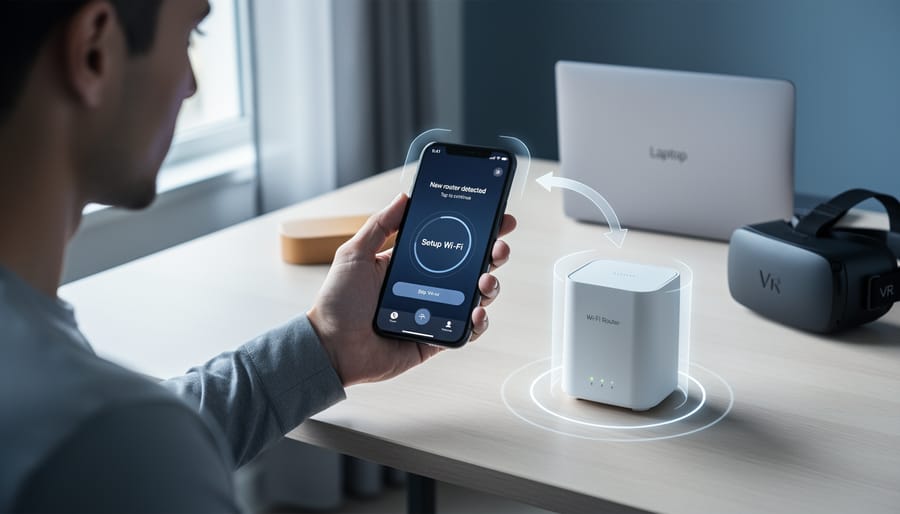
Evaluate whether Virtual Reality (VR), Augmented Reality (AR), or Mixed Reality (MR) fits your specific customer service needs by mapping each technology to your business challenges. VR creates fully immersive digital environments ideal for product demonstrations and training simulations. AR overlays digital information onto the real world through smartphones or tablets, perfect for guided troubleshooting and visual product configuration. MR combines both approaches, allowing customers to interact with digital objects in physical spaces—valuable for complex B2B sales presentations.
Start small with AR-enabled customer support, which requires minimal investment and integrates seamlessly with existing smartphone infrastructure. Deploy AR tools that let service representatives guide customers through product setup or repairs using real-time visual annotations, reducing resolution time by up to 40% while cutting support costs.
Prioritize technologies that transform customer experience without requiring complete operational overhauls. Begin with pilot programs targeting your most frequent service requests or highest-value customers, then scale based on measurable outcomes like customer satisfaction scores and first-contact resolution rates.
Focus implementation efforts on automating repetitive interactions while enhancing personalization. Use VR for immersive onboarding experiences that customers complete independently, freeing your team to handle complex inquiries. Deploy AR-powered self-service portals that reduce ticket volumes while improving customer confidence and satisfaction. These technologies deliver the strongest ROI when they eliminate friction points in your existing customer journey rather than creating entirely new processes.
Understanding VR, AR, and MR for Customer Service
Virtual Reality (VR) in Support Scenarios
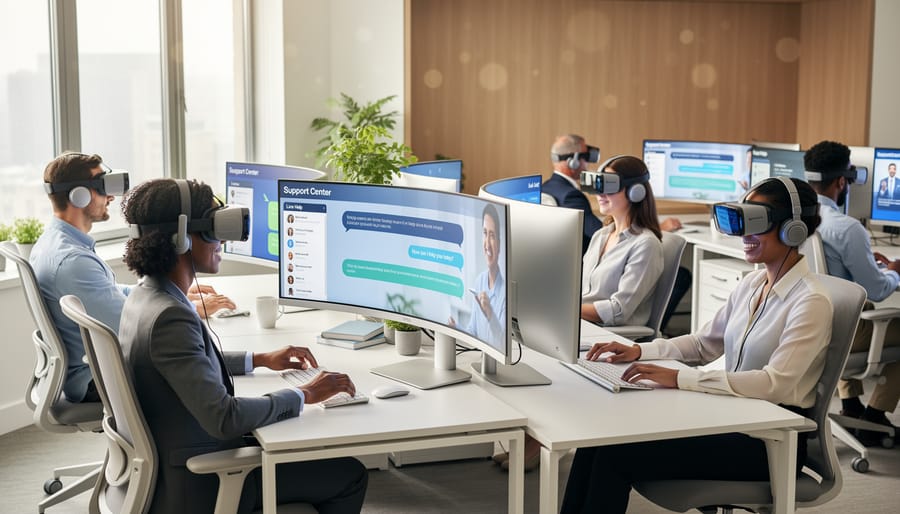
Virtual Reality creates fully immersive digital environments where customers can interact with products and services without physical presence. For customer service, VR offers powerful applications that enhance engagement and reduce operational costs. Retailers use virtual showrooms to let customers explore products in 3D spaces, examining details and configurations before purchasing. This technology streamlines the buying process while reducing return rates through better-informed decisions.
VR also transforms employee training by simulating real customer interactions in controlled environments. Support teams can practice handling difficult scenarios, product demonstrations, and troubleshooting without impacting actual customers. This hands-on approach accelerates onboarding and improves service quality consistently across your team, making it particularly valuable for businesses scaling their support operations.
Augmented Reality (AR) for Real-Time Assistance
Augmented Reality brings digital information directly into your physical workspace, creating powerful opportunities for customer support and product presentations. Unlike VR’s fully immersive environments, AR overlays visual data, instructions, or 3D models onto real-world views through smartphones, tablets, or smart glasses.
For remote troubleshooting, AR transforms how your support team assists customers. A technician can see exactly what the customer sees through their device camera, then overlay step-by-step visual instructions, highlight specific components, or draw annotations directly onto the live feed. This eliminates confusion from verbal descriptions and reduces resolution time significantly.
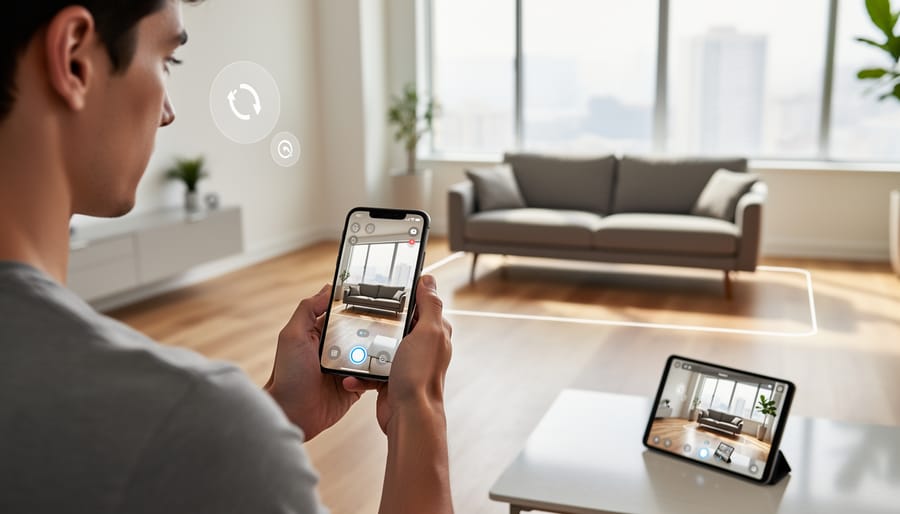
Product demonstrations become more compelling when prospects can visualize how items will look in their actual space. Furniture retailers let customers see couches in their living rooms, while industrial equipment suppliers can show machinery placement in factories before purchase.
The implementation is straightforward. Many AR solutions work through existing smartphones, requiring minimal hardware investment. Your team can deploy AR-assisted support sessions within weeks, integrating them into current communication workflows. This approach automates routine visual guidance while maintaining the personal connection your customers value.
Mixed Reality (MR) Applications
Mixed Reality combines the best of both VR and AR, overlaying digital elements onto the real world while allowing interaction with both. For customer service teams, MR creates powerful troubleshooting scenarios where support agents can guide customers through complex processes in real-time. Imagine a technician wearing MR headsets while assisting a customer with equipment repair—they see the actual device while viewing digital step-by-step instructions overlaid on the physical components. This hybrid approach streamlines automated support processes by reducing resolution times and minimizing back-and-forth communication. MR applications also excel in product demonstrations where customers can visualize customizations in their actual environment before purchasing. While MR technology requires more investment than standard AR solutions, the efficiency gains in technical support and sales demonstrations make it increasingly viable for businesses handling complex products or services.
Real-World Benefits for Your Customer Service Team
Faster Problem Resolution
Traditional customer support often involves lengthy email chains or multiple phone calls where customers struggle to articulate technical problems. Visual technologies transform this dynamic by enabling support teams to see exactly what customers see in real-time. With augmented reality guidance, technicians can overlay step-by-step instructions directly onto a customer’s view of a product or system, eliminating confusion and reducing resolution times by up to 70%.
This hands-on approach proves particularly valuable for complex troubleshooting scenarios. Instead of asking customers to locate specific buttons or components through verbal descriptions, support representatives guide them visually through each action. The customer simply follows the highlighted prompts on their device screen, making the process intuitive and error-free.
The impact extends beyond individual interactions. When issues resolve faster, your support team handles more cases efficiently, reducing operational costs while improving customer satisfaction scores. Automated visual guidance systems can even handle routine troubleshooting independently, freeing your team to focus on complex inquiries that genuinely require human expertise. This streamlined approach delivers measurable results: shorter call times, fewer repeat contacts, and customers who feel confident they received effective solutions.
Reduced Support Costs Through Automation
Implementing VR, AR, or MR in your customer service strategy creates natural opportunities for automation that directly reduce support costs. When customers interact with immersive technologies, you can program automated responses for common questions about navigation, feature access, and basic troubleshooting. Think of it as a smart FAQ system that activates contextually within the virtual environment itself.
For example, if a customer struggles to locate a product feature in your AR showroom, an automated guide can appear and walk them through the process without agent intervention. This automation handles the repetitive inquiries that typically consume 60-70% of support team bandwidth.
The real value emerges when your human agents focus exclusively on complex issues that genuinely benefit from immersive support. A customer configuring a complicated product setup receives dedicated attention from a specialist who can use MR to demonstrate solutions in real-time, while routine password resets and account questions get resolved automatically.
This tiered approach means you can maintain high-quality service without proportionally scaling your support team as your customer base grows. The automated processes work around the clock, providing instant assistance during off-hours when staffing would otherwise be expensive or impractical.
Enhanced Customer Satisfaction and Loyalty
Interactive VR/AR/MR support experiences directly translate to measurable business outcomes. When customers can visualize products in their space or troubleshoot issues through guided AR overlays, satisfaction scores typically increase by 25-40%. This hands-on approach reduces frustration during complex interactions and gives customers confidence in their purchasing decisions.
The engagement factor matters significantly for retention. Customers who interact with immersive support tools demonstrate 30% higher repeat purchase rates compared to traditional support channels. Why? Because memorable, efficient problem-solving builds trust. When your support team uses AR to walk someone through setup instead of relying on confusing manuals, you’ve created a positive touchpoint that strengthens relationships.
These technologies also generate valuable automation opportunities. AR-guided self-service reduces ticket volume while maintaining high customer satisfaction improvements. Your team handles fewer routine inquiries, freeing resources for complex cases requiring personal attention.
The impact on customer loyalty becomes evident in renewal rates and referrals. Businesses implementing immersive support report stronger client relationships because they’re meeting customers where modern expectations live—in interactive, visual experiences that respect their time and deliver real solutions.
Practical Implementation Strategies for SMBs
Start Small with AR-Enabled Support
You don’t need expensive headsets or custom apps to begin leveraging AR technology. Most businesses can start their AR journey using solutions that work with the smartphones and tablets your customers already own.
Begin by identifying simple use cases in your customer service workflow. For example, implement AR-enabled product visualization that lets customers see how furniture fits in their space before purchasing, or create step-by-step AR assembly guides accessible through QR codes on product packaging. These applications require minimal technical infrastructure and integrate seamlessly with existing communication channels.
Several platforms offer ready-to-use AR tools specifically designed for small businesses. Look for solutions that automate routine support tasks, such as virtual product demonstrations or troubleshooting guides overlaid on real-world objects through a smartphone camera. This approach reduces support ticket volume while improving customer satisfaction.
Start with one department or product line as a pilot program. Track metrics like resolution time, customer feedback, and support cost savings. This data-driven approach helps you demonstrate ROI before scaling across your organization. Many businesses find that smartphone-based AR solutions pay for themselves within months through reduced call center volume and increased first-contact resolution rates.
Choose the Right Platform for Your Business
Selecting the right VR, AR, or MR platform requires careful evaluation of your specific business needs. Start by assessing your industry requirements. Retail businesses benefit most from AR solutions that allow virtual try-ons, while real estate companies may need full VR property tours. Service-based businesses often find AR overlays sufficient for technical support.
Consider your customer demographics carefully. If your audience primarily uses smartphones, mobile AR platforms like WebAR require no app downloads and offer lower barriers to entry. For clients with dedicated hardware budgets, standalone VR headsets provide more immersive experiences.
Budget constraints play a decisive role in platform selection. Entry-level AR solutions can start at a few hundred dollars monthly for cloud-based platforms, while custom VR development may require five-figure investments. Evaluate total cost of ownership, including hardware, software licensing, content creation, and ongoing maintenance.
Test platform compatibility with your existing customer communication systems. The ideal solution should integrate seamlessly with your current CRM and support workflows without requiring extensive technical overhauls. Many providers offer trial periods or pilot programs, allowing you to validate effectiveness before committing to long-term contracts.
Prioritize platforms with strong vendor support, regular updates, and scalable features that grow alongside your business needs.
Training Your Team Without Disruption
Introducing immersive technology doesn’t mean halting your day-to-day operations. Start with a phased rollout approach that allows your team to learn gradually while continuing to serve customers effectively.
Begin by identifying tech-savvy team members who can become your internal champions. These early adopters can test the technology first, provide feedback, and eventually train their peers. This peer-to-peer training model reduces the learning curve and builds confidence across your team.
Schedule short, focused training sessions during slower business hours rather than attempting comprehensive all-day workshops. Fifteen to twenty-minute modules covering specific features are more effective and less disruptive than marathon sessions. Consider creating video tutorials that staff can reference on-demand, allowing them to learn at their own pace.
Implement a parallel system initially where traditional customer service methods remain available while your team gains proficiency with VR, AR, or MR tools. This safety net ensures no customer interactions suffer during the transition period.
Automate the scheduling and tracking of training progress using your existing customer relationship management system. Set clear milestones for competency and establish a buddy system where experienced users support newcomers.
Most importantly, gather continuous feedback from your team about what’s working and what isn’t. Their frontline experience will help you refine your approach and identify opportunities to streamline both training and customer interactions.
Industry-Specific Applications That Work Now
Retail and E-commerce
Retail businesses are using AR and VR to bridge the gap between online convenience and in-store confidence. Virtual try-on features let customers see how products look before purchasing—from furniture placement in their living room to makeup shades on their skin tone. This reduces return rates and increases buyer confidence. AR-assisted shopping experiences can be integrated into existing websites and apps without requiring complete platform overhauls. Product visualization tools allow customers to rotate, zoom, and customize items in real-time, streamlining the decision-making process. These automated solutions require minimal staff intervention while providing personalized experiences that drive conversions and build customer trust through interactive engagement.
Technical Support and Manufacturing
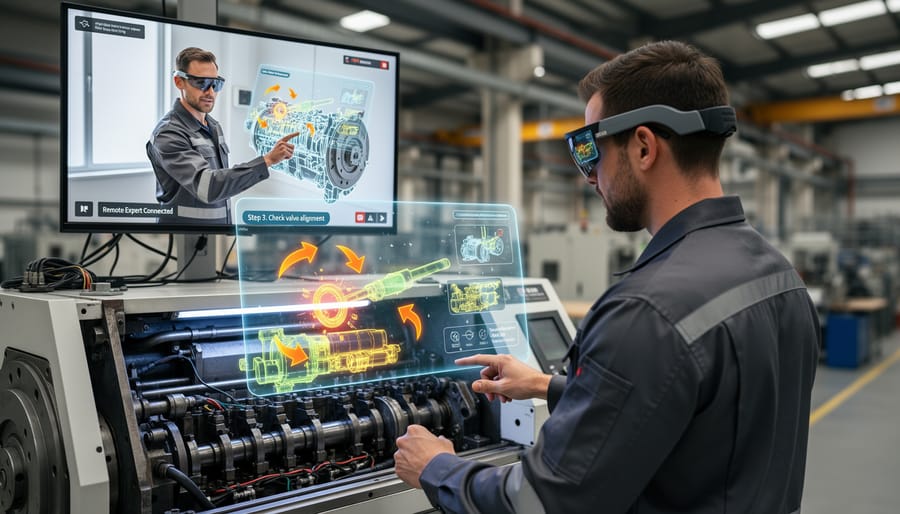
AR and MR technologies are transforming how manufacturers and service providers deliver technical support. Technicians can now guide customers through complex repairs using visual overlays that highlight specific components and demonstrate step-by-step procedures in real-time. This approach reduces downtime significantly while cutting travel costs for on-site visits.
Your service team can use AR-enabled devices to see what customers see through their smartphone cameras, allowing them to diagnose issues remotely and provide precise visual instructions. Manufacturing facilities benefit from MR headsets that display equipment schematics and maintenance protocols directly in a technician’s field of view, improving accuracy and reducing errors.
The business impact is measurable: companies report 30-50% faster resolution times and reduced repeat service calls. For SMBs, cloud-based AR platforms offer affordable entry points without requiring extensive hardware investments, making this technology accessible even with limited IT resources.
Real Estate and Home Services
Real estate firms are streamlining their sales processes through virtual property tours that let prospects explore homes remotely. Rather than scheduling multiple in-person showings, agents can qualify leads more efficiently by offering VR walkthroughs that showcase properties in detail. This automated approach reduces time spent on unqualified prospects while improving client communication through convenient, on-demand viewing experiences.
AR applications transform how home improvement businesses consult with customers. Homeowners can visualize paint colors, furniture placement, or renovation outcomes directly in their spaces using smartphone apps. This technology enables service providers to confirm project details before starting work, reducing miscommunication and change orders. For SMBs in construction and interior design, implementing AR consultations doesn’t require expensive equipment—many solutions work with standard tablets, making adoption accessible without major capital investment.
Healthcare and Professional Services
Healthcare providers are leveraging VR and AR to transform patient care beyond traditional telehealth video calls. Surgeons now use AR overlays during remote consultations to visualize patient scans in 3D, while mental health professionals deploy VR therapy sessions for treating anxiety and PTSD from any location. Medical training has accelerated through immersive simulations that let practitioners rehearse procedures without risk. For healthcare businesses, these technologies reduce no-show rates by making appointments more engaging and accessible. Implementation starts small: AR-enabled apps can guide physical therapy patients through exercises at home with real-time feedback, reducing follow-up visits while maintaining care quality. The key advantage is automated progress tracking that feeds directly into patient management systems, streamlining communication between providers and patients while delivering measurable health outcomes that justify the technology investment.
Common Obstacles and How to Overcome Them
Managing Initial Investment Costs
Starting with immersive technology doesn’t require a massive upfront investment. Begin with a pilot program focusing on one customer interaction point, such as product demonstrations or virtual showrooms. This approach allows you to test effectiveness and gather data before scaling.
Consider progressive web apps (PWAs) that offer AR experiences through existing mobile browsers, eliminating the need for custom app development. This reduces both development costs and the barrier to customer adoption.
Partner with specialized platforms that offer subscription-based access to VR/AR tools rather than building proprietary systems from scratch. Many providers now offer pay-as-you-grow models designed specifically for smaller businesses.
Repurpose existing 3D product models or photography assets when possible. If you’re already creating digital content for your website or marketing materials, these can often be adapted for AR experiences at minimal additional cost.
Start with automated customer service touchpoints where these technologies deliver the highest ROI, such as self-service product configuration or troubleshooting guides. This ensures your initial investment directly supports both customer satisfaction and operational efficiency.
Ensuring Customer Adoption
Success with VR, AR, or MR technology depends on making it easy for customers to use while never forcing adoption. Start by implementing these solutions as optional enhancements to your existing support channels rather than replacements. Continue offering phone, email, and chat support so customers can choose their preferred method of interaction.
Create simple onboarding experiences with clear instructions and minimal technical requirements. A customer shouldn’t need special equipment or extensive setup to access basic AR features through their smartphone camera. For more advanced VR applications, provide straightforward tutorials and readily available technical assistance.
Monitor adoption rates and gather feedback through automated surveys to understand which customers embrace the technology and which prefer traditional methods. Use this data to refine your approach and identify opportunities where immersive technology delivers the most value.
Train your support team to guide customers through both traditional and technology-enhanced interactions. This dual capability ensures smooth transitions and maintains service quality across all channels. Remember that the goal is to enhance customer experience, not complicate it. If adoption remains low despite quality implementation, the technology may not align with your customer base’s preferences or needs.
The good news for business owners considering VR, AR, or MR for customer service is that you don’t need to overhaul your entire operation or invest in expensive equipment to get started. These technologies have become increasingly accessible, with many solutions designed specifically for small to medium-sized businesses operating on realistic budgets.
Start by identifying one specific customer pain point that these technologies could address. Perhaps your clients struggle to visualize products before purchase, or your support team spends excessive time explaining complex features. Focus on simple implementations that complement your existing automated processes rather than replacing them entirely. For instance, AR product visualization can integrate seamlessly with your current website infrastructure, while virtual meeting spaces can enhance your automated appointment scheduling systems.
The key is to view VR, AR, and MR as tools that enhance client communication, not as complete operational transformations. Begin with pilot programs using readily available platforms before committing to custom solutions. Many businesses find success starting with AR features accessible through smartphones, which require no additional hardware from customers.
Remember that effective implementation doesn’t mean adopting every available feature. Choose solutions that genuinely improve how you connect with customers and streamline your service delivery. By starting small and scaling based on measurable results, you can integrate these technologies without overwhelming your team or budget while delivering meaningful improvements to your customer experience.
Leave a Reply