KPI Visualization Examples That Transform Your Marketing Data Into Action

Marketing dashboards fail when numbers sit in spreadsheets instead of driving decisions. You need to see which campaigns generate revenue, which channels waste budget, and where customer behavior shifts before problems compound.
The right KPI visualization examples transform raw data into clear action items. A well-designed dashboard shows your conversion funnel bottlenecks at a glance, tracks customer acquisition costs against lifetime value in real time, and alerts you to budget overspend before month’s end. These aren’t decorative charts. They’re decision-making tools that help teams spot trends, allocate resources, and communicate progress to clients without drowning in weekly status meetings.
Most marketing professionals struggle with the same visualization challenges in 2026. They track too many metrics, choose confusing chart types, or build dashboards that look impressive but answer no actual business questions. The solution isn’t more data or fancier graphics. It’s selecting the right visualization method for each specific KPI and automating the reporting process so your team focuses on strategy instead of manual chart updates.
This guide walks through proven visualization examples organized by marketing function, from paid advertising performance to email engagement metrics. You’ll see exactly which chart types work for specific KPIs, why they outperform alternatives, and how to structure dashboards that inform rather than overwhelm. Each example includes the business question it answers and the automated workflows that keep stakeholders informed without constant manual intervention.
Why KPI Visualization Matters for Marketing Teams
Marketing teams drowning in spreadsheets understand this reality: raw data alone changes nothing. The breakthrough happens when numbers transform into visuals that reveal patterns, problems, and opportunities at a glance. Proper visualization fundamentally alters how marketing organizations operate.
Speed defines competitive advantage. When KPIs appear as dashboards rather than tables, teams make faster, actionable decisions based on current performance. A campaign manager spots declining conversion rates within seconds, not hours of analysis. Budget shifts happen in real time, not after quarterly reviews when opportunities have already vanished.
Team alignment improves dramatically when everyone sees the same visual truth. Marketing, sales, and leadership interpret a revenue attribution chart identically, eliminating the endless debates over what the numbers actually mean. Shared visual dashboards create common ground where departments previously spoke different data languages.
Automated visualization systems reclaim countless hours previously lost to manual report building. Instead of pulling data from five platforms, formatting spreadsheets, and generating charts each week, teams configure dashboards once. The system updates automatically, freeing marketers to act on insights rather than produce them.
Client communication transforms when agencies present visual performance stories rather than data dumps. Clients grasp their campaign results instantly through well-designed visualizations, building trust through transparency. Monthly reviews become strategic conversations about optimization, not explanations of what numbers mean.
The core value proposition is simple: visualization collapses the gap between data collection and business action. When marketing performance appears as clear visual patterns rather than rows of figures, organizations stop analyzing and start optimizing. That shift from reporting to responding represents the measurable difference between teams that react to markets and those that shape them.

Essential Marketing KPIs to Visualize
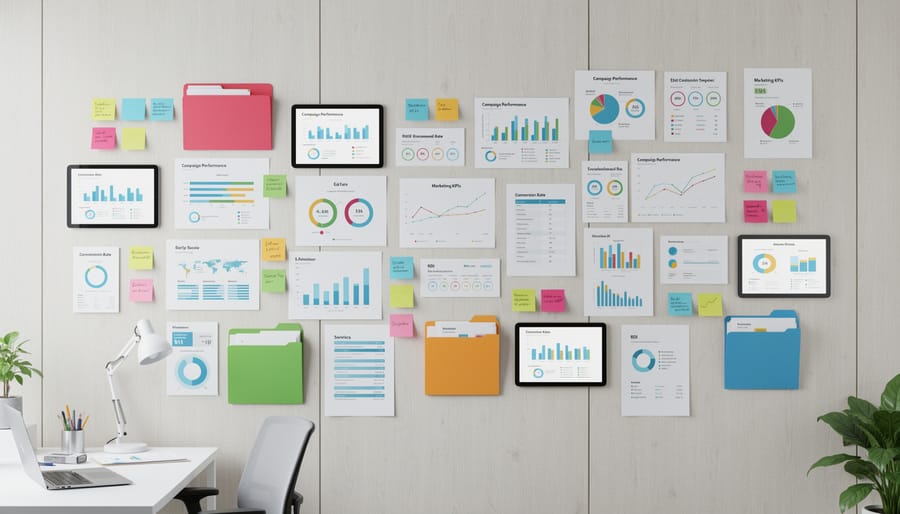
Traffic and Engagement Metrics
Traffic metrics tell you who’s arriving at your site, while engagement metrics reveal what they do once they’re there. Together, these foundational KPIs expose whether your marketing efforts are attracting the right audience and holding their attention.
**Website traffic** tracks total visits over time. A line graph works best here, showing daily or weekly trends so you can spot surges after campaign launches or drops that signal technical issues. Plot unique visitors separately from total sessions to understand whether you’re drawing new audiences or relying on repeat traffic.
**Bounce rate** measures the percentage of visitors who leave after viewing just one page. Display it as a single metric card alongside average session duration so you see both abandonment and engagement side by side. High bounce rates paired with short sessions flag content misalignment or poor user experience.
**Session duration** reveals how long visitors stay engaged. Visualize this as an average trend line, segmented by traffic source (organic, paid, social) to identify which channels deliver the most invested audience. Longer sessions from organic search typically indicate strong content-market fit.
**Page views per session** shows depth of engagement. A simple bar chart comparing this metric across top landing pages highlights which content keeps people exploring versus which serves as a dead end.
Conversion and Revenue Metrics
Conversion and revenue metrics form the financial backbone of marketing performance. These are the numbers that directly connect marketing activity to business results, making them essential for stakeholder reports and budget justifications.
**Conversion Rate** measures the percentage of users who complete a desired action. Visualize this as a trend line over time to identify patterns and the impact of optimization efforts. Breaking it down by traffic source or device type reveals where your marketing delivers the strongest returns.
**Cost Per Acquisition (CPA)** shows exactly how much you spend to gain each customer. Display CPA alongside conversion volume in a dual-axis chart to balance efficiency with scale. A decreasing CPA means your campaigns are getting more cost-effective, but context matters: a higher CPA might be acceptable if customer lifetime value justifies it.
**Customer Lifetime Value (CLV)** represents the total revenue a customer generates over their relationship with your business. Compare CLV against CPA to determine true profitability. A simple bar chart showing CLV by acquisition channel immediately highlights which marketing sources bring the most valuable customers, not just the most customers.
**Return on Investment (ROI)** ties everything together by showing net profit relative to marketing spend. A waterfall chart can break down ROI by campaign or channel, making it clear which initiatives genuinely drive profitability versus those that simply generate activity.
Channel-Specific Performance Indicators
Each marketing channel generates unique metrics that demand specialized visualization approaches. For SEO performance, track keyword rankings across positions 1-10 with position-change indicators, organic traffic growth through month-over-month comparison charts, and click-through rates by search result position. Social media requires engagement rate calculations (likes, comments, shares divided by reach), audience growth trajectories across platforms, and post performance sorted by engagement type. Paid advertising channels need return on ad spend (ROAS) breakdowns by campaign, cost-per-click trends showing bid efficiency over time, and impression share percentages to identify opportunity gaps. These channel-specific indicators reveal where your marketing investments deliver results and where optimization is needed. Visualizing them separately prevents the cross-channel confusion that comes from mixing incompatible metrics in generic dashboards.
KPI Visualization Examples by Marketing Function
SEO Performance Dashboards
SEO performance dashboards translate months of optimization work into visual proof of progress. A line graph tracking organic traffic over time remains the cornerstone visualization because it instantly reveals growth patterns, seasonal dips, and the impact of algorithm updates or content launches. Plot weekly or monthly sessions on the Y-axis against time on the X-axis, and overlay key events like site migrations or major content pushes as annotations to provide context for spikes or drops.
Keyword ranking position tracking charts offer a different lens on SEO health. Rather than showing traffic volume, these charts display your position for target keywords over time, typically using a reverse Y-axis where position 1 sits at the top. Group keywords by category or search intent, and track multiple terms simultaneously to spot patterns, when several rankings improve together, your topical authority is strengthening. Color-code by ranking zones (positions 1-3 in green, 4-10 in yellow, 11+ in red) for quick scanning.
Common visualization formats that transform raw SEO data into strategic insights include:
- Line graphs for organic traffic trends showing growth trajectories and seasonal patterns
- Heatmaps displaying keyword opportunity matrices that plot search volume against ranking difficulty
- Waterfall charts breaking down traffic source attribution to reveal which channels drive qualified visitors
Cumulative area charts excel at showing backlink profile growth because they emphasize the building effect, each new backlink adds to your total authority rather than existing in isolation. Stack different link types (editorial, directory, guest posts) to visualize your link acquisition strategy’s balance over time.
AI-powered anomaly detection elevates these visualizations from passive reporting to active monitoring. When organic traffic drops 15% overnight or a cluster of keywords suddenly loses rankings, automated alerts flag the issue before you open the dashboard. This transforms SEO visualization from a weekly review ritual into a real-time early warning system.
Social Media Analytics Visualizations
Social media performance becomes clear when you compare engagement rates side by side. A grouped bar chart showing likes, comments, and shares across Facebook, Instagram, LinkedIn, and Twitter reveals which platforms deliver real interaction. You see immediately where your audience responds and where you’re wasting effort. Color-code each platform consistently, and you can spot patterns within seconds, no spreadsheet hunting required.
Follower growth tells a different story when visualized as multi-line graphs over three to six months. Plot each platform’s trajectory on one chart to see which channels are gaining momentum and which have plateaued. Sharp drops signal issues that need investigation, while steady climbs confirm your strategy is working. Add a goal line for context, and your team instantly understands whether you’re on track.
Content performance matrices using bubble charts reveal what actually moves the needle. Plot reach on the horizontal axis and engagement on the vertical, with bubble size representing comments or saves. High-reach, low-engagement content? You’re getting views but not resonating. Low-reach, high-engagement posts? Gold for algorithm favor. This visualization identifies your best-performing content types at a glance, turning gut feelings into data-backed decisions about what to create next.
Paid Advertising Campaign Monitors
Paid advertising demands constant monitoring because budget burns quickly and performance shifts by the hour. The right visualizations turn your ad platform data into immediate, actionable insights rather than rows of numbers that require manual analysis.
A dual-axis chart showing ad spend against conversions over time reveals the efficiency story at a glance. Plot daily or hourly spend on one axis and conversions on the other, creating two lines that show whether your investment is generating proportional returns. When the lines diverge, spend climbing while conversions flatten, you spot budget waste instantly. Add a calculated metric like cost-per-conversion as a third overlay to see efficiency trends without opening a spreadsheet.
Campaign performance comparisons work best as horizontal bar charts when you’re managing multiple campaigns simultaneously. Show each campaign’s key metric (ROAS, conversion rate, or CPA) as a bar, sorted from highest to lowest. This layout makes winners and losers obvious in seconds and helps you reallocate budget between campaigns based on what the visualization shows, not gut feeling.
Conversion funnel visualizations track users from ad click through purchase or lead submission. Display each step as a progressively narrower band, with the width representing user volume and the gaps showing drop-off points. When your funnel reveals 60% of clicks reach the landing page but only 5% proceed to checkout, you know where to focus optimization efforts, the problem isn’t ad targeting, it’s the landing experience or offer clarity between those two steps.
Website Conversion Funnels
Website conversion funnels reveal exactly where your marketing efforts succeed and where potential customers abandon their journey. A standard funnel visualization displays each stage, landing page visits, product views, add-to-cart actions, checkout initiation, and completed purchases, with the width of each segment proportional to the number of users who continue. This immediately highlights friction points. If 5,000 visitors reach your pricing page but only 500 proceed to checkout, you’ve pinpointed where to focus optimization efforts.
Multi-touch attribution demands more sophisticated visualization. Sankey diagrams excel here, showing how users flow through multiple touchpoints across channels before converting. You might visualize how traffic from organic search interacts with email campaigns and social media before resulting in a sale. The flowing bands illustrate which channel combinations drive the highest conversion rates, revealing that users who engage with both blog content and retargeting ads convert at twice the rate of single-touch visitors.
For A/B test results, visualization should include confidence intervals alongside conversion rate comparisons. A bar chart showing Variation A at 3.2% conversion versus Variation B at 3.8% means nothing without context. Display the confidence intervals as error bars and include sample sizes. When you see that Variation B’s 95% confidence interval is 3.4% to 4.2% while A’s is 2.9% to 3.5%, you can act with statistical certainty rather than guessing.

Email Marketing Performance Trackers
Email marketing generates detailed behavioral data that reveals exactly how subscribers interact with your campaigns. The right visualizations turn these metrics into patterns you can act on immediately.
Open rate trends displayed as line graphs over 30 or 90-day periods expose seasonal patterns and campaign fatigue. When you see a steady decline despite consistent send frequency, you know it’s time to refresh subject line approaches or clean your list. Add a moving average line to smooth out day-to-day noise and identify genuine trends versus random fluctuations.
Click-through rate heatmaps organized by send day and time pinpoint optimal engagement windows with precision. A grid showing darker cells for Tuesday mornings and lighter ones for weekend afternoons tells you where to schedule high-priority campaigns. This visualization format makes the data scannable in seconds, eliminating guesswork from send-time optimization.
Subscriber engagement scoring visualizations segment your list by activity level using stacked bar charts or scatter plots. Plot subscribers across axes of recency and frequency to identify your most engaged recipients, those at risk of churning, and inactive contacts ready for re-engagement campaigns or removal. This visual segmentation drives targeted messaging strategies that improve overall campaign performance while protecting sender reputation.
How AI-Powered Tools Enhance KPI Visualization
AI eliminates the manual grunt work that turns visualization into a bottleneck. Instead of pulling data from five platforms, formatting spreadsheets, and building charts by hand every week, AI-powered KPI dashboards connect directly to your data sources and refresh automatically. This means your visualizations always show current information without requiring someone to log in, export, and update files.
Predictive overlays add forward-looking context to historical charts. When your organic traffic graph shows a three-month upward trend, AI can project where that trajectory leads based on seasonality patterns and past performance. These trend lines help you spot whether you’re on track to hit quarterly goals or need to adjust strategy now rather than waiting until the quarter ends.
Anomaly detection highlights what matters. Your dashboard might track 50 metrics, but AI flags the three that deviated significantly from expected patterns yesterday, a sudden spike in bounce rate, an unusual drop in ad click-through rate, or unexpected conversion behavior. This intelligent highlighting directs attention to metrics requiring investigation, so you measure what’s working and what isn’t without scanning every number.
Natural language summaries translate visualizations into plain English. Instead of interpreting whether a 12% month-over-month increase in email open rates is good, AI generates a brief explanation: “Email open rates improved 12% compared to last month and are 8% above your industry benchmark.” These auto-generated insights save interpretation time and make reports accessible to stakeholders who aren’t data analysts.
Automated distribution keeps everyone informed without manual effort. Schedule dashboards to email to clients every Monday morning, or set up alerts when specific thresholds are crossed. AI social analytics can even customize which metrics each recipient sees based on their role, while Z tracking methodologies ensure the right behavioral data flows into these automated reports. This consistent communication builds trust and demonstrates ongoing value without creating repetitive tasks for your team.

Best Practices for Creating Actionable KPI Visualizations
A polished dashboard means nothing if it doesn’t drive decisions. The difference between a visualization that gets glanced at and one that prompts immediate action comes down to intentional design choices that prioritize clarity and relevance over visual complexity.
Start by matching your chart type to the story your data tells. Line graphs work best for trends over time, like tracking organic traffic growth. Bar charts excel at comparing discrete categories, such as conversion rates across landing pages. Pie charts should be reserved for simple part-to-whole relationships with no more than five segments, otherwise, they create confusion rather than clarity. When you’re showing relationships between two metrics, scatter plots reveal correlations that tables can’t capture.
Color serves as a communication tool, not decoration. Use a consistent palette where green signals positive performance, red flags problems, and neutral grays display context. Limit yourself to three or four colors maximum per visualization. Highlighting a single data point in color while keeping others muted immediately draws attention to what matters. Avoid rainbow gradients that force viewers to decode a legend instead of absorbing insights at a glance.
Context transforms raw numbers into actionable intelligence. Every KPI needs a reference point: Is 450 monthly leads good? Only if your goal was 400 or last month brought 380. Add benchmark lines, goal thresholds, or year-over-year comparisons directly on the chart. These reference points answer the “so what?” question without requiring mental math or historical knowledge from your audience.
- Define your primary question: what specific decision will this visualization inform?
- Select the three to five KPIs that directly answer that question and eliminate the rest
- Choose the chart type that makes patterns immediately obvious without explanation
- Add goal lines, benchmarks, or previous period data for instant context
- Apply color only to highlight variance, problems, or the most critical data point
- Test your visualization by showing it to someone unfamiliar with the data, if they need more than five seconds to understand the main insight, simplify
Time ranges matter more than most realize. Daily data suits operational monitoring where quick responses matter, like paid ad campaigns. Weekly views smooth out daily noise for most marketing performance management activities. Monthly comparisons work for strategic planning and client reporting. Mixing time ranges on a single dashboard creates cognitive friction, stick to one perspective per view.
White space isn’t wasted space. A dashboard crammed with fifteen charts forces viewers to hunt for relevance rather than spot insights. Limit each dashboard to the six or seven most critical metrics, grouped by related function. If something doesn’t directly inform a decision or track toward a specific goal, cut it. The most effective visualizations are the ones that make the next action obvious.
The difference between drowning in marketing data and making confident decisions comes down to how you visualize your KPIs. Throughout this guide, you’ve seen specific examples of transforming raw numbers into visual formats that reveal patterns, highlight problems, and point directly to your next move. That’s the real value of effective visualization, it doesn’t just organize data, it eliminates ambiguity and speeds up your response time.
Competitive businesses have moved beyond static spreadsheets toward automated visualization systems that do the heavy lifting. AI-powered reporting tools now integrate your data sources, generate consistent visualizations, detect performance shifts before you spot them manually, and deliver scheduled reports to clients without eating into your workday. This isn’t about flashy dashboards for their own sake. It’s about reclaiming time you’d otherwise spend wrestling with Excel while ensuring clients receive clear, professional updates that strengthen their trust in your work.
The KPI visualization examples we’ve covered, from SEO performance tracking to conversion funnel breakdowns, work because they strip away noise and surface what actually matters. Your implementation should follow the same principle. Build visualizations that answer specific questions, trigger specific actions, and communicate specific results. Anything else is decoration.
Start with one visualization that solves your biggest reporting headache. Automate it. Then expand from there. The marketing teams gaining ground aren’t necessarily collecting more data than you, they’re just visualizing it better and acting on it faster.
Leave a Reply