How Safety Streaming Protects Your Brand from Live Stream Disasters

Monitor your live streams in real-time using automated moderation tools that flag inappropriate comments, spam, and brand-damaging content before it reaches your audience. Set up keyword filters and blocking lists that automatically remove offensive language, competitor mentions, and prohibited topics—this prevents brand safety incidents without requiring constant manual oversight.
Establish clear community guidelines before going live and display them prominently in your stream description. Train your moderation team to recognize context-specific threats, from coordinated trolling attacks to accidental exposure of sensitive information. Automated systems catch approximately 85% of problematic content, but human oversight remains essential for nuanced situations that algorithms miss.
Implement a three-second delay on your live streams to create a safety buffer. This gives moderators time to identify and address potential issues before they become permanent fixtures in your broadcast. Major platforms now offer built-in delay features that integrate seamlessly with automated moderation systems, providing an additional layer of protection.
Protect your brand by conducting pre-stream testing of all moderation tools and backup systems. Run simulated attacks using test accounts to verify your filters catch common threats. Document your response protocols for different incident types—from minor comment violations to major security breaches—so your team can respond consistently and quickly when problems arise during actual broadcasts.
What Safety Streaming Actually Means for Your Business
Safety streaming is the practice of monitoring live video content in real-time to identify and address potential brand safety risks as they happen. Unlike traditional content moderation that reviews pre-recorded material after publication, safety streaming works simultaneously with your broadcast, catching issues before they escalate into full-blown crises.
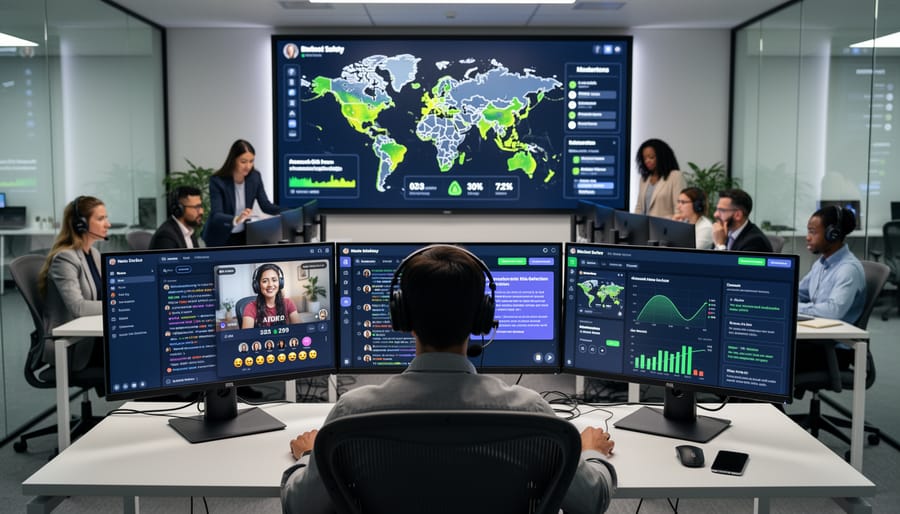
Think of it as having a vigilant security team watching your live streams 24/7, ready to intervene the moment something goes wrong. This approach combines three essential components working in harmony: automated detection systems, human oversight, and immediate response protocols.
The automated layer uses artificial intelligence and machine learning to scan your live content continuously. These systems flag potential violations like inappropriate language, violent imagery, copyright infringement, or unexpected visual elements that don’t align with your brand values. The technology works at speeds impossible for human moderators alone, processing thousands of data points per second.
However, automation isn’t perfect. That’s where human oversight becomes crucial. Trained moderators review flagged content, make nuanced judgment calls that AI might miss, and understand context in ways algorithms cannot. They can distinguish between a legitimate product demonstration and something that crosses your brand guidelines, or recognize when a comment thread is heading toward toxicity before it spirals out of control.
This differs fundamentally from traditional content moderation, which typically happens after content goes live. With traditional methods, your audience has already seen problematic material by the time you respond. Safety streaming prevents exposure in the first place, protecting both your viewers and your brand reputation.
The immediate response component means having clear protocols in place. When an issue is detected, your team knows exactly what to do: pause the stream, remove offensive comments, or redirect the conversation. This rapid reaction time transforms potential disasters into minor hiccups that most viewers never notice.
The Real Risks Live Streams Pose to Brand Safety
User-Generated Content That Can Damage Your Reputation
Live streaming opens your brand to immediate public interaction, but this real-time engagement creates significant exposure to harmful content. Your audience can post comments, share reactions, and participate in live chats without the filtering process that typically protects pre-recorded content. This direct channel introduces serious user-generated content risks that demand proactive management.
Hate speech represents one of the most damaging threats to your brand reputation. Viewers can post discriminatory, offensive, or inflammatory comments that appear alongside your content, creating an association between your brand and toxic messaging. Even when these comments come from rogue users rather than your company, viewers often remember the negative experience and connect it to your brand.
Spam and promotional hijacking also plague live streams. Competitors or bad actors frequently flood chat sections with unwanted links, scams, or misleading information. These disruptions not only diminish user experience but can also expose your audience to security threats or fraudulent schemes under your brand’s watch.
Offensive material extends beyond text-based comments. Users may share inappropriate images, videos, or links in chat features that support media sharing. Sexual content, violence, or graphic material can appear instantly, potentially violating platform guidelines and exposing your business to liability issues.
The permanent nature of these interactions compounds the problem. Screenshots and recordings preserve problematic moments indefinitely, allowing damaging content to resurface long after your stream ends and continue affecting your reputation across social media platforms.
Unexpected Content and Platform Vulnerabilities
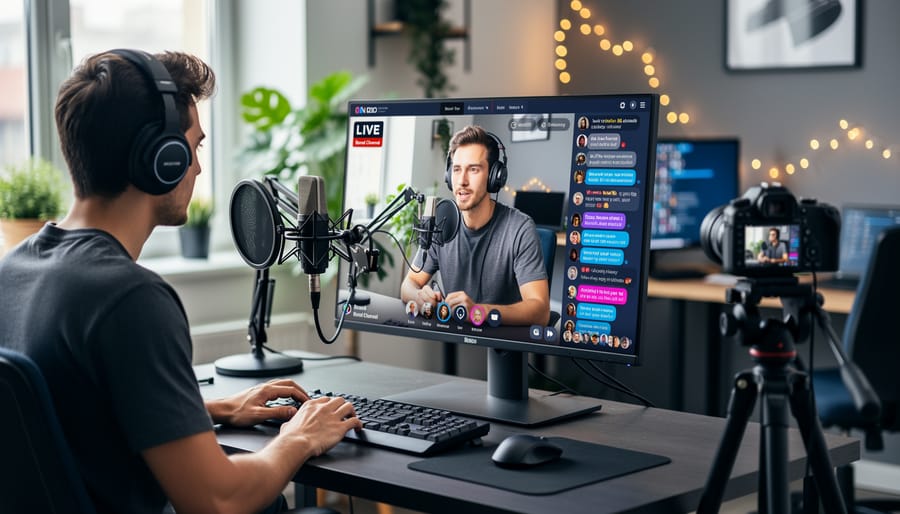
Live streams present unique vulnerabilities that traditional content moderation doesn’t address. Technical failures during broadcasts can expose your audience to inappropriate content, from platform glitches displaying wrong streams to encoding errors that corrupt your video feed. These issues occur without warning and demand immediate response protocols.
Unauthorized access remains a persistent threat. Hijacked streams have become increasingly common, with bad actors gaining control through compromised credentials or platform security gaps. Once inside, they can broadcast anything under your brand name. Implement two-factor authentication and limit broadcasting permissions to essential team members only.
Background elements during streams often create unexpected problems. Remote broadcasts from home offices may inadvertently show confidential documents, personal information, or unprofessional surroundings. Company streams can reveal sensitive operational details or employee information. Establish clear guidelines requiring neutral backgrounds or virtual settings, and conduct pre-stream environment checks.
Unscripted moments pose significant brand risks. Unlike pre-recorded content, live streams capture everything in real-time. A team member’s off-camera comment picked up by microphones, unexpected interruptions, or spontaneous remarks can quickly damage your reputation. Even well-intentioned interactions may produce awkward moments that viewers screenshot and share widely.
Platform-specific vulnerabilities add another layer of complexity. Comment sections can flood with spam, harassment, or competing brands’ promotions. Some platforms experience temporary outages mid-stream, leaving you without communication channels to your audience. Automated moderation tools help manage these risks by filtering comments in real-time, blocking prohibited terms, and flagging suspicious activity for immediate review. Prepare backup streaming platforms and have contingency plans ready before going live.
Building Your Safety Streaming Strategy: Essential Components
Automated Moderation Tools That Work While You Focus on Content
Modern streaming platforms generate hundreds of comments per minute during peak engagement. Manually reviewing each one isn’t realistic when you need to focus on delivering value to your audience and clients. That’s where automated moderation systems become essential.
AI-powered moderation tools scan incoming messages in real-time, flagging or removing problematic content before it appears in your stream. These systems use machine learning to identify spam, profanity, harassment, and potentially harmful links. The technology learns from patterns, becoming more accurate over time without requiring constant manual updates.
Keyword blocklists provide immediate protection by automatically filtering specific words, phrases, or character combinations. You can customize these lists based on your brand standards and industry requirements. Many platforms allow you to block variations and common misspellings, preventing users from bypassing filters with creative spelling.
Automated systems excel at handling repetitive tasks that consume valuable time. They can automatically timeout repeat offenders, remove duplicate messages, filter excessive emojis, and block suspicious URLs. This automation runs continuously in the background, maintaining a professional environment without your direct involvement.
The real advantage comes from resource allocation. When automation handles routine moderation, your team can concentrate on meaningful client interactions, answering legitimate questions, and creating compelling content. You’re not spending hours reviewing chat logs or manually deleting spam.
Set up your automated systems during your initial stream configuration, then adjust thresholds based on actual performance. Most tools provide dashboards showing what’s being filtered, allowing you to refine settings without disrupting live broadcasts. This approach balances protection with efficiency, keeping your streams safe while you focus on what matters: connecting with your audience and growing your business.
When Human Moderators Make the Difference
While automation handles routine filtering, certain situations demand human judgment. Your live streams need human moderators when dealing with nuanced content like political discussions, handling sensitive topics related to your brand values, or managing high-stakes product launches where reputation impact is significant.
Structure your moderation team based on stream size and risk level. For smaller operations, designate two people: one monitoring the chat actively while another watches the stream content itself. Larger events require a three-tier approach with frontline moderators handling real-time chat, a supervisor managing escalations, and a decision-maker authorized to pause or end the stream if necessary.
Create moderation guidelines that remove ambiguity. Document specific examples of what requires immediate removal versus what needs escalation. Include screenshots of borderline cases your team has encountered previously. Your guidelines should answer: What gets deleted instantly? What requires supervisor review? When do we ban users versus issue warnings?
Establish clear escalation protocols with defined response times. Minor issues like spam get handled immediately by frontline moderators. Potentially brand-damaging content escalates to supervisors within 30 seconds. Crisis situations, such as threats or major PR concerns, require immediate stream control decisions from your designated authority.
Equip your team with quick-action tools. Pre-written response templates save precious seconds during incidents. Create a decision tree flowchart they can reference under pressure. Most importantly, conduct practice drills before going live so your team responds instinctively when real issues arise.
Stream Delay as Your Safety Buffer
A stream delay functions as your most practical line of defense against broadcast mishaps. By implementing a 5-30 second buffer between your actual live content and what viewers see, you create a critical window to identify and prevent problematic material from reaching your audience.
Most streaming platforms offer built-in delay settings, making this solution accessible without complex technical setup. A 5-10 second delay works well for most business applications, providing enough time to catch obvious issues while maintaining the live feel that keeps audiences engaged. For higher-risk streams or sensitive topics, extend this to 20-30 seconds.
The key advantage is that viewers rarely notice these brief delays. Your stream still feels immediate and authentic—comments and interactions flow naturally while you maintain control over what actually broadcasts. This buffer gives your moderation team time to review flagged content, mute inappropriate audio, or switch camera angles before anything compromises your brand.
Consider this your insurance policy against the unexpected: background conversations caught on hot mics, unauthorized individuals entering frame, technical glitches displaying confidential information, or participants making off-brand statements. The delay doesn’t prevent these moments from happening, but it stops them from becoming public crises.
Set your delay duration based on your content sensitivity and team response time. Test your moderators’ ability to identify and react to issues within your chosen timeframe. Remember, this buffer only works when paired with active monitoring—automated tools can flag potential issues, but human oversight remains essential for context-dependent decisions.
Choosing the Right Tools for Safety Streaming
Selecting the right moderation tools requires a realistic assessment of your streaming needs and resources. Start by evaluating three critical factors: the frequency of your live streams, your average viewer count, and your available budget for safety measures.
For businesses conducting occasional streams with smaller audiences (under 500 viewers), basic moderation features built into platforms like YouTube or Facebook may suffice, supplemented by a dedicated team member monitoring comments in real-time. However, if you’re managing multi-platform streaming or hosting frequent events, you’ll need more robust solutions.
When evaluating moderation platforms, prioritize these essential features:
Automated keyword filtering that allows you to create custom blocklists based on your brand values and industry-specific concerns. The system should catch variations and common misspellings of problematic terms.
Real-time comment delay options, giving moderators a buffer window to review and approve comments before they appear publicly. A 5-15 second delay often provides sufficient protection without disrupting engagement.
User management capabilities, including the ability to timeout, ban, or shadowban disruptive participants quickly. Look for tools that remember repeat offenders across multiple streams.
Reporting and analytics that document moderation actions, flagged content, and trend analysis. This data proves invaluable for refining your approach and demonstrating due diligence to stakeholders.
Integration compatibility with your existing streaming setup and customer relationship management systems ensures seamless workflow automation.
Budget considerations should account for both software costs and human resources. Many platforms offer tiered pricing based on stream volume or viewer counts. Calculate the total cost of ownership, including training time for your team and the potential cost savings from preventing a single brand safety incident, which can far exceed annual moderation tool expenses.
Creating Your Pre-Stream Safety Checklist
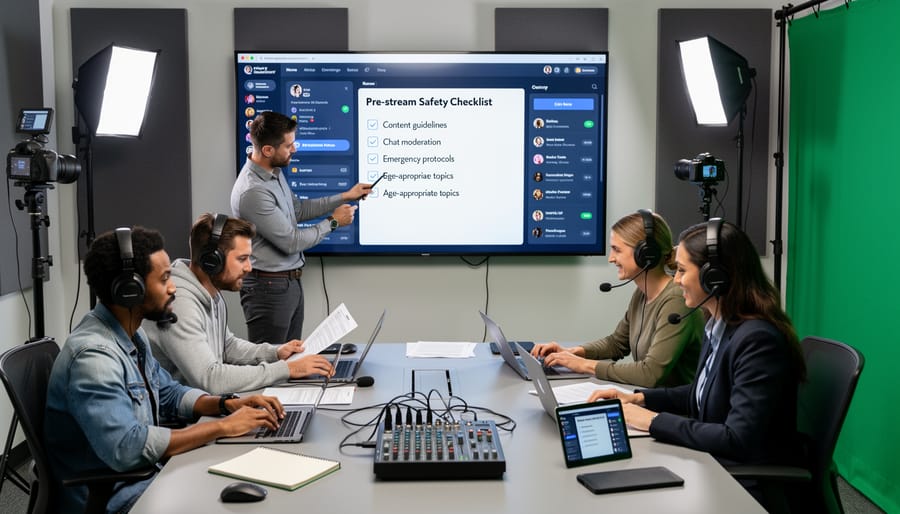
A comprehensive pre-stream safety checklist ensures your live broadcast runs smoothly while protecting your brand reputation. Start implementing these steps 24-48 hours before going live to minimize risk and maximize control.
Begin with technical verification. Test your streaming platform’s moderation tools, confirm comment filters are active, and verify that profanity blockers are functioning correctly. Run a private test stream to check audio and video quality, as technical issues often distract moderators from their primary safety responsibilities. Document your emergency shutdown process and ensure at least two team members know how to execute it immediately if needed.
Next, conduct moderator briefings at least one day before the event. Share your brand guidelines, prohibited content list, and escalation protocols with every team member involved. Assign specific roles: designate primary moderators to monitor comments, appoint a backup moderator in case of emergencies, and identify who has authority to end the stream if necessary. Create a shared communication channel where moderators can flag issues in real-time without interrupting the broadcast.
Develop backup plans for common scenarios. Prepare pre-written responses for inappropriate comments, create holding slides or videos if you need to pause unexpectedly, and establish clear criteria for when to end a stream early. Keep contact information for your platform’s support team readily accessible.
Finally, schedule a brief check-in 30 minutes before going live. Confirm all moderators are present and ready, review the most critical safety protocols, and test your communication channels one final time. This final verification gives your team confidence and ensures everyone understands their role in maintaining a safe streaming environment.
What to Do When Things Go Wrong During a Live Stream
Despite thorough preparation, technical glitches, inappropriate content, or unexpected incidents can still occur during live streams. Having a clear crisis management protocol ensures your team responds swiftly and professionally to minimize damage to your brand.
When an incident occurs, immediate action is essential. First, designate a crisis response team member who has the authority to pause or terminate the stream instantly. This person should monitor the broadcast continuously, separate from whoever is managing content delivery. If inappropriate content appears or a technical failure disrupts the stream, pause immediately rather than attempting to troubleshoot live. A brief interruption is far less damaging than prolonged exposure to problematic content.
Your communication strategy during an incident should be transparent and proactive. Post a quick acknowledgment on your social channels within minutes, stating you’re aware of the issue and working to resolve it. Keep messages brief and professional without over-explaining. For example: “We’re experiencing technical difficulties and have paused the stream. We’ll resume shortly.” This prevents speculation and demonstrates control of the situation.
Once the stream is paused or ended, assess the severity. Minor technical issues may only require a quick fix and resume, while serious content violations demand immediate termination and a more comprehensive response. Document everything that happened, including timestamps, screenshots, and the actions you took.
After the incident, conduct a thorough post-mortem analysis within 24 hours. Review what went wrong, why your safety measures didn’t catch it, and what specific changes will prevent recurrence. Update your moderation protocols, adjust automated filtering parameters, and brief your team on new procedures. This analysis transforms a crisis into a learning opportunity that strengthens your future streaming operations.
Consider implementing an incident tier system that categorizes problems by severity, with predetermined response protocols for each level. This removes guesswork during high-pressure moments and ensures consistent, appropriate responses across your organization.
Measuring the ROI of Your Safety Streaming Investment
Tracking the return on your safety streaming investment requires monitoring specific metrics that directly impact your bottom line. Start by establishing baseline measurements before implementing safety protocols, then compare results over time to demonstrate tangible value.
Focus on three primary metric categories. First, measure incident prevention rates by tracking the number of flagged comments, removed users, and blocked content before it reaches your audience. Most automated moderation platforms provide detailed dashboards showing intervention frequency and response times. A successful safety streaming strategy typically reduces brand risk incidents by 60-80% within the first quarter.
Second, evaluate audience engagement quality rather than just quantity. Compare chat participation rates, average viewer watch time, and comment sentiment scores across moderated versus unmoderated streams. Quality engagement metrics often improve when audiences feel safe participating, leading to higher conversion rates and customer loyalty. Monitor metrics like positive sentiment ratios and community guideline compliance rates to understand how safety measures affect viewer behavior.
Third, assess brand sentiment protection through social listening tools and media monitoring. Track mentions of your brand during and after live streams, noting any negative associations or crisis situations averted. Calculate potential crisis costs avoided by estimating the monetary impact of prevented incidents, including legal fees, lost partnerships, and reputation damage.
Connect safety streaming performance to broader business outcomes by measuring customer retention rates among live stream viewers and calculating customer lifetime value differences between engaged and disengaged audiences. This data becomes particularly valuable when combined with live stream discoverability metrics, demonstrating how safe, quality content drives sustainable business growth. Document quarterly reports showing cost savings from automated moderation versus manual monitoring to justify ongoing investment in safety protocols.
Safety streaming isn’t a luxury reserved for enterprise brands with unlimited budgets. It’s a fundamental business necessity in today’s live content landscape. A single unmoderated incident can undo years of brand building and customer trust in minutes, making prevention far more cost-effective than damage control.
The good news? You don’t need to implement everything at once. Start with basic automated moderation tools that filter profanity and block obvious spam. These entry-level solutions require minimal technical expertise and can be operational within hours. From there, layer in pre-stream checklists, designated monitoring roles, and clear escalation protocols. As your live streaming strategy matures, scale up to more sophisticated automated systems that learn from your specific brand guidelines.
Remember that safety streaming protects more than your reputation. It safeguards your team from exposure to harmful content, maintains compliance with platform policies, and creates a welcoming environment that encourages genuine audience engagement. The businesses that thrive with live content aren’t necessarily those with the biggest budgets, but those who prioritize consistent safety protocols from day one.
Your immediate next step is straightforward: before your next live stream, create a simple three-point safety checklist covering pre-stream setup, during-stream monitoring responsibilities, and post-stream review. Document who does what and when. This single action establishes the foundation for scalable safety streaming that grows with your business.
Leave a Reply