Local Marketing Automation That Actually Saves You Time (Not Just Money)

Local marketing automation transforms how regional businesses connect with customers by handling repetitive tasks while maintaining the personal touch that local audiences expect. Marketing professionals waste an average of 16 hours weekly on manual social media posting, email scheduling, and review monitoring—time better spent on strategy and genuine customer relationships.
Automation solves three critical challenges for location-based businesses. First, it maintains consistent communication across multiple channels without requiring constant manual oversight. Your Google Business Profile updates, social posts, and email campaigns deploy automatically based on triggers you set once. Second, it personalizes customer interactions at scale by segmenting audiences by location, purchase history, or engagement patterns, then delivering relevant messages to each group. Third, it captures and nurtures local leads immediately through automated responses to inquiries, appointment reminders, and follow-up sequences that prevent prospects from slipping through the cracks.
The key distinction between effective and ineffective local marketing automation lies in strategic implementation. Successful businesses automate operational tasks like scheduling and data entry while preserving human touchpoints for relationship-building moments. They use automation to respond faster, communicate more consistently, and track customer behavior more accurately—not to replace authentic engagement.
This approach reduces marketing workload by 40-60% while improving response times and customer satisfaction. The following sections detail specific automation categories, implementation frameworks, and tool selections that help local businesses grow without sacrificing the community connection that defines their brand.
What Local Marketing Automation Really Means for Your Business
Local marketing automation isn’t just about using technology to send emails faster. It’s about strategically connecting with customers in your specific geographic area through automated processes that maintain a personal touch while scaling your marketing efforts efficiently.
Unlike general marketing automation that focuses on broad audience segments, local marketing automation addresses the unique challenges of businesses serving specific communities or regions. When you run a local business, you’re not just competing with other companies in your industry—you’re competing for attention in a defined geographic area where personal relationships and community presence matter significantly.
The distinction matters because local customers expect different things. They want to know you understand their neighborhood, recognize local events, and can serve them quickly. They’re searching for businesses “near me” and making decisions based on proximity, reviews from local customers, and whether your business feels connected to the community.
This is where marketing automation tools designed for local businesses become essential. They help you manage location-specific campaigns, track foot traffic patterns, send targeted messages based on geographic triggers, and maintain consistent communication with customers in your service area—all without requiring you to manually execute every task.
Local marketing automation addresses specific challenges you face daily: managing multiple location listings across directories, responding promptly to local reviews, coordinating promotions with community events, and ensuring your messaging reflects local preferences and seasonal patterns. It helps you stay top-of-mind in your community without spending every waking hour on marketing tasks.
The real value lies in freeing up your time to focus on what local businesses do best—building genuine relationships with customers while automated processes handle the repetitive tasks of staying visible and relevant in your market. You maintain the personal connection that makes local businesses special while gaining the efficiency that lets you compete effectively.

The Recurring Tasks Draining Your Marketing Team Right Now
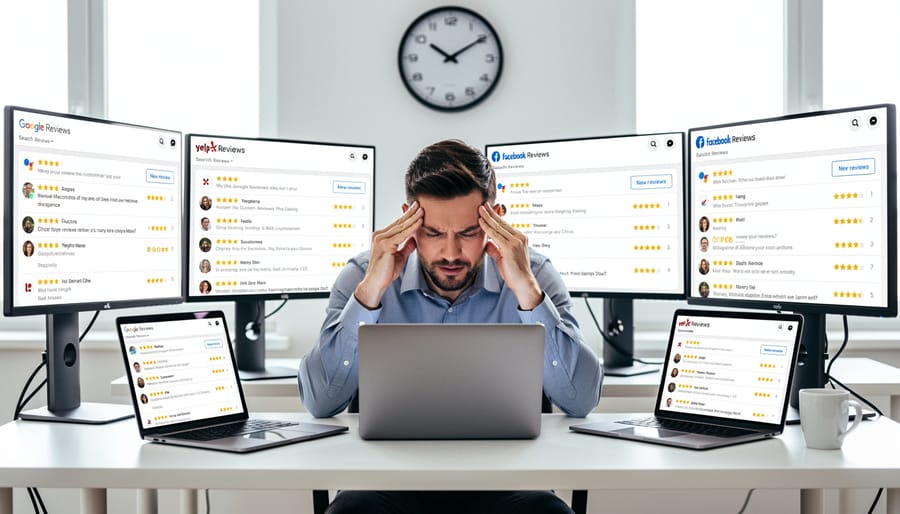
Customer Review Management Across Multiple Platforms
Managing customer reviews across multiple platforms presents a significant time drain for local businesses. Between Google Business Profile, Yelp, Facebook, and industry-specific review sites, the average business owner spends 5-10 hours weekly just monitoring, reading, and responding to customer feedback. This manual process becomes even more challenging when managing multiple locations or tracking reviews across dozens of platforms.
The complexity extends beyond simple responses. You need to identify negative reviews quickly, craft personalized replies that address specific concerns, thank customers for positive feedback, and flag reviews that violate platform guidelines. Missing a critical review or responding too slowly can damage your local reputation, while generic copy-paste responses feel inauthentic to customers.
Review management automation solves this challenge by consolidating all reviews into a single dashboard, sending instant notifications for new feedback, and even suggesting response templates based on sentiment analysis. These systems allow you to respond promptly and professionally without constantly switching between platforms. The result is consistent engagement that protects your reputation while reclaiming hours each week for revenue-generating activities.
Local Listing Consistency and Updates
Keeping your business information accurate across multiple online directories is one of the most frustrating challenges in local marketing. Your NAP details (name, address, phone number) appear on Google Business Profile, Facebook, Yelp, Apple Maps, and dozens of industry-specific directories. When you change your phone number, adjust business hours, or update services, you face manually logging into each platform separately. This tedious process often leads to inconsistent information across the web, which confuses potential customers and damages your local search rankings. Search engines prioritize businesses with consistent data across platforms. Automation tools solve this by syncing your business information across all directories from a single dashboard. When you make one update, it automatically propagates to every connected platform, ensuring accuracy while saving hours of manual work each month. This centralized approach eliminates the risk of outdated information driving customers to closed locations or disconnected phone numbers.
Location-Specific Social Media Content
Managing social media for multiple locations quickly becomes overwhelming when you’re creating unique content for each community you serve. Each location needs posts that reflect local events, regional preferences, and neighborhood-specific promotions. Business owners often spend hours researching what’s happening in different areas, writing customized captions, sourcing relevant images, and scheduling posts at optimal times for each market. This manual approach means dedicating significant time each week to content creation alone, multiplying exponentially with each additional location. The problem intensifies when you factor in responding to comments, adjusting posting schedules based on engagement patterns, and maintaining consistent brand voice across all channels. Without automation, many businesses either sacrifice local relevance for efficiency by posting generic content everywhere, or they burn out trying to personalize everything manually. Marketing automation solves this by enabling you to create location-specific content templates, schedule posts in bulk while maintaining local flavor, and automatically adjust timing based on audience behavior in each market.
Essential Local Marketing Automation Tools Worth Your Investment
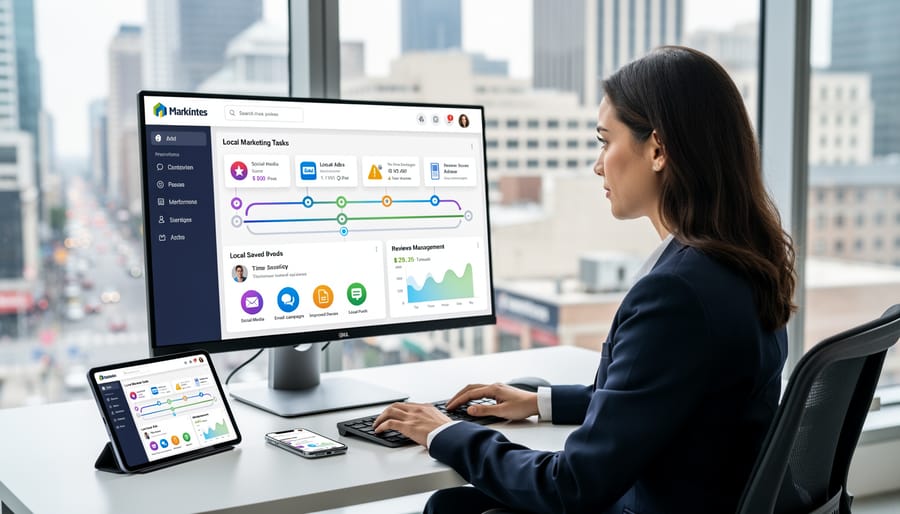
Review Monitoring and Response Automation
Managing online reviews across multiple platforms becomes unmanageable as your business grows. Review monitoring tools automatically track mentions and ratings from Google, Yelp, Facebook, and industry-specific sites, consolidating everything into a single dashboard. This centralization saves hours of manual checking while ensuring no customer feedback goes unnoticed.
Response automation doesn’t mean generic, robotic replies. Modern platforms use templates with customizable fields that pull specific details from each review, maintaining a personal touch while reducing response time from days to minutes. You can set up approval workflows where automated drafts require human review before posting, keeping quality control intact.
The real value lies in speed and consistency. Automated alerts notify the right team member immediately when negative reviews appear, enabling quick damage control. Positive reviews trigger thank-you responses instantly, showing customers you value their feedback. These systems also track response rates and sentiment trends, helping you identify recurring issues before they escalate. The result is better reputation management without dedicating staff to constant platform monitoring, freeing your team to focus on actual customer service improvements rather than administrative review management.
Local SEO and Listing Management Platforms
Managing your business listings across dozens of directories manually is time-consuming and prone to errors. Local SEO and listing management platforms solve this challenge by automatically distributing your business information to major directories like Google Business Profile, Bing Places, Yelp, and industry-specific sites from a single dashboard.
These tools ensure your name, address, phone number, hours, and services remain consistent everywhere—a critical factor for search engine rankings and customer trust. When you update your holiday hours or add a new location, the changes sync automatically across all platforms within hours instead of requiring manual updates on each site.
Modern listing management platforms also monitor for duplicate listings, incorrect information, and unauthorized changes that could confuse customers or damage your local SEO strategies. Many include review monitoring features that alert you when customers leave feedback, enabling quick responses that demonstrate your commitment to customer service. This automated approach to listing management frees your team from tedious data entry while maintaining the accurate online presence essential for local search visibility.
Geo-Targeted Social Media Scheduling
Geo-targeted social media scheduling platforms automatically adjust your posting times and content based on your audience’s location and behavior patterns. These tools analyze when your local customers are most active online and schedule posts accordingly, eliminating guesswork from your social media strategy.
Modern scheduling platforms offer location-specific features including timezone adjustments, local holiday recognition, and region-based content variations. For businesses with multiple locations, you can create customized posting schedules for each branch while maintaining brand consistency across all channels.
These systems track engagement metrics by geographic area, helping you identify which content resonates with specific local audiences. Many platforms integrate weather data, local events, and trending topics to suggest timely, relevant posts that connect with your community.
The automation handles routine posting while freeing your team to focus on real-time customer interactions and relationship building. You maintain authentic local connections without the manual burden of scheduling individual posts across multiple platforms and locations, ensuring your business stays visible when it matters most to nearby customers.
Customer Communication Automation
Customer communication automation transforms how local businesses maintain relationships with their community. Email marketing automation and SMS platforms enable you to send timely appointment reminders, reducing no-shows by up to 30% while freeing staff from manual reminder calls.
These tools automatically trigger follow-up messages after appointments or purchases, asking for feedback and encouraging repeat business. For local businesses, this consistency builds trust without requiring constant manual effort. You can segment customers by location, purchase history, or service preferences to deliver relevant promotions and updates that feel personal rather than generic.
Modern platforms let you schedule welcome sequences for new customers, birthday greetings with special offers, and re-engagement campaigns for inactive clients. The key is maintaining your local voice in automated messages—use conversational language and reference your specific location or community. Start with basic appointment confirmations and expand gradually as you measure what resonates with your audience. Integration with your booking system or CRM ensures messages trigger at the right moments without manual intervention.
How to Implement Automation Without Losing the Personal Touch

Setting Up Smart Triggers That Feel Human
The key to effective automation is making it feel invisible to your customers. Start by mapping your customer journey and identifying natural trigger points where automated responses make sense. For example, when someone fills out a contact form on your website, an immediate confirmation email followed by a personalized follow-up within 24 hours maintains momentum without seeming robotic.
Build triggers around customer behavior rather than arbitrary timelines. If a customer abandons a cart, wait 2-3 hours before sending a gentle reminder that references their specific items. When customers visit your location, trigger a thank-you message the next day with a request for feedback.
The most human-feeling automations incorporate conditional logic. Set rules that adjust messaging based on previous interactions, purchase history, or engagement level. A first-time visitor should receive different communication than a returning customer. Similarly, segment your local audience by neighborhood or specific interests to ensure relevance.
Always include an easy opt-out option and monitor response rates closely. If open rates drop or unsubscribes increase, your triggers may be firing too frequently or feel too generic. Test different timing, messaging, and frequency to find what resonates with your local audience. Remember, automation should enhance relationships, not replace them.
When to Automate and When to Step In Personally
Understanding when automation helps versus when it harms customer relationships is essential for local marketing success. Automate routine, high-volume tasks like welcome emails, appointment confirmations, review requests sent 24 hours after service, and social media post scheduling. These interactions benefit from consistency and timeliness that automation delivers reliably.
However, step in personally for complaint resolution, negative reviews, high-value customer inquiries, and community partnership discussions. Local customers expect authentic connections with neighborhood businesses, and personal attention during critical moments builds lasting loyalty that automation cannot replicate.
Apply this simple test: if the interaction requires empathy, customization beyond basic personalization, or could significantly impact customer lifetime value, handle it manually. If it’s transactional, repetitive, or time-sensitive with predictable responses, automate it.
Monitor your automated communications regularly. Review response rates, unsubscribe metrics, and customer feedback to identify when automated messages feel impersonal. The goal isn’t maximum automation but optimal automation that frees your time for meaningful customer interactions while maintaining the local, personal touch that differentiates your business from national competitors.
Customization Templates That Save Time Without Sacrificing Authenticity
Effective customization templates balance efficiency with genuine personalization. Start by creating message frameworks with dynamic fields that automatically populate customer-specific information like names, recent purchases, or location details. The key is identifying which elements genuinely matter to your audience and which are purely decorative.
Build templates around three core components: a personalized greeting, customizable body content with variable sections, and a relevant call-to-action. For example, a promotional email template might include brackets for [customer name], [preferred location], and [last visit date], which your automation platform fills automatically from your customer database.
Save multiple versions for different customer segments rather than creating one-size-fits-all messages. A template for first-time visitors should differ from one targeting loyal customers, even if the underlying offer is similar. This approach maintains authenticity while eliminating repetitive manual work.
Test your templates by reading them aloud. If they sound robotic or generic, add conversational elements and vary sentence structure. The goal is messages that feel personally crafted, not obviously automated, allowing you to maintain meaningful connections while reaching more customers efficiently.
Getting Started: Your First 30 Days with Local Marketing Automation
Week 1: Audit Your Current Processes
Start by documenting every marketing task your team handles weekly. Create a simple spreadsheet listing activities like social media posting, email follow-ups, review responses, appointment confirmations, and lead management. Next to each task, note the time spent and frequency. This reveals your biggest time drains.
Focus on repetitive tasks that don’t require human judgment. Customer appointment reminders, welcome emails to new leads, and social media scheduling are prime automation candidates. Tasks requiring personalization or relationship building, like responding to complex customer inquiries, should remain manual.
Identify which processes directly impact client communication. These deserve priority since timely, consistent outreach strengthens local relationships. Calculate the hours you could save monthly by automating your top three time-consuming tasks. This becomes your baseline for measuring automation success and helps justify any tool investments you’ll make moving forward.
Week 2-3: Choose and Configure Your Tools
Selecting the right platform determines your automation success. Start by listing your most time-consuming tasks: appointment scheduling, review requests, email follow-ups, or social media posting. Match these needs with platforms designed for local businesses. Popular options include HubSpot, Mailchimp, or specialized tools like Podium for customer messaging.
When evaluating platforms, prioritize ease of use over feature overload. Your team needs to adopt these tools quickly. Look for platforms offering pre-built templates specific to local businesses, native integrations with your existing systems, and responsive customer support.
Begin configuration with one simple workflow. A welcome email series for new customers works well as a starter project. Set up the trigger (new contact added), define the action (send personalized email), and establish timing (immediately, then day 3, then day 7). Test thoroughly before activating.
Connect your customer relationship management system to ensure contact information flows automatically between platforms. This eliminates manual data entry and reduces errors. Focus on automation that enhances client communication rather than replacing personal touchpoints. Reserve automated messages for routine updates while keeping complex conversations human-led.
Document your workflows as you build them. This creates a reference guide for troubleshooting and training new team members.
Week 4: Test, Refine, and Measure
After launching your automation workflows, allocate time in week four to evaluate performance and make necessary adjustments. Start by reviewing key metrics like email open rates, click-through rates, conversion rates, and customer response times. Compare these against your pre-automation benchmarks to gauge real impact.
Pay special attention to customer feedback during this period. Are automated messages resonating with your local audience? Are customers completing desired actions? Monitor reply rates and sentiment in automated communications to ensure you’re maintaining that personal connection.
Identify bottlenecks or underperforming sequences. If certain emails have low open rates, test different subject lines or send times. If automated follow-ups aren’t converting, adjust your messaging or timing intervals.
Make incremental refinements rather than overhauling everything at once. This approach lets you pinpoint what actually improves results. Document changes and their outcomes to build a knowledge base for future optimization.
Remember that automation success isn’t just about efficiency gains. Validate that your automated processes are enhancing customer experience, not just reducing your workload. Schedule brief check-ins with a sample of customers to gather qualitative insights alongside your quantitative data.
Measuring What Matters: Results Beyond Time Savings
While time savings often dominate automation discussions, local businesses need a more comprehensive view of success. Tracking the right metrics ensures your automation efforts deliver meaningful business results, not just operational efficiency.
Start with customer engagement metrics that reveal how automation affects your relationships. Monitor email open rates, click-through rates, and response times to automated messages. A well-implemented automation system should maintain or improve these numbers compared to manual efforts. Track customer satisfaction scores through post-interaction surveys to confirm your automated touchpoints feel personal and helpful, not robotic.
Revenue impact provides the clearest picture of automation success. Measure conversion rates at each stage of your customer journey, from initial contact through final purchase. Compare lead-to-customer conversion rates before and after implementing automation. Track average deal size and customer lifetime value to understand if automation helps you nurture higher-quality relationships. Measuring marketing ROI becomes straightforward when you connect automation costs directly to revenue increases.
Monitor operational metrics that demonstrate efficiency gains beyond simple time savings. Track lead response time, the number of leads your team can effectively manage, and how quickly prospects move through your pipeline. These indicators show whether automation helps your team focus on high-value activities rather than administrative tasks.
Don’t overlook retention metrics. Automated follow-up sequences and personalized communication should improve customer loyalty. Monitor repeat purchase rates, customer churn, and referral generation. Local businesses thrive on relationships, so your automation should strengthen, not weaken, these connections.
Finally, establish baseline measurements before implementing any automation tools. Document your current performance across these metrics, then track monthly improvements. This data-driven approach helps you adjust strategies, justify automation investments, and identify which automated processes deliver the greatest business value. Remember, successful automation enhances human connection rather than replacing it.
Local marketing automation isn’t about replacing the human touch that makes your business special—it’s about protecting it. When automated systems handle repetitive tasks like appointment reminders, follow-up emails, and social media scheduling, you reclaim hours each week to invest where it truly matters: building genuine client relationships, refining your strategy, and growing your business with intention.
The most successful local businesses using automation aren’t the ones with the most complex systems. They’re the ones who started with a single pain point—maybe inconsistent follow-ups or missed review requests—and automated that first. From there, they expanded thoughtfully, always measuring results and ensuring automation enhanced rather than diminished their customer experience.
You don’t need to transform your entire operation overnight. Begin by identifying one repetitive task that drains your time without adding value to customers. Automate it, monitor the impact, and adjust based on real feedback. This measured approach prevents the overwhelm that causes many automation efforts to fail while building your confidence and understanding of what works for your specific market.
The reality is simple: your competitors are already automating. The question isn’t whether to start, but how quickly you can implement systems that free you to do what technology never can—connect authentically with your community and deliver the exceptional service that turns local customers into loyal advocates.
Leave a Reply