How to Upskill Your Marketing Team with AI in 2026: A Step-by-Step Guide

Upskilling your marketing team on AI tools takes 4-6 weeks when you follow a structured training program that prioritizes hands-on practice with tools already integrated into your workflow. The method works because it layers new skills onto existing processes without pulling team members away from active campaigns or client deadlines. Start by identifying which AI capabilities address your biggest bottlenecks (content creation, audience segmentation, or performance analysis), then train in focused two-hour blocks twice weekly while documenting automated workflows that become your team’s reference library.
The challenge most marketing leaders face isn’t finding AI tools, it’s building competency without disrupting revenue-generating work. AI revolutionizing marketing means your competitors are already automating tasks that still consume hours of your team’s time. But throwing your staff into generic online courses creates confusion rather than capability. They need a roadmap that connects specific tools to the deliverables clients expect: faster turnaround on creative assets, more precise targeting, and measurable performance improvements.
This guide gives you that roadmap. You’ll learn which baseline skills your team needs before AI training begins, the three-phase implementation process that keeps campaigns running smoothly, and verification checkpoints that confirm your investment is actually improving output quality and efficiency. Whether you’re running a five-person agency or managing an in-house team of twenty, this system from OMNIai scales because it focuses on automation that strengthens client communication rather than replacing it.
What You’ll Need to Begin AI Upskilling

Before launching an AI upskilling program, you need three things in place: a clear picture of your team’s current capabilities, access to the right learning resources, and a realistic budget that covers both tools and training time.
Start by assessing where your team stands. Survey your marketers to identify who’s comfortable with technology and who needs more support. This isn’t about coding ability, it’s about understanding which team members can quickly adapt to new platforms and which prefer structured guidance. Document your existing marketing workflows in detail. Know which tasks consume the most hours each week, because those repetitive processes are your best candidates for AI automation.
Budget considerations matter more than most businesses expect. Plan for $50, $200 per team member monthly for AI tool subscriptions, depending on which platforms you choose. Training costs vary widely: free resources like YouTube tutorials and vendor documentation cost nothing but require self-discipline, while structured courses from platforms like Coursera or LinkedIn Learning run $30, $50 monthly per user. Mid-sized teams often spend $2,000, $5,000 total in the first quarter when factoring in both tools and training.
You’ll need access to these core resources:
- Learning platforms: Coursera, LinkedIn Learning, HubSpot Academy, or vendor-specific training portals
- AI marketing tools: ChatGPT or Claude for content assistance, Jasper for copywriting, Surfer SEO for search optimization
- Automation platforms: Zapier or for workflow automation, Buffer or Hootsuite for social scheduling
- Analytics tools: Google Analytics 4 with AI insights, SEMrush or Ahrefs for competitive intelligence
- Team assessment frameworks: Skills gap analysis templates, learning progress trackers
- Time allocation: 3-5 hours weekly per team member for training over 8-12 weeks
The time commitment is non-negotiable. Expect each team member to dedicate three to five hours weekly for the first two months. That includes watching tutorials, experimenting with tools, and applying new skills to small test projects. Block this time on calendars just like client meetings, sporadic learning produces sporadic results.
Organizational readiness means getting leadership buy-in upfront. Your team needs permission to make mistakes while learning, and clients need transparent communication about how AI will improve their results without replacing the human expertise they value.
Common Pitfalls and What to Avoid
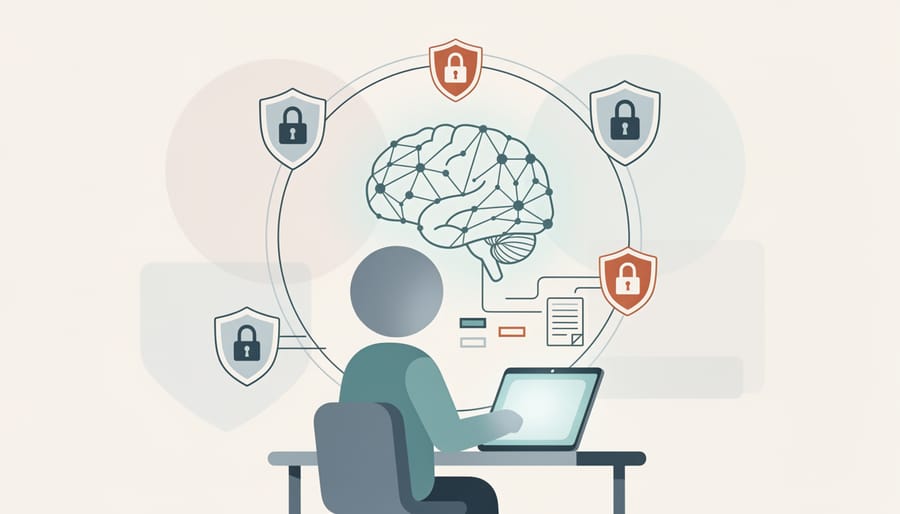
Most AI upskilling failures don’t come from choosing the wrong tools, they stem from how teams approach the learning process. Rushing into advanced automation without grasping fundamentals leaves marketers dependent on technology they don’t understand, unable to troubleshoot problems or adapt strategies when tools underperform.
The biggest mistake is treating AI as a plug-and-play solution. Teams that skip machine learning basics and jump straight to complex platforms often create more work than they save. They can’t interpret model outputs, miss obvious errors in AI-generated content, or apply automation to tasks that genuinely need human judgment. Start with how these systems work before deploying them on client accounts.
Choosing training that’s too technical for your team guarantees low adoption. Marketing professionals don’t need data science degrees to use AI effectively. Programs heavy on coding, statistics, or machine learning theory will overwhelm non-technical staff and waste training budgets. Look for practical, marketing-focused courses that teach tool application rather than underlying algorithms.
Another critical gap: neglecting data privacy during AI adoption. Many marketing AI tools process customer information, and teams often don’t realize they’re potentially violating regulations. Check GDPR guidance on AI before feeding client data into any platform. Verify where data is stored, how it’s used for model training, and whether you can delete it on request. A privacy breach during upskilling can damage client trust far more than any efficiency gains are worth.
Finally, avoid the “set it and forget it” mentality. AI-automated campaigns still need human oversight, algorithm drift, market changes, and edge cases require regular review. Teams that assume automation means zero monitoring will miss performance drops and deliver subpar results while thinking everything runs smoothly.
Step-by-Step AI Upskilling Process
Step 1: Audit Your Current Marketing Processes
Start by listing every task your marketing team handles in a typical week. Write down content creation, social media posts, email campaigns, analytics reporting, ad management, client updates, everything. Next to each task, note how much time it takes and how often it repeats.
Look for patterns. Tasks that follow the same steps each time are prime candidates for AI automation. Social media scheduling, monthly performance reports, email list segmentation, and keyword research usually fit this category. These repetitive activities drain hours that could go toward strategy and client conversations.
Now identify what requires human judgment. Building client relationships, crafting brand voice, making strategic pivots based on market changes, and interpreting nuanced campaign data need your team’s expertise. AI can support these areas but shouldn’t replace the human element.
Create a simple spreadsheet with three columns: Task, Time Spent Weekly, and Automation Potential (High, Medium, Low). Focus first on high-potential tasks that consume the most time. For example, if generating weekly social media posts takes six hours and follows a consistent format, that’s a clear automation target.
Map how tasks connect to each other using an AI journey map approach. This reveals which automated tasks will create the biggest ripple effect across your workflows. A task that feeds into three other processes delivers more value when automated than a standalone activity.
Step 2: Define Skill Gaps and Learning Objectives
Start by mapping what your team already knows about AI marketing tools against what they actually need to learn. Schedule one-on-one conversations with each team member to gauge their comfort level with AI platforms, don’t rely on assumptions. Ask them to demonstrate their current workflow for tasks like content creation, campaign reporting, or audience targeting. This reveals practical knowledge gaps that surveys might miss.
Next, connect skill gaps directly to business outcomes. Instead of vague goals like “learn AI,” define measurable objectives: “reduce social media scheduling time by 40% using AI automation” or “improve email open rates by 15% through AI-driven subject line testing.” Tie each learning objective to a specific marketing function that currently drains time or underperforms.
Prioritize skills that address your biggest bottlenecks first. If your team spends hours manually analyzing campaign data, AI analytics training takes precedence over chatbot implementation. If client communication suffers because you’re buried in repetitive tasks, focus on automation tools that reclaim that time.
Document your findings in a simple skills matrix: list team members down one side, required AI capabilities across the top, and mark current proficiency levels. This visual map shows exactly where to focus training resources and helps you spot patterns, maybe everyone struggles with predictive analytics, or perhaps only one person needs advanced SEO tool training. Set a realistic timeline for each objective based on complexity and team capacity, typically 4-8 weeks for foundational skills.
Step 3: Select the Right AI Tools and Training Resources
Choose tools your team can actually use. Start with platforms that solve one specific problem rather than massive all-in-one systems that overwhelm beginners. For content creation, consider tools like Jasper or that generate social posts and email drafts with simple prompts. For analytics, platforms like Google Analytics 4 (with AI insights enabled) or HubSpot’s predictive lead scoring require minimal technical knowledge while delivering actionable data.
Match tools to the tasks you identified in your audit. If paid advertising consumes significant time, explore PPC AI tools that automate bid adjustments and audience targeting. If social media scheduling drains resources, Buffer or Hootsuite with AI-powered posting recommendations handle that recurring work. If email campaigns need optimization, ActiveCampaign or Mailchimp’s send-time predictions improve open rates without manual testing.
Prioritize training resources with hands-on exercises over pure theory. LinkedIn Learning and Coursera offer marketing-specific AI courses you can complete in weeks, not months. YouTube channels like HubSpot Academy provide free tutorials on implementing specific tools. Many AI platforms include their own certification programs, Meta Blueprint for AI-powered ad campaigns, Google Skillshop for Performance Max automation.
Test before committing. Most platforms offer free trials. Have two team members spend a week with each shortlisted tool on a small campaign. The one they find intuitive and time-saving wins.
Step 4: Implement Structured Learning Schedules
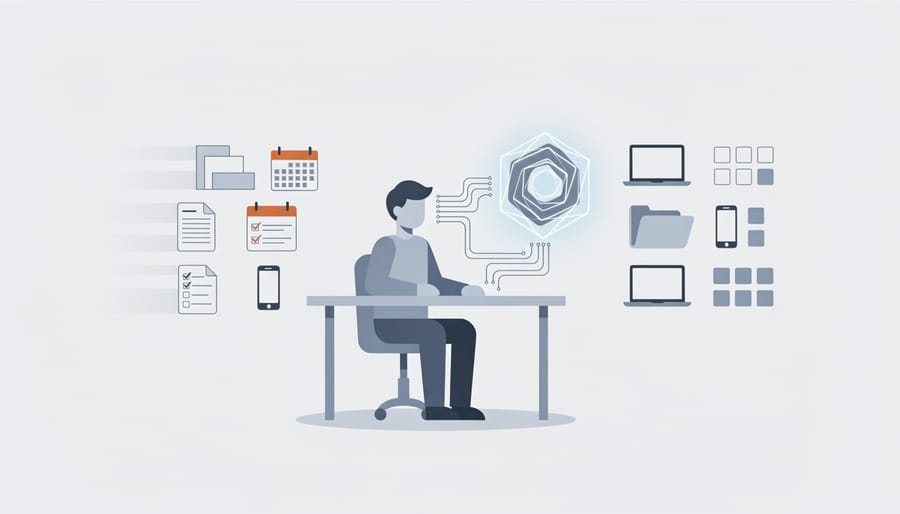
Start with a training schedule that fits around your existing client commitments rather than competing with them. Dedicate two to three hours per week per team member, split across multiple days instead of blocking out full afternoons. This prevents workflow disruptions while maintaining learning momentum.
Structure your schedule in three layers. Allocate 40% of training time to self-paced learning where team members work through tutorials and courses on their own. Reserve 30% for hands-on application with real marketing tasks from current campaigns, testing AI tools on actual social posts, analyzing campaign data with new analytics platforms, or automating email sequences for live clients. Use the remaining 30% for weekly team sessions where everyone shares what they learned, troubleshoots problems together, and reviews results from applied experiments.
Set specific milestones tied to your business calendar. If you run monthly client reporting cycles, align training phases with those periods so team members can immediately apply new AI skills to recurring tasks like performance analysis or content planning. This creates natural practice opportunities without adding extra work.
Track completion with simple check-ins rather than formal assessments. Have each team member demonstrate one new AI capability they used in client work each week. This keeps learning practical and proves value quickly, which sustains motivation better than theoretical exercises.
Step 5: Apply AI Skills to Live Marketing Campaigns
Start with a single pilot project rather than rolling out AI across all campaigns simultaneously. Choose a contained, repeatable task, such as scheduling social posts for one client or automating weekly email newsletters, where success is measurable and failure won’t derail critical work. This controlled approach lets team members build confidence while you identify potential friction points before wider adoption.
Once you’ve selected your pilot, follow this application sequence:
- Launch the pilot project with clear success criteria (time saved, engagement lift, error reduction) and assign one team member to own it.
- Implement the AI tool on live work, documenting each step and noting where human judgment is still required versus where automation handles the task fully.
- Monitor results daily for the first week, then weekly, comparing performance against your baseline metrics and gathering feedback from both the team member and the client.
- Iterate based on what you learn: adjust prompts, refine automation rules, or shift which tasks the AI handles before expanding to additional campaigns or team members.
As your team gains fluency, layer in more sophisticated applications. Use predictive analytics to forecast campaign performance and adjust ad spend in real time. Deploy AI chatbots on landing pages to qualify leads while your team focuses on closing conversations. Automate content calendar population based on trending topics and past engagement data. The key is connecting each new AI capability to recurring marketing automation that frees your team for strategy and client communication, not just adding tools for their own sake.
Track which automations stick and which get abandoned. If a tool isn’t saving time or improving outcomes within three campaign cycles, either retrain on it or cut it loose.
Step 6: Maintain and Expand AI Capabilities
AI capabilities evolve rapidly, so treating upskilling as a one-time project guarantees obsolescence. Schedule monthly reviews where your team evaluates which automated processes are saving time and which are creating bottlenecks that need human oversight. Set aside two hours per month for exploring new tools relevant to your specific marketing channels, a manageable commitment that prevents falling behind.
Create a shared resource library where team members document successful AI workflows and flag tools that underperformed. This collective knowledge prevents duplicate learning efforts and helps identify patterns in what works for your business versus what sounds impressive in theory.
Encourage team members to follow one or two AI marketing newsletters rather than trying to absorb everything. The goal is staying informed enough to make strategic decisions about which emerging capabilities warrant your team’s attention, not mastering every new release. When a promising tool emerges, assign one person to test it on a small campaign before rolling it out team-wide.
How to Verify Your Upskilling Is Working
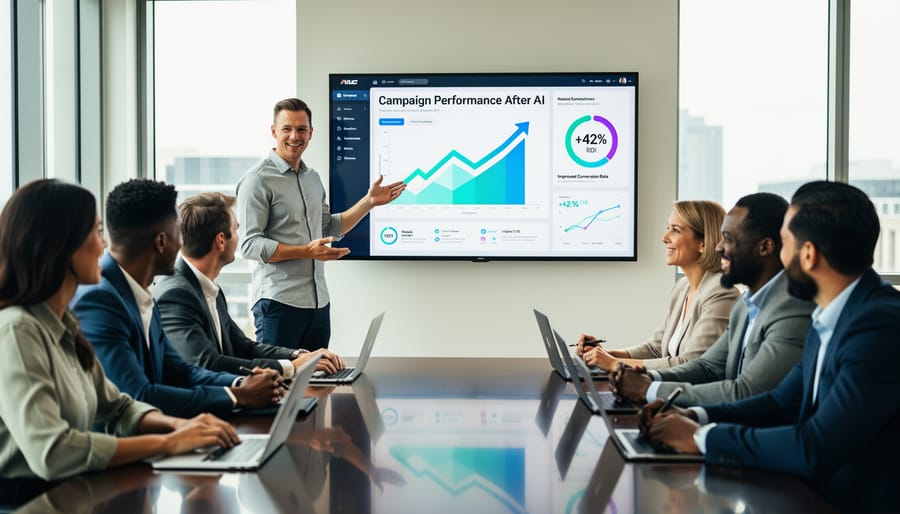
Track your AI upskilling success by measuring real outcomes, not just completion rates. Start with time savings on recurring tasks, if your team spent 15 hours weekly on social media scheduling and now spends 4, that’s tangible progress. Compare campaign performance before and after AI implementation using AI-powered KPIs like conversion rates, cost per acquisition, and engagement metrics. Don’t just look at totals; identify which automated processes are improving results versus which need human oversight.
Team confidence is harder to quantify but equally important. Watch for signs like team members troubleshooting AI tools independently, proposing new use cases without prompting, and explaining AI benefits to clients naturally. If people are still asking basic questions three months in or avoiding the tools entirely, your training approach needs adjustment.
Client satisfaction remains your ultimate benchmark. Survey clients about response times, campaign quality, and communication frequency. The goal is maintaining or improving these metrics while your team handles more volume. If clients feel neglected or notice quality drops, you’ve automated too much too fast. Pull back and identify where human touch matters most.
Calculate ROI by comparing training costs (platform fees, learning time, implementation hours) against measurable gains. A realistic target is recouping your investment within six months through efficiency gains alone. Beyond that, look for revenue growth from handling more clients or launching additional services enabled by AI. If you’re not seeing positive returns by month nine, reassess which tools you’ve chosen and whether they align with your actual workflow needs rather than perceived industry trends.
Frequently Asked Questions About AI Upskilling for Marketing Teams
Most marketing leaders have similar concerns when introducing AI training to their teams. Here are the answers to the questions we hear most often.
How long does AI upskilling actually take?
For basic proficiency with AI marketing tools, expect 4-6 weeks of structured learning alongside regular work. Your team will see practical results within the first two weeks as they automate simple recurring tasks, and most marketers reach confident daily use of AI tools within three months.
Do marketers need coding skills to use AI tools?
No. Modern AI marketing platforms are built for non-technical users with point-and-click interfaces and pre-built templates. Your team needs to understand what the tools can do and how to apply them to marketing challenges, not how to program them.
What if team members resist adopting AI?
Start by showing how AI eliminates their least favorite tasks, the repetitive data entry, reporting, and scheduling that pulls them away from creative work and client conversations. When people see AI as a tool that gives them more time for meaningful work rather than a replacement threat, resistance typically dissolves.
Can small businesses afford AI training?
Yes. Many effective AI tools offer free tiers or affordable monthly subscriptions under $100, and quality training resources range from free tutorials to courses under $500 per person. The real investment is time, not money, and the efficiency gains usually pay back training costs within the first quarter.
The concern about balancing automation with personalized service deserves special attention. AI handles the recurring, time-consuming work, scheduling posts, pulling analytics reports, segmenting email lists, which actually frees your team to spend more time on the personalized client communication that builds relationships. Think of it this way: when your marketers aren’t buried in manual tasks, they can respond faster to client questions, craft more thoughtful strategy recommendations, and dedicate energy to understanding each client’s unique business context. Automation supports better service; it doesn’t replace the human judgment and relationship-building that clients value most.
If you’re still hesitant about whether your specific situation allows for AI upskilling, ask yourself one question: are there tasks your team does every week that follow the same pattern? If yes, those are your starting point. The barriers to entry are lower in 2026 than ever before, and the competitive advantage goes to teams who learn now rather than wait.
AI upskilling isn’t about replacing your marketing expertise with technology. It’s about reclaiming time spent on repetitive tasks and redirecting that energy where it matters most: strategic thinking and meaningful client conversations.
The teams seeing real results in 2026 didn’t overhaul everything overnight. They started small, automating one social media workflow, testing one AI analytics tool, teaching one new skill at a time. That measured approach delivered tangible wins: campaigns launched faster, reporting became less tedious, and marketers had breathing room to focus on the creative, relationship-driven work that actually moves the needle.
Your competitive advantage doesn’t come from adopting every AI tool on the market. It comes from knowing which processes drain your team’s time without adding value, then systematically automating those bottlenecks. The businesses pulling ahead right now are the ones that freed their people to do what humans do best while letting AI handle the grunt work.
Pick one recurring task this week. Audit it. Find the right tool. Train your team on it. Then move to the next. That’s how you build sustainable AI capability without the overwhelm.
Leave a Reply