Your Live Stream Could Be Losing Half Its Audience (Here’s How to Fix It)

Live stream marketing delivers an average 27% higher engagement rate than pre-recorded video, but only when your audience can actually access the content. If you’re broadcasting without captions, audio descriptions, or screen reader compatibility, you’re excluding 15-20% of potential customers—and risking legal compliance issues in markets with accessibility requirements.
The business case extends beyond inclusion. Accessible live streams rank higher in search results because transcripts provide indexable content. They perform better on social platforms where 85% of videos play without sound. They convert international audiences through translation-ready captions and reach viewers in sound-sensitive environments like offices or public transit.
Implementation doesn’t require extensive technical expertise or budget overhauls. Modern live streaming platforms offer automated captioning tools that generate real-time subtitles with 90-95% accuracy. These systems integrate directly into your existing broadcast setup, requiring minimal configuration while delivering immediate accessibility improvements.
The strategic advantage lies in automation. By establishing accessibility as a default setting rather than an afterthought, you create inclusive content consistently while reducing production time. This approach transforms accessibility from a compliance checkbox into a competitive differentiator that expands your audience reach, improves engagement metrics, and strengthens brand reputation among increasingly diversity-conscious consumers.
The following guide provides practical implementation steps, platform-specific recommendations, and automated solutions that make accessible live stream marketing achievable for businesses of any size.
Why Accessible Live Streams Matter for Your Bottom Line
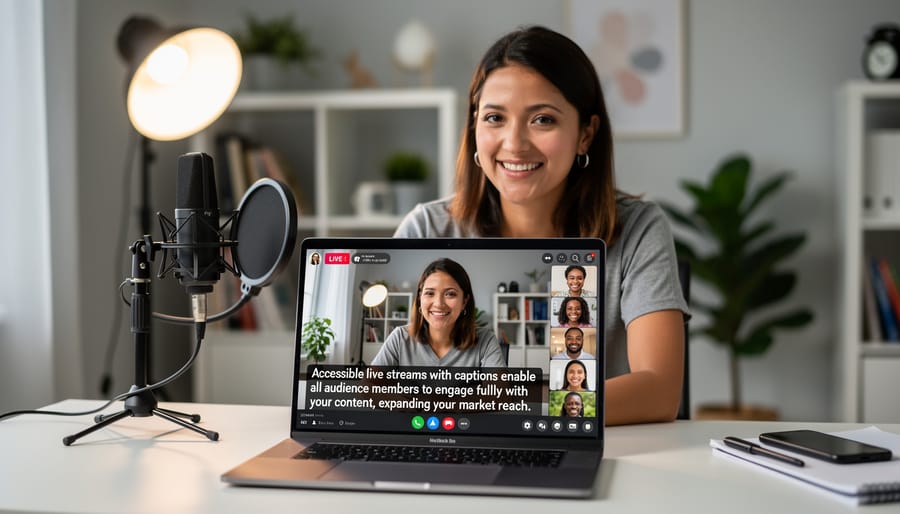
The Untapped Audience You’re Missing
The market opportunity for accessible live streaming is substantial and often overlooked. Over 1.3 billion people worldwide live with some form of disability, representing approximately 16% of the global population. In the United States alone, that translates to 61 million adults with disabilities who collectively control $490 billion in disposable income annually.
This audience isn’t just significant in size—they’re highly engaged digital consumers. Research shows that 71% of users with disabilities will leave a website that’s difficult to use, taking their purchasing power elsewhere. When you consider that people with disabilities are twice as likely to have abandoned a brand’s online presence due to accessibility barriers, the cost of exclusion becomes clear.
Beyond the primary audience, accessible content benefits a much broader market. Adding captions to your live streams makes content consumable in sound-sensitive environments like offices or public transportation, potentially expanding your reach by an additional 80% of caption users who aren’t deaf or hard of hearing. By implementing accessibility features in your live stream marketing strategy, you’re not just doing the right thing—you’re opening your business to a massive, underserved market segment with significant buying power and brand loyalty.
Building Brand Trust Through Inclusivity
When you prioritize accessibility in your live stream marketing, you’re sending a powerful message: every viewer matters. This commitment translates directly into measurable business benefits. Companies that invest in accessible content report higher customer satisfaction scores and stronger brand loyalty across all demographic segments, not just those who require accessibility features.
The impact goes beyond your primary audience. Captions benefit non-native speakers, viewers in sound-sensitive environments, and anyone processing complex information. Audio descriptions help visually impaired users while providing value to multitaskers who listen while working. By implementing these features through automated captioning tools and standardized processes, you demonstrate corporate responsibility without significantly increasing production costs.
This inclusive approach creates advocates for your brand. Viewers who feel valued share their positive experiences, expanding your reach organically. They’re also more likely to convert and remain loyal customers. In competitive markets, accessibility becomes a differentiator that sets you apart from competitors still viewing it as optional.
The business case is clear: accessible live streaming isn’t just ethical marketing, it’s smart marketing that builds lasting relationships with broader audiences while strengthening your brand reputation across all customer segments.
Essential Accessibility Features Every Live Stream Needs
Real-Time Captioning Solutions
When implementing real-time captions for your live streams, you’ll face a key decision: automated or human captioning. Automated solutions use speech recognition technology to generate captions instantly, typically at 80-95% accuracy depending on audio quality and speaker clarity. These work well for straightforward presentations with clear audio and minimal technical jargon. Services like StreamText, Rev Live Captions, and Google Meet’s built-in captions offer automated options that integrate directly with platforms like YouTube Live, Facebook Live, and Zoom.
Human captioning delivers 98-99% accuracy but costs significantly more, usually ranging from $150-$300 per hour. Consider this investment for high-stakes broadcasts, technical presentations, or events where precision matters most.
Quality depends on three factors: audio clarity, speaker pace, and technical vocabulary. Test your chosen solution before going live, and always have a backup option ready. Many streaming platforms now offer native captioning integration—YouTube Live supports automatic captions, while Facebook Live allows third-party caption encoders. For automated workflows, look for tools that auto-publish captions without manual intervention, saving your team valuable time while maintaining accessibility standards.
Audio Quality and Alternative Audio Tracks
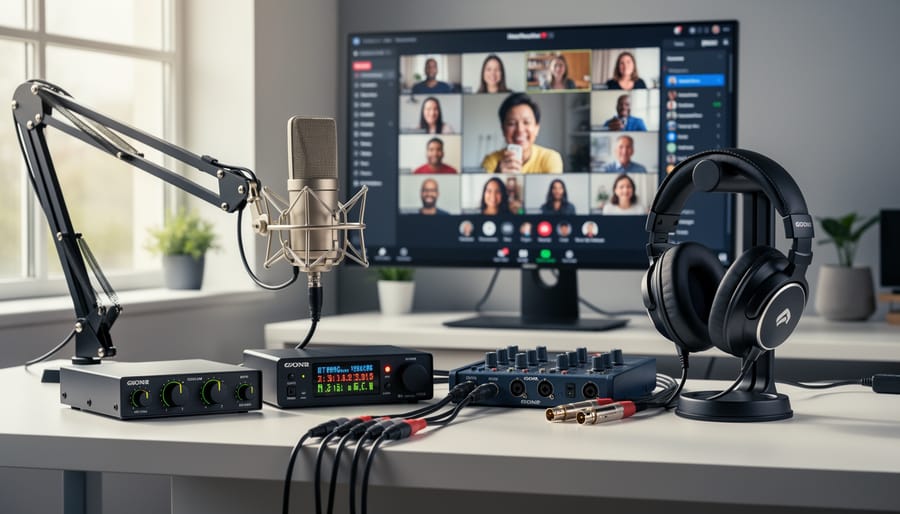
Clear audio is essential for live stream marketing success, yet it’s often overlooked. Poor sound quality drives viewers away faster than video issues, making professional audio setup a business priority rather than a technical nicety.
Start with quality microphones positioned correctly to minimize background noise. Test your audio levels before going live and monitor them throughout your broadcast. Most streaming platforms offer automated audio normalization tools that maintain consistent volume levels without manual adjustment.
Consider implementing alternative audio tracks to serve different audience needs. Descriptive audio provides verbal explanations of visual content for viewers with visual impairments, expanding your potential reach. Many automated streaming solutions now support multiple audio tracks without requiring complex technical knowledge.
For viewers who are deaf or hard of hearing, synchronized captions remain critical, but clear audio benefits those using hearing aids or cochlear implants. Reduce background music during speaking segments and ensure multiple speakers are easily distinguishable.
Modern streaming platforms offer automated audio enhancement features that filter background noise and optimize voice clarity. These tools eliminate the need for expensive post-production work while delivering professional results. By prioritizing audio accessibility from the start, you create a better experience for all viewers while demonstrating your commitment to inclusive marketing practices.
Visual Design for Maximum Reach
Your live stream’s visual design directly impacts how many viewers can engage with your content. Start with high color contrast between text and backgrounds—aim for a contrast ratio of at least 4.5:1 for standard text and 3:1 for large text. This ensures readability across different devices and lighting conditions.
Text size matters significantly. Use minimum font sizes of 18-20 points for on-screen text, and avoid placing critical information in small corner graphics. Keep your visual layouts clean with clear focal points, preventing visual clutter that can overwhelm viewers or obscure important details.
Consider viewers with color blindness by never relying solely on color to convey information. If you’re using red and green indicators, add text labels or distinct shapes as well. Avoid rapid flashing content, which can trigger photosensitive conditions.
Many streaming platforms now offer automated tools to test color contrast and visual accessibility before going live. Use these features during your setup phase rather than discovering issues during broadcast. Position yourself with adequate lighting and against uncluttered backgrounds to improve visual clarity. These adjustments benefit all viewers while making your content accessible to those with visual impairments, expanding your potential audience without additional production costs.
Automating Accessibility Without Sacrificing Quality
Choosing the Right Automated Captioning Tools
Several automated captioning platforms offer reliable solutions for live stream marketing, each with distinct advantages. YouTube and Facebook provide built-in auto-captioning at no additional cost, making them ideal starting points for businesses on tight budgets. However, accuracy typically ranges from 70-85%, requiring manual review for professional broadcasts.
Professional services like Rev.com and Otter.ai deliver higher accuracy rates (95-99%) and integrate seamlessly with popular streaming platforms. Rev charges approximately $1.50 per minute, while Otter.ai offers subscription plans starting at $8.33 monthly for regular users.
For businesses already using automated video tools, StreamText and 3Play Media provide API integrations that streamline your workflow. These platforms automatically sync captions across multiple channels, reducing manual effort.
When evaluating options, consider three factors: accuracy requirements, budget constraints, and integration capabilities. Technical streams discussing complex terminology need higher accuracy thresholds, justifying premium services. Conversational content may perform adequately with free options.
Test your chosen platform before committing to paid plans. Most services offer trial periods, allowing you to assess accuracy with your specific content type and speaking style. Remember that automated captions still require human review for brand-critical communications, so factor editing time into your cost-benefit analysis.
Streamlining Your Accessible Workflow
Making your live streams accessible doesn’t require overhauling your entire workflow. Start by selecting a streaming platform that includes built-in accessibility features like automatic captioning. Most major platforms now offer these tools at no additional cost, eliminating the need for manual transcription.
Next, create a simple pre-stream checklist that becomes part of your standard operating procedure. This should include testing your captions, verifying audio clarity, and ensuring sufficient color contrast in your graphics. By building these steps into your existing preparation routine, accessibility becomes automatic rather than an afterthought.
Consider investing in automation tools that handle the heavy lifting. Captioning services can integrate directly with your streaming software, generating real-time text without manual intervention. Similarly, automated video editing tools can add accessible elements during post-production if you’re repurposing live content.
Communicate these accessibility features to your audience before and during streams. A brief mention in your promotional materials and a quick acknowledgment at the start of your broadcast demonstrates commitment without disrupting your presentation flow.
Finally, designate one team member as your accessibility point person. This individual can stay updated on best practices and ensure consistency across all your live stream content, making the process sustainable as your marketing efforts scale.
Platform Selection: Where to Stream for Maximum Accessibility
Accessibility Features by Platform
Each major platform offers different levels of accessibility support, making your choice crucial for inclusive live stream marketing. YouTube Live leads with comprehensive built-in features including automatic captions in multiple languages, adjustable playback speeds, and screen reader compatibility. The platform allows you to review and edit auto-generated captions before your stream goes live, ensuring accuracy without manual transcription.
Facebook Live provides automatic captioning during broadcasts, though accuracy varies with audio quality and accents. The platform integrates well with third-party captioning services for professional-grade accuracy. Facebook also supports 360-degree video with audio descriptions, expanding accessibility for immersive content.
LinkedIn Live requires approval for access but offers professional-grade captioning services and seamless integration with business communication tools. This makes it ideal for B2B marketing where accessibility demonstrates corporate responsibility.
Instagram Live and TikTok Live currently offer limited native accessibility features, requiring third-party solutions for captions and descriptions. However, both platforms are rapidly expanding their accessibility toolkits.
When selecting your platform, consider your audience demographics and technical capabilities. YouTube Live offers the most automated accessibility features out of the box, reducing manual work while maintaining quality. For businesses prioritizing efficiency, platforms with robust automatic captioning and editing tools minimize production time while maximizing reach to diverse audiences.
Multi-Platform Streaming Considerations
Broadcasting to multiple platforms expands your reach, but accessibility features must work consistently across all channels. When implementing multi-platform streaming, verify that captions, audio descriptions, and other accessibility elements display properly on each platform.
Test your accessibility features on YouTube, Facebook, LinkedIn, and any other channels before going live. Some platforms handle captions differently, so what works on one may not translate perfectly to another. Use streaming software that automatically pushes accessibility features to all destinations simultaneously rather than configuring each platform separately.
Consider designating one primary platform with the most robust accessibility options, then clearly communicate this to your audience. This ensures viewers who require specific accommodations know where to find the best experience. Document your multi-platform accessibility setup to streamline future broadcasts and maintain consistency. Regular testing and client feedback help identify platform-specific issues before they impact your audience.
Promoting Your Accessible Live Streams
Messaging Your Inclusive Approach
When promoting your accessible live streams, focus on clear, factual communication rather than performative statements. Include accessibility information in your standard marketing materials the same way you would mention other event details. For example, list captions, transcripts, and sign language interpretation alongside your date, time, and registration link.
Avoid phrases like “we’re proud to offer” or “finally accessible,” which can sound tokenizing. Instead, simply state what you provide: “This stream includes live captions and ASL interpretation.” Set realistic expectations by being specific about your capabilities. If automated captions have limitations, acknowledge them and provide alternative resources like post-event transcripts.
Integrate accessibility details into your automated email sequences and landing pages alongside interactive video elements and other features. This normalizes accessibility as a standard practice rather than a special accommodation. When gathering registrations, include optional fields asking attendees about their access needs, allowing you to improve future streams. Remember that authentic messaging means treating accessibility features as essential business practices, not marketing differentiators.
SEO Benefits of Accessible Video Content
Making your live stream content accessible directly boosts your search engine rankings. When you add captions to your videos, search engines can crawl and index the spoken content, significantly expanding the keywords your content ranks for. Transcripts function as text-based content that search algorithms can easily analyze, improving your visibility in search results.
Accessible metadata, including descriptive titles and alt text for thumbnails, helps search engines understand your content context. This metadata also appears in search snippets, increasing click-through rates. Automated captioning tools can generate searchable text within minutes of your stream ending, accelerating your content’s discoverability without manual effort.
Implementing these video SEO strategies creates multiple entry points for potential viewers to find your content. Search engines reward accessible content with better rankings because it serves a broader audience, making accessibility both an ethical choice and a smart marketing decision that compounds your reach over time.
Measuring Success: Accessibility Metrics That Matter
Tracking the right metrics helps you understand whether your accessibility efforts are paying off. Start by monitoring engagement rates across different viewer segments. Compare interaction levels—comments, questions, reactions—between viewers using accessibility features and those who aren’t. Higher engagement from previously underserved audiences indicates your inclusive approach is working.
Audience growth metrics reveal market expansion. Track new viewer demographics, particularly those from communities that benefit most from accessible features. Look for increases in viewers with disabilities, non-native speakers, or those watching in sound-sensitive environments. Set up streaming analytics to automatically segment and report these numbers.
Viewer retention tells you if accessible features keep people watching longer. Compare completion rates and drop-off points for streams with and without accessibility options. Strong retention across all viewer types confirms your content resonates widely.
Implement direct feedback mechanisms to gather qualitative data. Add post-stream surveys asking specifically about accessibility features. Include simple questions: “Did you use captions or transcripts?” and “How would you rate the viewing experience?” This data validates your quantitative metrics and highlights improvement areas.
Monitor technical performance indicators like caption accuracy rates and sign language interpreter visibility. Automated quality checks can flag issues before they impact viewer experience. Track support ticket volume related to accessibility—declining numbers suggest your systems are working effectively.
These metrics collectively demonstrate ROI while guiding continuous improvement in your accessible live streaming strategy.
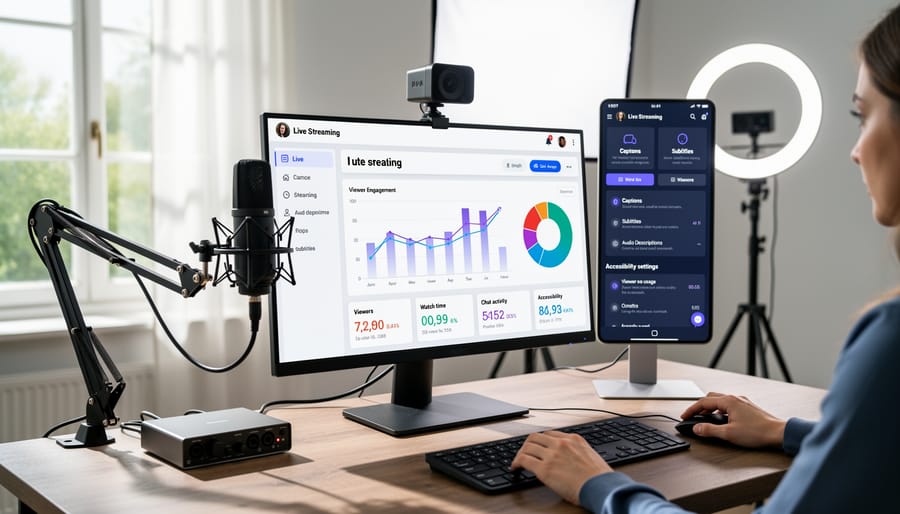
Live stream marketing doesn’t have to be complicated or expensive to implement effectively. The key is starting small with automated solutions that handle the technical heavy lifting while you focus on creating valuable content for your audience. Businesses of all sizes can benefit from accessible live streaming by reaching wider audiences, improving engagement, and building stronger client relationships through real-time communication.
Begin by selecting one platform that aligns with your audience demographics and test it with a simple broadcast. Use automated captioning tools and basic streaming software to minimize manual work. As you gain confidence, gradually expand your capabilities and platforms. The most successful live stream strategies prioritize consistency over perfection.
Your next step is straightforward: schedule your first stream within the next two weeks. Choose a topic your audience cares about, promote it through your existing channels, and deliver genuine value during the broadcast. Monitor engagement metrics to understand what resonates with your viewers. Remember that accessible live streaming is an investment in client communication that pays dividends through increased trust, visibility, and conversions. Start today, learn continuously, and scale strategically as your comfort and results grow.
Leave a Reply