How to Generate Leads from Canadian Classifieds in 2026

Canadian classifieds lead generation marketing turns local platform traffic into qualified leads through automated capture, pre-filled forms, and pay-per-contact pricing that eliminates wasted ad spend. You’ll set up campaigns on platforms like Kijiji, Facebook Marketplace, and Google Local Services Ads, configure lead capture automation, and track performance using a simple dashboard that shows cost per lead in real time.
Key Takeaway: Canadian classifieds offer three core advantages: hyper-local targeting that reaches buyers in specific postal codes, cost-per-lead pricing where you only pay when prospects contact you, and automation potential that captures inquiries 24/7 without manual follow-up.
The strategy works because Canadian consumers still rely heavily on classifieds to find local services and products. Unlike traditional pay-per-click advertising, Local Services Ads let you show up on Google Search with a verified badge and charge only when potential customers get in touch through your ads. LinkedIn Lead Generation Forms convert professional audiences using pre-filled data pulled directly from user profiles, cutting form friction and boosting conversion rates by 30% or more.
This guide walks you through platform selection, lead form configuration, budget controls, and response automation. You’ll learn which classifieds deliver the best ROI for your industry, how to structure offers that convert browsers into leads, and how to automate follow-up sequences that nurture prospects without constant manual intervention.
Most businesses waste budget on broad campaigns that attract tire-kickers. The methods here focus on intent signals, geographic filters, and qualification questions that surface serious buyers before they hit your CRM. Whether you’re capturing home service inquiries or B2B contacts, the process scales without proportional increases in labor or ad spend. For a comprehensive platform built for Canadian markets, AD18 provides the infrastructure to execute this strategy end-to-end.
What You Need to Start Generating Leads from Classifieds
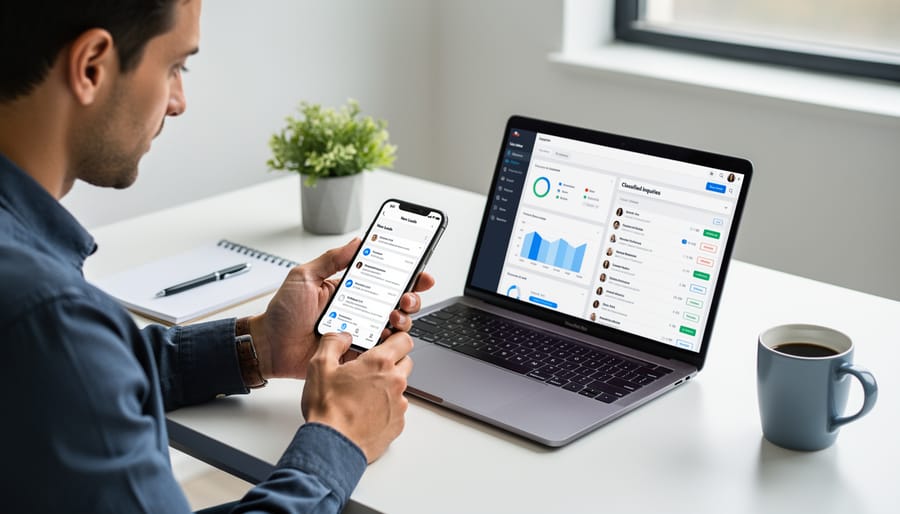
Before you launch a classified lead generation campaign, gather the core infrastructure that keeps leads flowing without manual overhead. You need platform access, tracking systems, and automation tools that work together.
Start with a verified Google Business Profile. This unlocks the Google Verified badge when you run Local Services Ads, which signals trust to potential customers searching for home services in your area. Without it, you lose a critical credibility marker that competitors display.
Next, secure accounts on the classified platforms where your audience searches. For local services, that means eligibility verification on Local Services Ads (available for appliance repair, electrician, HVAC, plumber, and dozens of other home service categories). For B2B offerings, set up LinkedIn Campaign Manager to access Lead Generation Forms with pre-filled contact data. Choose based on where your ideal customer looks first.
Lead capture requires dedicated forms or tracking systems. Local Services Ads handle this natively, charging only when potential customers get in touch through calls or messages. LinkedIn Lead Gen Forms pull profile data automatically, eliminating manual entry. Either way, you need a system that records every inquiry the moment it arrives.
- Verified Google Business Profile with accurate service area and contact details
- Platform account (Local Services Ads for home services or LinkedIn Campaign Manager for B2B)
- CRM or automation software to route and track incoming leads
- Call tracking number or form integration to capture contact attempts
- Initial budget allocation (starting range depends on service area and competition)
A CRM or automation platform ties everything together. It logs each lead, triggers follow-up sequences, and flags high-value inquiries so you respond fast. The best setups integrate directly with your classified platforms, pulling lead data in real time and updating your team without manual exports.
Budget allocation comes last but matters most. Local Services Ads operate on a pay-per-lead model, so you control spending by setting weekly caps and adjusting based on lead quality. Start conservative, measure cost per conversion, then scale what works. Automation keeps your cost per lead predictable by handling routine inquiries and routing qualified prospects to your sales process immediately.
When Not to Use Classifieds for Lead Generation
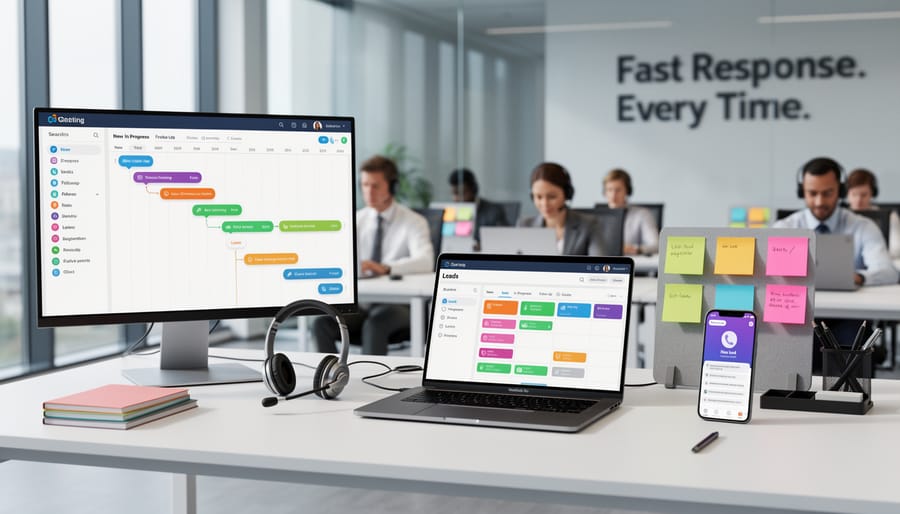
Classifieds work best when you have the right infrastructure to handle local leads at speed. Before you invest time or budget, confirm that your setup actually supports the mechanics of classified lead generation.
If your service area spans multiple cities or provinces, classifieds become inefficient. These platforms attract hyper-local searchers who expect immediate availability within their neighbourhood. A plumber in Toronto advertising across Ontario will burn budget on inquiries from Kingston or Thunder Bay that can’t convert. Local Services Ads solve this by letting you set precise geographic boundaries, but if your business model relies on a wide footprint with slow fulfillment, classifieds aren’t the right channel.
Response time makes or breaks classified leads. A homeowner searching for an electrician on Kijiji or through Local Services Ads expects a reply within hours, not days. If your team can’t monitor inquiries during business hours or you lack automated acknowledgment systems, you’ll watch leads go cold before you even see them.
Your offer must align with local, transactional intent. Classifieds drive demand for tangible services like carpet cleaning, junk removal, or home inspections. If you’re selling consulting packages, enterprise software, or anything requiring a long sales cycle, the platform mismatch will kill conversion rates. LinkedIn Lead Generation Forms handle complex B2B offers better than classified platforms designed for quick local transactions.
Finally, confirm you can track every lead. Without proper CRM integration or call tracking, you won’t know which platform delivers results or how to optimize your spend. If you can’t tie inquiries back to their source, you’re flying blind on budget allocation.
Step-by-Step Process to Set Up Lead Generation
Step 1: Choose Your Lead Generation Platform
Your first decision shapes everything that follows: which platform will deliver the highest-quality leads for your specific business type?
For home services, Local Services Ads on Google offer the most direct path. If you run an appliance repair shop, electrical contracting business, HVAC company, plumbing service, or any of the other eligible categories (including carpet cleaning, roofing, landscaping, handyman services, and pest control), Local Services Ads let you show up on Google Search exactly when local customers need you. You only pay when potential customers get in touch through your ads, not for clicks that go nowhere. The platform makes the most of your budget by having your home services only show up in your local area, and you earn a Google Verified badge on your Google Business Profile to build instant trust.
LinkedIn Lead Generation Forms work best for professional services targeting other businesses. If you sell B2B software, consulting, training, or marketing services, LinkedIn’s pre-filled lead forms capture quality data directly from your audience’s profiles as they scroll through their feed. The platform excels at reaching decision-makers by job title, industry, and company size, but it’s a poor fit for consumer-facing local services.
Direct classified platforms like Kijiji and Facebook Marketplace still have a place, particularly for testing a new service area or capturing overflow demand. They require more manual lead handling but cost less upfront and let you experiment with messaging before committing to paid platforms.
Choose based on who buys from you and how they search. Home services almost always start with Local Services Ads. B2B services lean toward LinkedIn. Everything else benefits from testing direct classifieds first.
Step 2: Configure Local or Audience Targeting
Start by defining the area where your ads will appear. For Local Services Ads, open your Google Business Profile and navigate to the service area settings. Select your city or postal code as the center point, then set a radius that matches your actual coverage zone, typically 15 to 30 kilometres for most home services. You can also choose specific neighbourhoods or municipalities if your business operates in distinct areas across a metropolitan region. Google displays your ads only to searchers in those zones, which keeps your budget focused on reachable customers and prevents wasted spend on leads you can’t serve.
If you operate in multiple cities (for example, servicing both Toronto and Mississauga), add each service area separately rather than drawing one large radius. This granular approach gives you better control over where your ads appear and lets you adjust budgets by region based on lead quality.
For B2B services using LinkedIn Lead Generation Forms, targeting works differently. Open LinkedIn Campaign Manager and define your audience by location (province or city), industry, job title, company size, or seniority level. A typical setup might target “Operations Managers in Ontario at companies with 50-500 employees in the manufacturing sector.” LinkedIn’s pre-filled forms capture contact details from users who match those parameters, making it ideal for professional services, consulting, or enterprise solutions that require specific decision-maker profiles rather than broad local reach.
Test both platforms with narrow targeting first, then expand once you confirm lead quality and conversion rates justify the additional coverage.
Step 3: Set Up Lead Capture Forms
Once you’ve chosen your platform and set your targeting, the next step is configuring automated capture so inquiries don’t pile up unanswered. Your approach depends on where you’re generating leads.
For Local Services Ads, Google provides a built-in contact form on your listing. When a potential customer taps “Message,” their inquiry routes directly to your business email or phone. You don’t need to build anything custom, but you do need to connect it to your CRM or automation tool to trigger immediate follow-up. Set up auto-responders for after-hours inquiries and route daytime leads to your sales queue within minutes.
If you’re running LinkedIn campaigns for B2B services, use pre-filled lead forms that pull data from user profiles. LinkedIn lead form extensions let you collect name, company, job title, and email without forcing prospects to type. Keep the form short, three fields maximum, and offer something specific in return, like a cost estimate or consultation.
For direct classified postings on Kijiji or Facebook Marketplace, you’ll need third-party automation. Use tools like Zapier or Make to route classified messages into your CRM, tag them by source, and trigger templated replies. Create separate email addresses or phone tracking numbers for each platform so you know which classified generates the best leads.
The goal is zero manual data entry. Every inquiry should auto-populate your pipeline, assign a follow-up task, and send a confirmation to the prospect, all before you touch it.
Step 4: Track When Potential Customers Get in Touch
Set up call tracking numbers for phone inquiries so you know which classified ad prompted each contact. If you’re running Local Services Ads, Google provides built-in tracking for calls and messages automatically. For other platforms like Kijiji or Facebook Marketplace, use forwarding numbers that log the source and timestamp of every call. Capture form submissions by routing them into a central inbox or CRM immediately. Connect your lead capture forms through Zapier to CRM workflows so every inquiry lands in your pipeline without manual copy-pasting. Tag each lead with its origin (platform name, ad ID, or listing URL) to measure which classifieds deliver the highest conversion rates. Set up automated alerts so your team receives notifications within minutes of a new inquiry. This prevents delays and ensures potential customers hear back while they’re still evaluating options. Review your tracking dashboard daily to spot patterns, identify response bottlenecks, and adjust your strategy based on real contact data rather than guesswork.
Step 5: Review Lead Quality and Optimize Your Budget
Track which leads turn into paying customers to see where your budget delivers returns. Pull your conversion data weekly: compare lead volume from each platform against actual sales or booked appointments. If Local Services Ads generate ten inquiries but only two jobs, while your Kijiji posts produce five leads with four conversions, shift more budget to Kijiji.
Review your targeting settings when lead quality drops. Tighten your service radius if you’re getting calls from outside your coverage area, or refine your service categories to filter out irrelevant inquiries. With Local Services Ads, you only pay when potential customers get in touch, so cutting low-quality lead sources directly improves your cost per acquisition.
Set a monthly review to measure what works and pause underperforming campaigns. Reallocate that budget to platforms or ad variations that consistently convert, and test small adjustments rather than overhauling everything at once.
How to Verify Your Setup and Measure Results
Start by confirming your Local Services Ads display the Google Verified badge. This badge appears on your Verified Google Business Profile after Google completes background checks and license verification for your home services business. Without it, potential customers may skip your listing in favour of verified competitors.
Run through this verification checklist before launching your campaign:
- Submit a test inquiry through your own lead form to confirm notifications arrive instantly and contact details capture correctly.
- Call your business number from an outside line to verify call tracking registers and routes to the right team member.
- Check that your local area targeting matches your actual service radius, ads showing outside your coverage zone waste budget on leads you can’t fulfill.
- Review your CRM integration to ensure every form submission and call logs automatically with timestamps and source data.
- Set a daily or weekly budget cap that aligns with your capacity to respond, since Local Services Ads only charge when potential customers get in touch.
Once verified, track KPIs like lead volume, cost per lead, and conversion rate from inquiry to booked job. Benchmark your initial cost per lead during the first two weeks, then adjust targeting or budget based on which service categories and neighborhoods deliver the highest-quality inquiries. If your cost per booked customer stays below your average job value, scale spend gradually while monitoring response times, delayed replies kill conversion rates on time-sensitive classified leads.
For campaigns delivering consistent ROI, expand to additional classified platforms or broaden your service area incrementally, testing one variable at a time to isolate what drives results.
Common Questions About Classifieds Lead Generation
How much should I budget for classified lead generation?
Start with $500 to $1,000 per month for a single platform like Local Services Ads, where you only pay when potential customers get in touch. Test one channel first, track your cost per lead, then scale spending on what converts into actual clients for your business.
What’s the difference between paying per click and per lead?
Pay-per-click charges you every time someone clicks your ad, regardless of whether they contact you. With Local Services Ads, you only pay for customers who actually reach out through calls or messages, which means your budget goes toward genuine inquiries instead of curiosity clicks.
Can I automate follow-up with leads from classifieds?
Yes, connect your lead capture forms to a CRM that triggers automated email sequences, SMS confirmations, or task reminders for your sales team. The key is responding within five minutes of initial contact, so automation handles the acknowledgment while you prepare a personalized follow-up.
Which Canadian classifieds work best for local services?
Local Services Ads through Google Search perform well for home services like plumbing, HVAC, and electrical work because they display the Google Verified badge on your Google Business Profile and show up in your local area only. Kijiji and Facebook Marketplace work for direct postings but require manual lead tracking and faster response times.
How do I know if my leads are high quality?
Track which leads book consultations, request quotes with realistic budgets, and actually close into paying clients. If more than 30% of your classified leads convert to booked jobs, your targeting and messaging are working; below 10% means you need to refine your service area settings or adjust your ad copy.
These questions come up because business owners want clarity before committing time and money to a new lead channel. The shift from traditional classified postings to automated lead generation feels unfamiliar, but the fundamentals remain: match your offer to local intent, respond quickly, and measure what matters. Once you’ve verified your setup and seen consistent lead flow for two months, you’ll have enough data to decide whether to expand to additional platforms or double down on what’s already delivering clients.
Generating leads from Canadian classifieds doesn’t require complex systems or massive budgets. Start with a single platform that matches your service area and audience, set up proper tracking from day one, and let automation handle the repetitive work. Whether you choose Local Services Ads for home services, LinkedIn Lead Gen Forms for B2B connections, or direct classified postings on Kijiji and Facebook Marketplace, the core principle remains the same: capture inquiries automatically and respond fast.
The pay-per-lead model protects your budget by charging only when potential customers get in touch, but automation protects your time. Configure pre-filled forms, integrate your CRM, and build response templates so you can focus on closing deals instead of chasing messages. Track which platforms deliver the best leads, cut what doesn’t work, and double down on what does.
Most businesses overcomplicate this. Pick one platform this week. Set up your tracking. Test it for thirty days. Scale what converts. Your first lead from a classified ad proves the system works; consistent automation turns that proof into predictable growth.
Leave a Reply