Why Cloud Computing Could Be Holding Your Small Business Back

Cloud computing promises flexibility and cost savings, but small business owners frequently encounter hidden expenses, service disruptions, and loss of direct control that undermine these advantages. While cloud computing benefits dominate marketing materials, the reality includes subscription costs that escalate faster than anticipated, internet dependency that halts operations during outages, and vendor lock-in that complicates future business decisions.
Understanding these drawbacks before committing your business operations to the cloud helps you negotiate better contracts, build contingency plans, and determine whether cloud solutions genuinely serve your specific needs. Small businesses operating on tight margins and limited IT resources face unique vulnerabilities when cloud providers change pricing structures, experience downtime, or fail to provide responsive support.
This analysis examines seven concrete disadvantages that directly impact small business budgets, daily operations, and long-term strategic flexibility. Each concern includes practical context to help you evaluate whether cloud computing aligns with your operational requirements, risk tolerance, and growth objectives—ensuring your technology investments strengthen rather than strain your business foundations.
The Real Cost of Cloud Services for Small Operations

Subscription Creep and Budget Unpredictability
Cloud subscriptions have a sneaky way of multiplying. What starts as one essential service quickly expands to three, five, or ten different platforms—each with its own monthly fee. Your team adopts a project management tool, then adds a cloud storage solution, followed by collaboration software, backup services, and specialized applications for different departments. Before you know it, you’re juggling dozens of recurring charges that weren’t in your original budget.
The problem intensifies when providers adjust their pricing structures or introduce new tier requirements. A service that cost $50 monthly might jump to $75 after your team exceeds user limits or storage thresholds. These incremental increases seem minor individually but compound quickly across multiple subscriptions.
Small businesses face particular challenges tracking these expenses. Without dedicated IT staff to monitor usage and costs, subscriptions often renew automatically even when they’re underutilized or redundant. Employees might sign up for trial versions that convert to paid plans without proper oversight.
This unpredictability makes cash flow management difficult. Unlike one-time software purchases with clear depreciation schedules, cloud subscriptions create ongoing financial obligations that fluctuate monthly. For businesses operating on tight margins, these variable costs can disrupt budgeting processes and reduce financial flexibility when you need it most.
Data Transfer and Storage Fees That Add Up
Cloud providers advertise attractive monthly rates, but the fine print reveals expenses that catch small businesses off guard. Data transfer fees, particularly for moving information out of the cloud, represent one of the most significant hidden costs you’ll encounter.
When you download data from cloud storage or transfer files between different cloud regions, you incur egress fees and hidden costs that aren’t prominently displayed in initial pricing calculators. These charges typically range from $0.05 to $0.12 per gigabyte, which accumulates quickly for businesses handling customer data, backups, or media files.
Storage costs operate on a tiered system that becomes expensive as your data grows. What starts as $0.023 per gigabyte can balloon when factoring in redundancy, archive storage, and retrieval requests. Many providers charge separately for storage capacity, data retrieval operations, and API calls—creating a complex billing structure that’s difficult to predict.
For small businesses with tight margins, these unpredictable costs disrupt budgeting and cash flow management. A single large data migration or unexpected surge in customer downloads can generate bills hundreds of dollars above your baseline, making financial planning considerably more challenging than traditional on-premises solutions.
Loss of Control Over Your Business Data
Vendor Lock-In Traps
Vendor lock-in occurs when your business becomes so dependent on one cloud provider’s specific tools, formats, and infrastructure that switching becomes prohibitively expensive and complicated. Many cloud providers use proprietary technologies that don’t easily transfer to competitors, trapping small businesses in long-term relationships even when better options emerge.
The switching costs can be substantial. You’ll face expenses for data migration, staff retraining, application reconfiguration, and potential downtime during the transition. For small businesses operating on tight margins, these costs often make switching financially unfeasible, even when your current provider raises prices or fails to meet your needs.
This dependency also limits your ability to make data-driven business decisions about your technology stack. You may find yourself stuck with outdated features or paying premium prices simply because the cost of leaving outweighs the benefits of staying.
To minimize lock-in risks, prioritize providers that use open standards and offer clear data export options. Before committing, understand exactly how you could extract your data and applications if needed. Request detailed information about migration processes and associated costs upfront, ensuring you maintain flexibility as your business evolves.
Data Access During Outages
When your cloud provider experiences downtime, your business grinds to a halt. Unlike traditional on-premise systems where you maintain local access to files and applications, cloud-based operations depend entirely on internet connectivity and provider uptime. This creates a critical vulnerability for small businesses.
The impact goes beyond mere inconvenience. Frequent cloud service outages can cost businesses thousands in lost productivity, missed deadlines, and damaged client relationships. Your team cannot access customer data, process orders, or respond to urgent requests. Even automated processes that typically run smoothly become completely inaccessible.
Without local backup systems, you’re entirely dependent on your provider’s restoration timeline. Some small businesses have reported outages lasting several hours or even days, with no recourse except to wait. This lack of control becomes particularly problematic during peak business periods or when serving time-sensitive clients.
Consider implementing offline backup solutions or hybrid systems that maintain critical business functions locally. While this adds complexity and cost, it provides essential continuity when cloud services fail unexpectedly.
Security and Compliance Concerns for Smaller Players
Shared Responsibility Models Misunderstood
Many small businesses mistakenly believe that moving to the cloud means their provider handles all security responsibilities. In reality, cloud providers operate under a shared responsibility model where security obligations are split between the provider and the customer. While your provider secures the infrastructure, you remain responsible for protecting your data, managing user access, configuring security settings, and ensuring compliance with industry regulations.
This confusion creates dangerous security gaps. Small businesses often skip essential tasks like enabling two-factor authentication, encrypting sensitive files before upload, or regularly reviewing who has access to their cloud accounts. One misconfigured setting or weak password can expose your entire business to data breaches. The problem intensifies because many small business owners lack dedicated IT staff to interpret service agreements or understand where their responsibilities begin. Without clear communication from providers about these obligations, businesses operate with a false sense of security, assuming comprehensive protection that simply doesn’t exist. This misunderstanding can lead to costly compliance violations and preventable security incidents.
Compliance Costs Without Enterprise Resources
Meeting regulatory compliance standards like GDPR, HIPAA, or PCI-DSS through cloud platforms presents significant challenges for small businesses without dedicated IT staff. While cloud providers offer compliance certifications, the responsibility for proper implementation and ongoing monitoring ultimately falls on your business.
Understanding complex compliance frameworks requires specialized knowledge that most small business owners lack. You’ll need to configure security settings correctly, establish data handling procedures, and maintain audit trails—tasks that enterprises assign to entire compliance teams. Misconfigurations can lead to costly data breaches or regulatory fines reaching thousands of dollars.
Documentation requirements add another layer of complexity. Regulators expect detailed records of data processing activities, security measures, and incident response procedures. Creating and maintaining these documents without in-house expertise often means hiring expensive consultants or legal advisors.
Third-party audits and compliance assessments represent recurring costs that strain small business budgets. Annual assessments can cost between $5,000 and $25,000, depending on your industry and data sensitivity. Additionally, you may need specialized compliance software or tools to automate monitoring and reporting processes.
The learning curve is steep, and mistakes carry serious consequences. Without enterprise resources, small businesses often find themselves choosing between investing heavily in compliance expertise or accepting significant regulatory risk.
Internet Dependency Creates Business Vulnerability
Rural and Remote Location Challenges
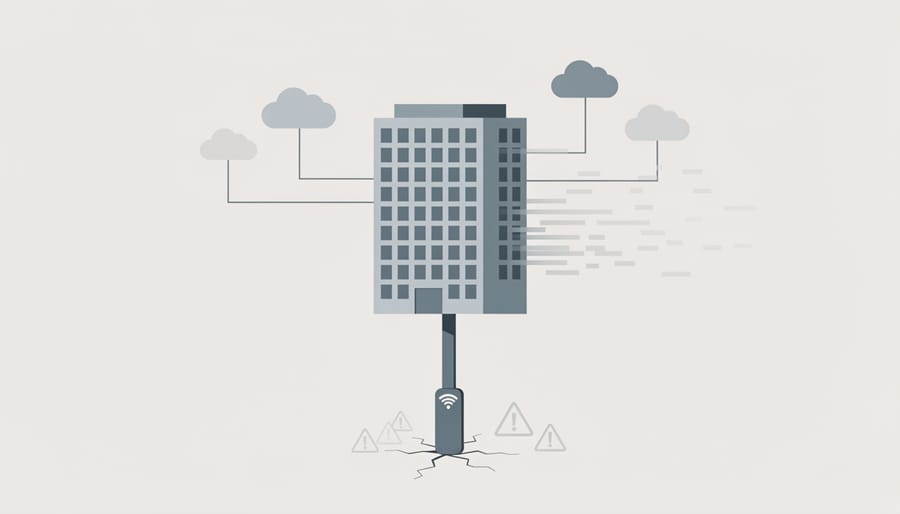
Small businesses operating in rural or remote areas face a harsh reality when adopting cloud computing: unreliable internet infrastructure makes daily operations frustratingly unpredictable. Without consistent high-speed connectivity, accessing critical business applications, customer data, or communication tools becomes a gamble. Simple tasks like processing payments, updating inventory, or responding to client emails can grind to a halt during outages or slow connection periods.
This connectivity dependency creates a competitive disadvantage compared to urban counterparts or businesses using local software solutions. When your team cannot reliably access essential systems, client communication suffers, deadlines slip, and revenue opportunities disappear. Even automated processes designed to save time become liabilities when they require constant cloud access to function. Before committing to cloud solutions, honestly assess your location’s internet reliability and have backup plans for connectivity failures, including offline work capabilities and alternative communication channels with clients.
Performance Issues at Scale
Latency Problems for Real-Time Operations
Cloud-based applications rely on internet connectivity to function, which introduces latency issues that can disrupt time-sensitive business operations. When your customer relationship management system or point-of-sale software requires constant server communication, even minor delays of a few seconds can accumulate throughout the workday, frustrating both employees and customers.
For businesses handling real-time customer interactions—such as retail checkout, customer support chats, or appointment booking—these delays directly impact service quality. A slow-loading application during peak hours can mean longer wait times, abandoned transactions, and damaged customer relationships. Unlike on-premise software that processes data locally, cloud applications must transmit information back and forth to remote servers, creating unavoidable lag during network congestion or connectivity issues.
The problem intensifies for businesses in areas with unreliable internet infrastructure or those running bandwidth-intensive operations. While edge computing solutions are emerging to address these challenges, most small businesses still experience periodic slowdowns that affect productivity and customer satisfaction, making cloud computing less ideal for operations requiring instant responsiveness.
The Automation Paradox: More Tools, Less Control
Cloud platforms promise to streamline your operations through automation, but this convenience often comes at the cost of control. While automated processes can boost efficiency, they frequently force small businesses into standardized workflows that don’t align with their unique operational needs.
Most cloud services operate on predetermined automation rules designed for broad market appeal. When your business requires specific approval chains, custom notification sequences, or specialized data handling procedures, these out-of-the-box automations can become obstacles rather than assets. You’re left choosing between abandoning your proven processes or implementing workarounds that defeat the purpose of automation altogether.
The reality is that business process automation in cloud environments often prioritizes volume over customization. Small businesses that thrive on personalized client communication and hands-on oversight find themselves trapped in rigid systems. For instance, automated invoice generation might not accommodate your practice of adding personalized notes to long-term clients, or scheduled reporting might not align with your weekly management review cycles.
Even more concerning is the reduced visibility into day-to-day operations. Automated processes run in the background, sometimes executing tasks without immediate notification. This lack of direct oversight can delay your response to client needs or prevent you from catching errors before they escalate.
The trade-off becomes clear: cloud automation saves time on routine tasks but strips away the flexibility that allows small businesses to differentiate themselves through responsive, personalized service. Before committing to heavily automated cloud solutions, evaluate whether the efficiency gains justify surrendering control over how your business actually operates.

Making Smart Decisions About Cloud Adoption
Before migrating to the cloud or expanding your current cloud footprint, take time to conduct a thorough evaluation. The decision shouldn’t be based on industry trends or vendor promises alone—it needs to align with your specific business requirements and operational realities.
Start by asking critical questions about your actual needs. Do your current systems already meet your collaboration and access requirements? Will the monthly subscription costs genuinely be lower than maintaining your existing infrastructure over three to five years? Can your team adapt to potential internet outages without significant revenue loss? These questions help separate marketing hype from practical necessity.
Consider this evaluation process to determine if cloud services truly serve your business:
- Document your current IT costs, including hardware, software licenses, maintenance, and staff time spent on system management.
- Calculate projected cloud costs over a three-year period, including subscription fees, data transfer charges, and potential overage costs.
- Assess your internet reliability and backup connectivity options to identify potential downtime risks.
- Review your data security and compliance requirements to ensure cloud providers can meet your standards.
- Test cloud services with a small pilot project before committing to full migration.
Many businesses find that hybrid solutions offer the best balance. Keep sensitive client data and mission-critical applications on local servers while using cloud services for collaboration tools or backup storage. This approach gives you flexibility without the vulnerability of complete cloud dependence.
Your digital transformation strategy should prioritize solutions that genuinely improve client communication and streamline your automated processes. If cloud computing accomplishes these goals cost-effectively and securely, it’s worth pursuing. If not, traditional systems may serve you better until the technology and pricing models evolve to meet your specific needs.
Cloud computing offers tremendous benefits, but it’s not a one-size-fits-all solution for every small business. The disadvantages we’ve explored—from unpredictable costs and internet dependency to security concerns and vendor lock-in—are real considerations that deserve careful evaluation before making the switch.
The key takeaway isn’t that cloud computing is bad. Rather, it’s that blindly following digital trends without assessing your specific business needs can lead to costly mistakes. A neighborhood bakery with minimal data requirements faces different challenges than a growing e-commerce startup with fluctuating storage needs. Understanding these disadvantages empowers you to ask the right questions when evaluating cloud providers and negotiate terms that protect your interests.
Making informed decisions about cloud adoption means weighing these drawbacks against potential benefits in the context of your actual operations, budget constraints, and growth trajectory. By recognizing where cloud computing might create friction in your business model, you can make strategic choices about digital scalability—whether that means adopting cloud services selectively, maintaining hybrid solutions, or deciding traditional infrastructure better serves your current stage. The goal is choosing technology that supports your business objectives, not adopting it simply because it’s popular.
Leave a Reply